You are currently viewing documentation for CompuTec ProcessForce 3.0, which is a plugin installed and managed through CompuTec AppEngine 3.0, built on .NET 8. If you are working with older environments, you may need the documentation for CompuTec ProcessForce 2.0: https://learn.computec.one/docs/processforce/2.0/.
Please note that CompuTec ProcessForce 2.0 will be supported only until December 31, 2026. After this date, the product will no longer receive regular support or maintenance updates. Read more
CompuTec AppEngine 3.0 introduces a new architecture, and all CompuTec components, including the CompuTec ProcessForce 3.0 plugin, must be updated together to ensure full compatibility.
Before starting your installation or upgrade process, we strongly recommend reviewing the CompuTec AppEngine 3.0 and CompuTec ProcessForce 3.0 documentation.
Add User-Defined Fields (UDFs)
CompuTec ProcessForce supports User-Defined Fields (UDFs), allowing you to extend forms and tables to meet your business requirements.
This article explains how to add UDFs to CompuTec ProcessForce objects, where they are displayed, and which limitations you should be aware of.
Before you start
Before adding UDFs, make sure that:
- You have the
User-Defined Fields - Managementauthorization in SAP Business One Administration > System Initialization > Authorizations > General Authorizations. - All users are logged out of the company database.
Adding a UDF changes the database structure.
To avoid errors, disconnect all users before creating or modifying User-Defined Fields.
Supported forms
Most CompuTec ProcessForce forms support User-Defined Fields (UDFs).
However, the following forms either do not support UDFs or have limitations that you should be aware of before adding custom fields:
| Form | Support |
|---|---|
| Costed Bill of Materials | Not supported |
| Item Costing | Not recommended |
| Resource Costing | Not recommended |
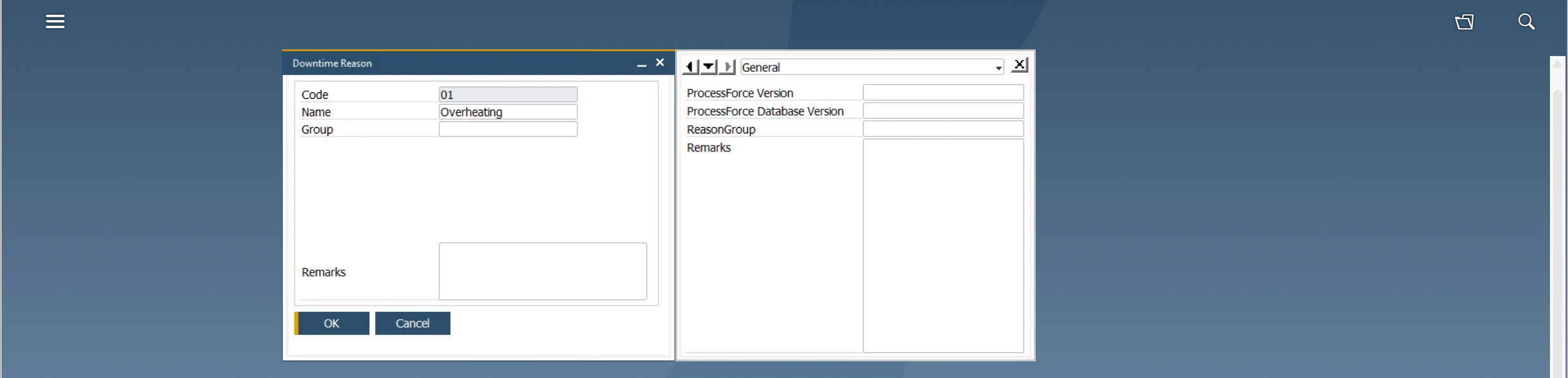
| Downtime Reason | Supported (displayed in the side panel only) |
Add a User-Defined Field
-
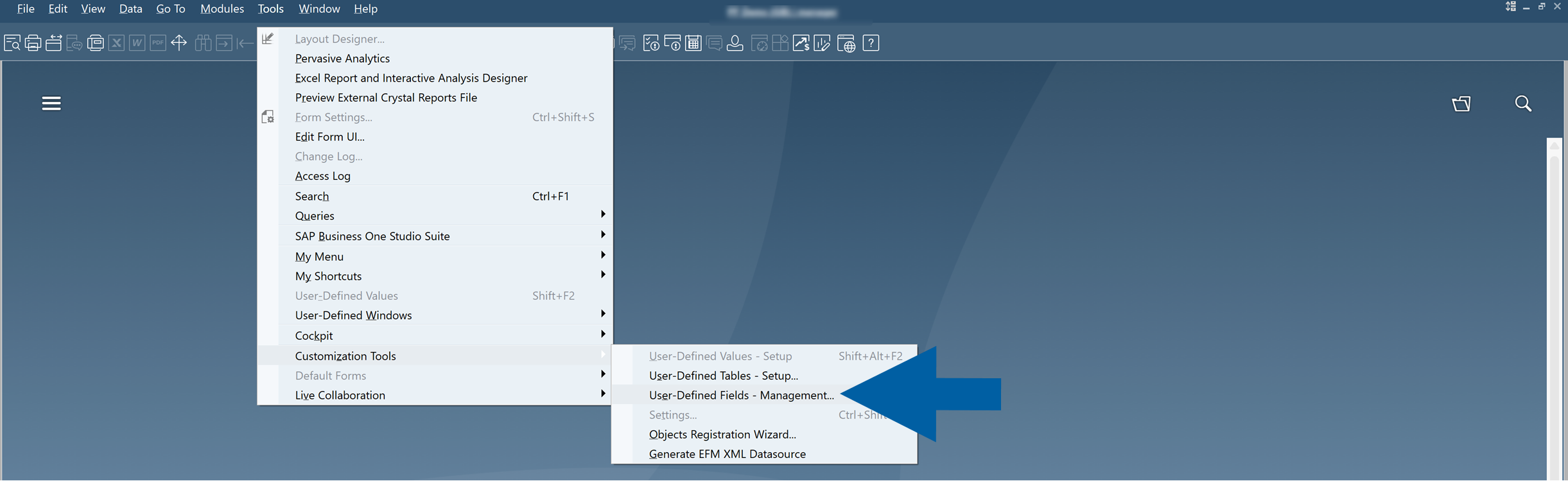
In SAP Business One, go to Tools > Customization Tools > User-Defined Fields - Management.
-
Click User Tables.

-
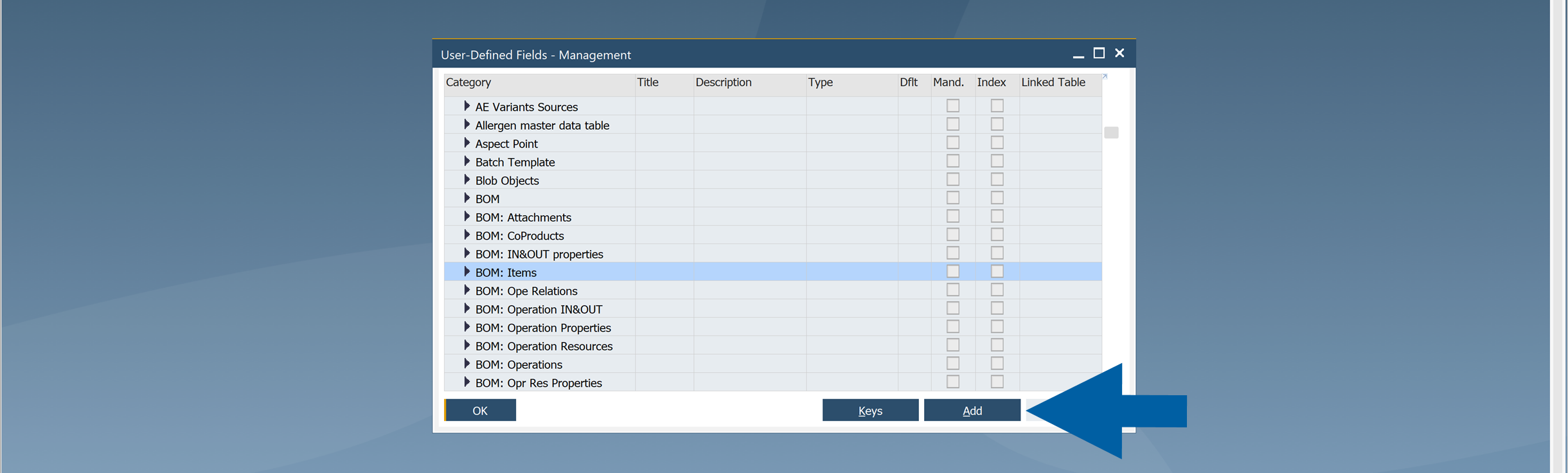
Select the CompuTec ProcessForce table you want to customize, and click Add.
 info
infoYou can use UDFs in two types of tables:
- Header tables (e.g.,
BOM) - Row tables (e.g.,
BOM: Items,BOM: Scrap)
- Header tables (e.g.,
-
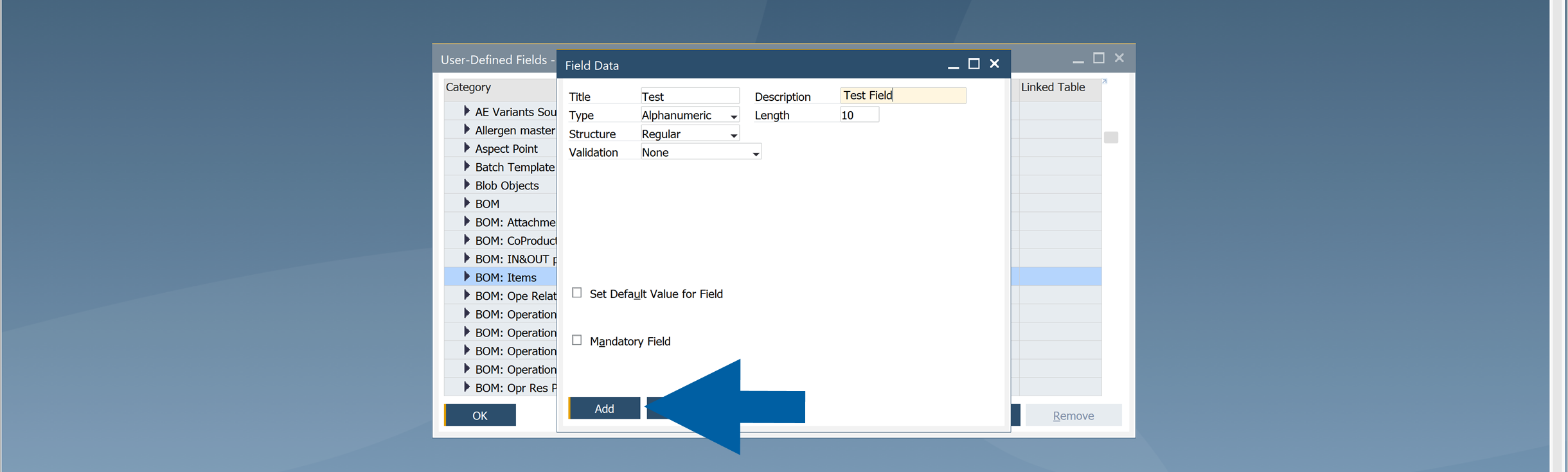
Enter the field information:
- Title
- Description
- Data Type
- Structure
 note
noteAfter the field is created, you can't change its Title, Data Type, or Structure. To modify these properties, delete the field and create it again.
-
Confirm the database structure update.
-
Restart the SAP Business One client.
View User-Defined Fields
Header UDFs
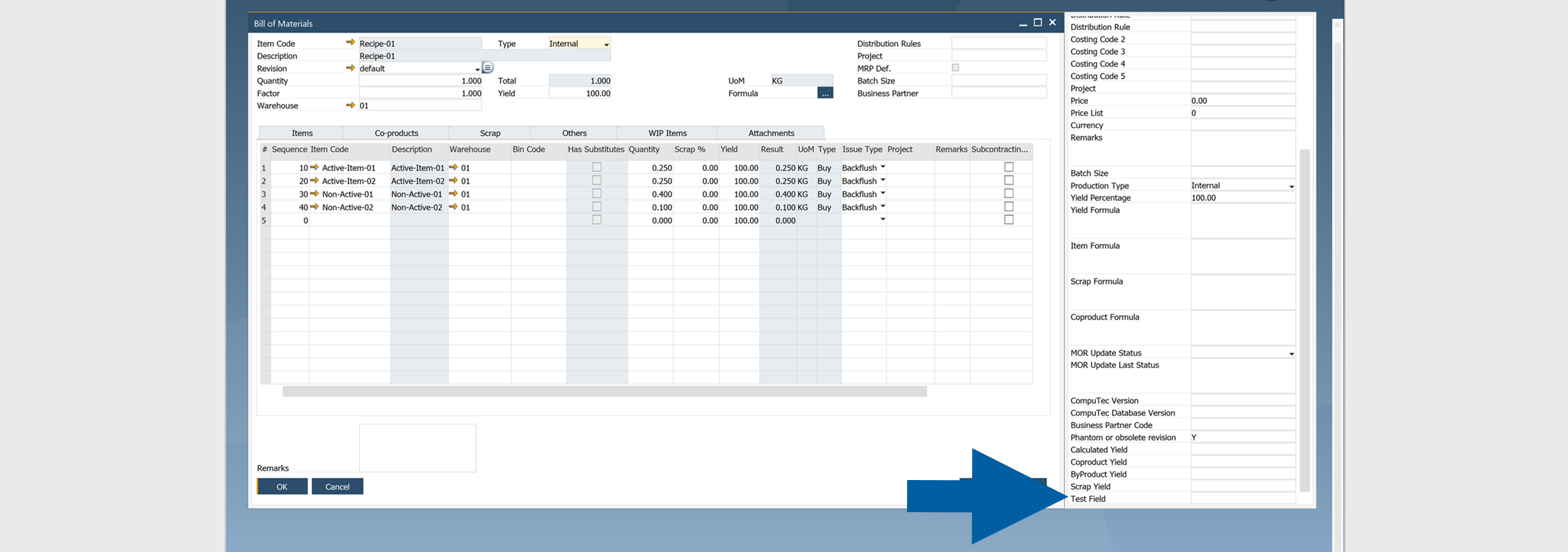
Header UDFs are available from the User-Defined Fields window.
To view header UDFs, follow these steps:
-
Open the form, for example: Bill of Materials.
-
Click View > User-Defined Fields.
infoYou can also use the Ctrl+Shift+U shortcut.

-
Done. Now you can see the added header UDF in the side panel next to your form.
Row UDFs
Row UDFs appear as additional columns in the table.
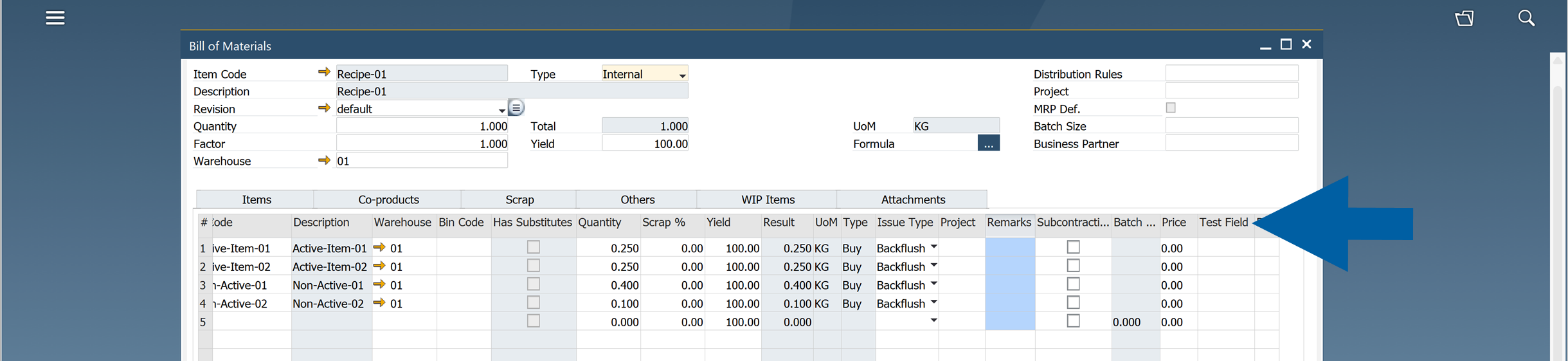
Flat forms
Some forms, such as Downtime Reason, do not contain row tables.
In these forms, UDFs are available only from the User-Defined Fields side panel using View > User-Defined Fields option.
Control UDF visibility
You can control whether row UDFs are displayed in the table.
To hide or show your UDFs in the table, follow these steps:
-
Open the table you want to edit.
-
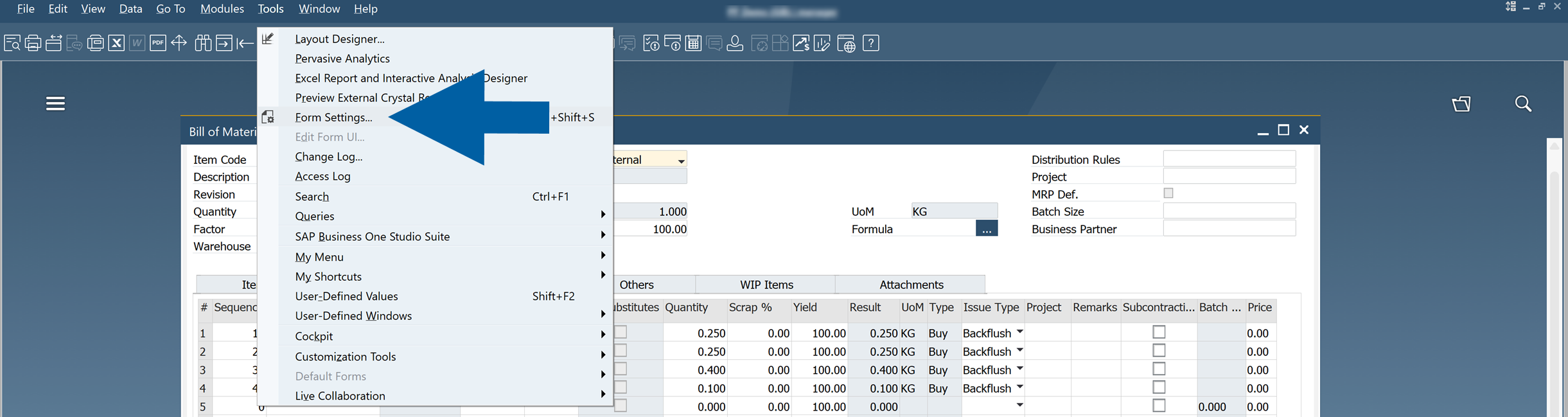
Go to Tools > Form Settings.
-
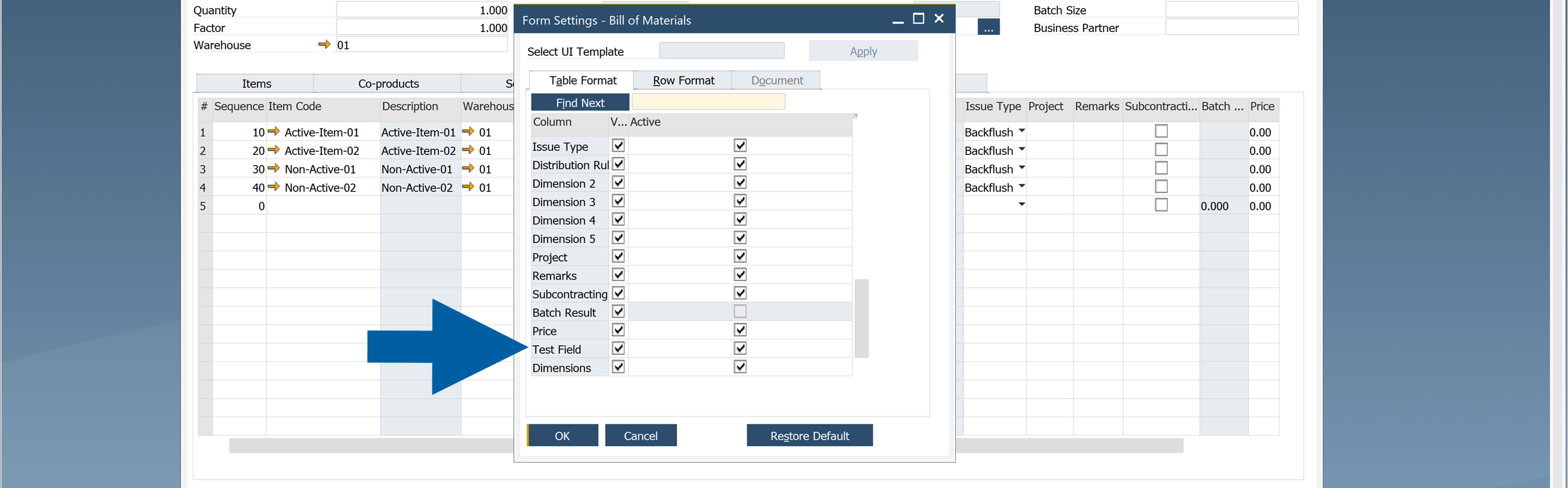
In the Table Format tab, find your UDF and choose whether you want to hide or show it in the table.
 note
noteOnly row UDFs can be managed through Form Settings
Important
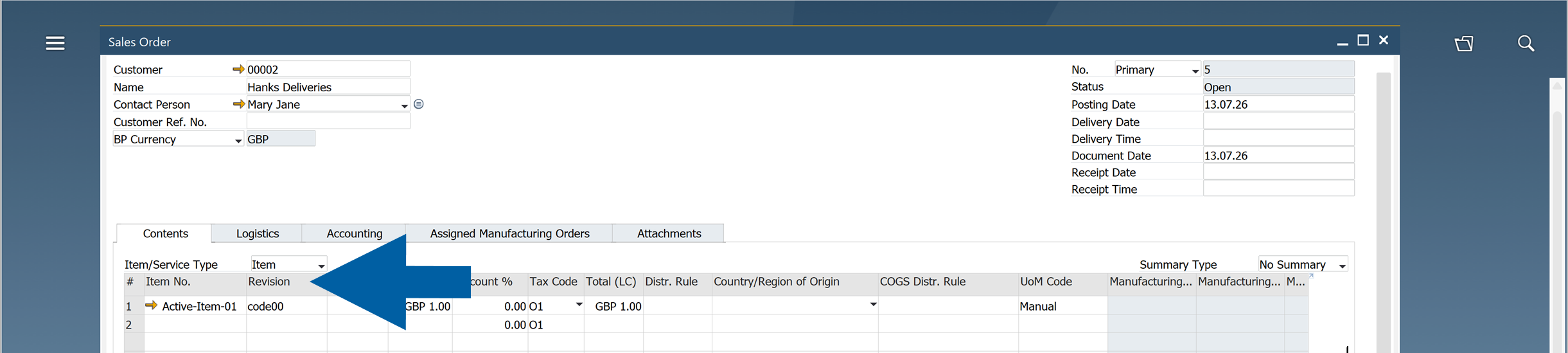
During installation, CompuTec ProcessForce adds several User-Defined Fields to standard SAP Business One forms, such as the Revision field on Sales Orders.
Do not hide or deactivate these fields. They are required for CompuTec ProcessForce to function correctly.
Best practices
- Use a consistent naming convention for your UDFs.
- Add a unique company or partner prefix to every custom field.
- Do not add UDFs to Costed Bill of Materials, Item Costing, or Resource Costing forms.
- Keep the User-Defined Fields installed by CompuTec ProcessForce visible and active.
For naming recommendations, see Use Prefixes for Custom User-Defined Fields.