You are currently viewing documentation for CompuTec ProcessForce 3.0, which is a plugin installed and managed through CompuTec AppEngine 3.0, built on .NET 8. If you are working with older environments, you may need the documentation for CompuTec ProcessForce 2.0: https://learn.computec.one/docs/processforce/2.0/.
Please note that CompuTec ProcessForce 2.0 will be supported only until December 31, 2026. After this date, the product will no longer receive regular support or maintenance updates. Read more
CompuTec AppEngine 3.0 introduces a new architecture, and all CompuTec components, including the CompuTec ProcessForce 3.0 plugin, must be updated together to ensure full compatibility.
Before starting your installation or upgrade process, we strongly recommend reviewing the CompuTec AppEngine 3.0 and CompuTec ProcessForce 3.0 documentation.
Introduction to CompuTec ProcessForce 3.0
CompuTec ProcessForce 3.0 is a manufacturing execution and management solution for SAP Business One. It extends standard SAP Business One functionality with advanced tools for production planning, manufacturing execution, quality control, costing, traceability, plant maintenance, and product lifecycle management.
This guide introduces the main areas of CompuTec ProcessForce and helps you get started after installation.
Currently, you can access CompuTec ProcessForce 3.0 only from SAP Business One Desktop Client. It is not available in SAP Business One Web Client.
Before you start
Before you can use CompuTec ProcessForce 3.0, you must complete the installation and licensing process.
Follow these guides:
- System Requirements
- Install CompuTec License Server
- Install CompuTec ProcessForce Plugins
- Import and Assign Licenses
Use the Upgrade CompuTec ProcessForce guide only if you already have CompuTec ProcessForce 2.0 installed and want to update to CompuTec ProcessForce 3.0. For new installations, follow the installation guides instead.
After completing the installation, log in to SAP Business One and verify that the CompuTec ProcessForce menus are available.
Access CompuTec ProcessForce 3.0
After installation, CompuTec ProcessForce functions are integrated directly into the SAP Business One menu structure.
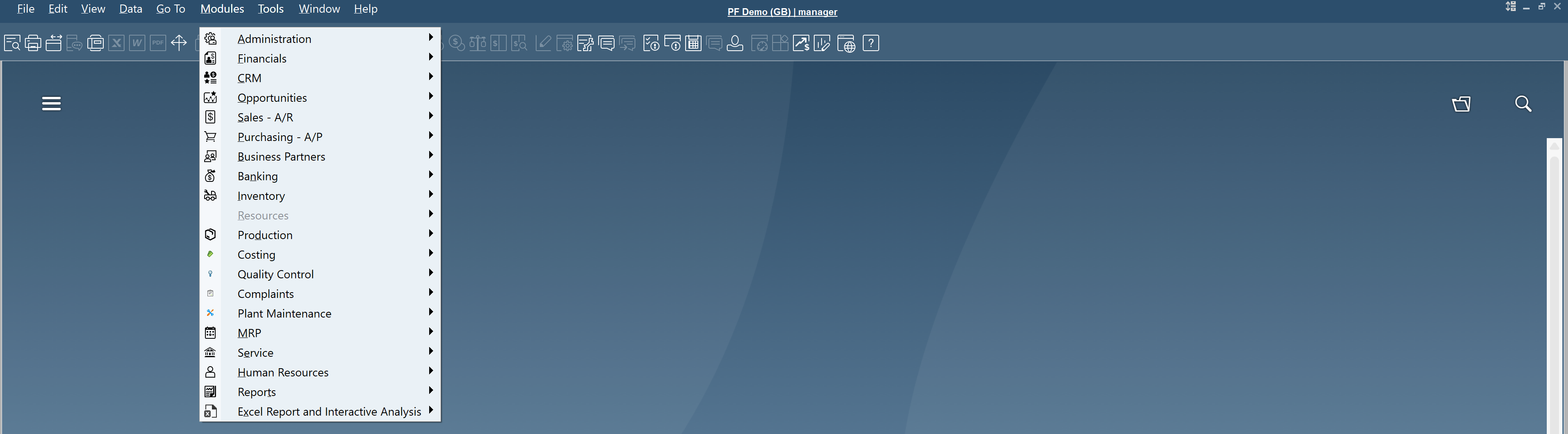
You can access most CompuTec ProcessForce features from the SAP Business One menu:
- Administration
- Inventory
- Production
- Costing
- Quality Control
- Plant Maintenance
Main CompuTec ProcessForce features
General Settings
Configure global CompuTec ProcessForce settings, default values, and manufacturing parameters.
Use this module to define system-wide settings such as default values, production parameters, planning options, costing settings, and validation rules that affect other CompuTec ProcessForce modules.
To access General Settings, navigate to: Modules > Administration > System Initialization > General Settings > ProcessForce.

For detailed configuration instructions, read the General Settings guide.
Item Details
Manage manufacturing-specific information that extends the standard SAP Business One item master data.
Use this module to maintain revisions, classifications, specifications, attachments, product texts, and other information required throughout the product lifecycle.
To access Item Details, navigate to: Modules > Inventory > Item Details.
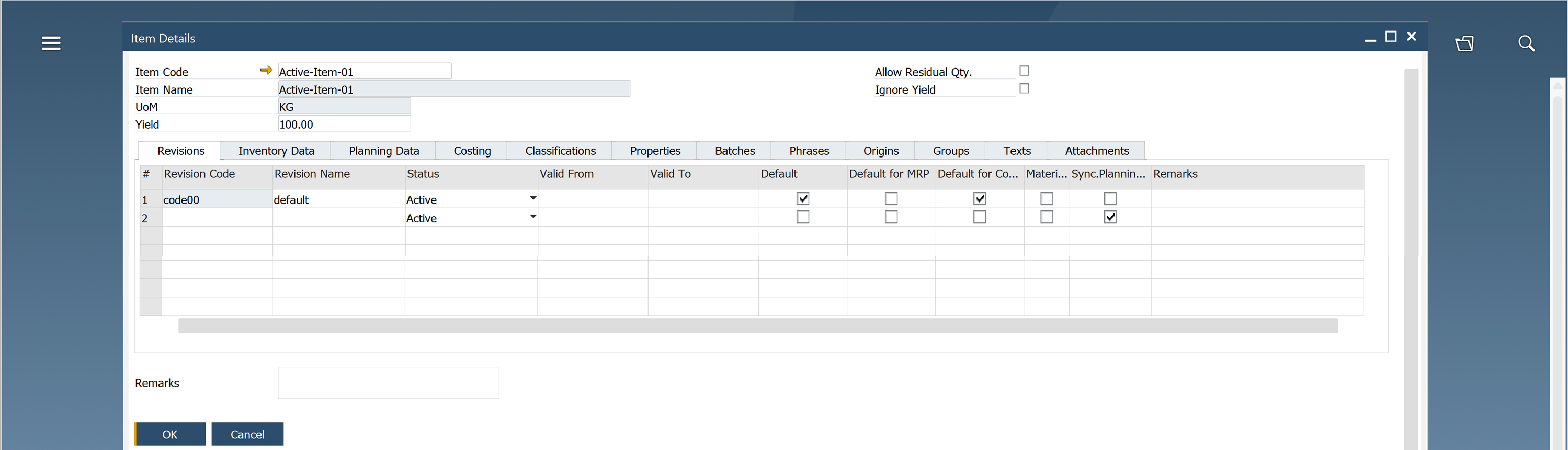
For detailed configuration instructions, read the Item Details guide.
Ingredients
Manage ingredient declarations and nutritional information for products.
This module helps food, beverage, chemical, and life sciences companies create ingredient lists, allergen declarations, nutritional panels, and other data required for product labeling and regulatory compliance.
To access Ingredients, navigate to Modules > Inventory > Ingredients.
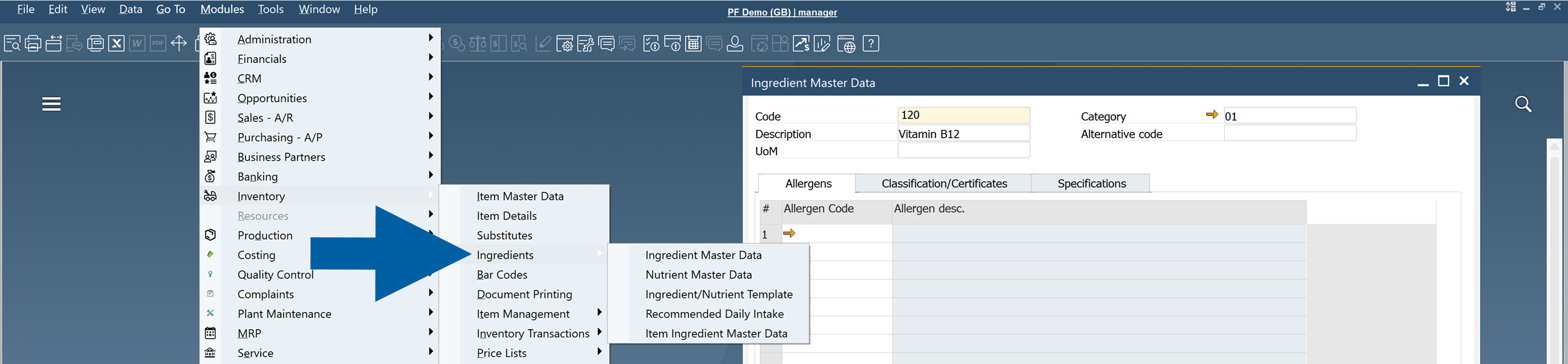
For detailed configuration instructions, read the Ingredients guide.
Batch Control
Manage additional information for batch-managed materials and products.
Use this module to maintain batch-specific attributes, quality information, production details, and other data required for traceability and compliance.
To access Batches, navigate to: Modules > Inventory > Item Management > Batches.
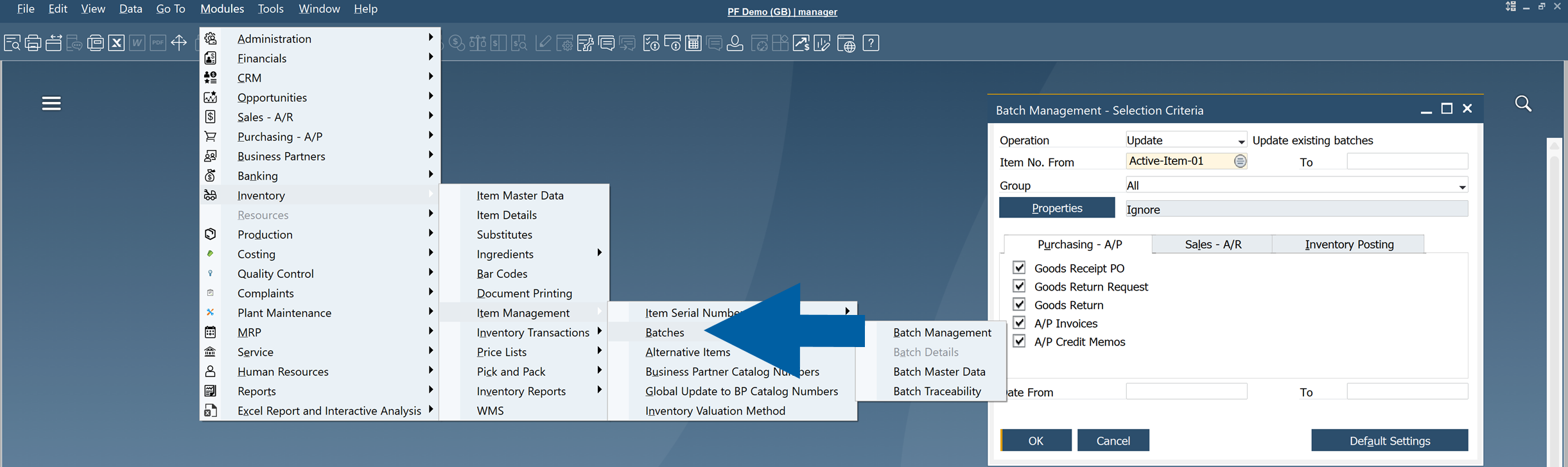
For detailed configuration instructions, read the Batch Control guide.
Batch Traceability
Track materials and finished goods throughout the production and distribution process.
Use this module to identify where a raw material was used, which finished products were produced from it, and where those products were distributed. This information is especially useful during audits, investigations, and product recalls.
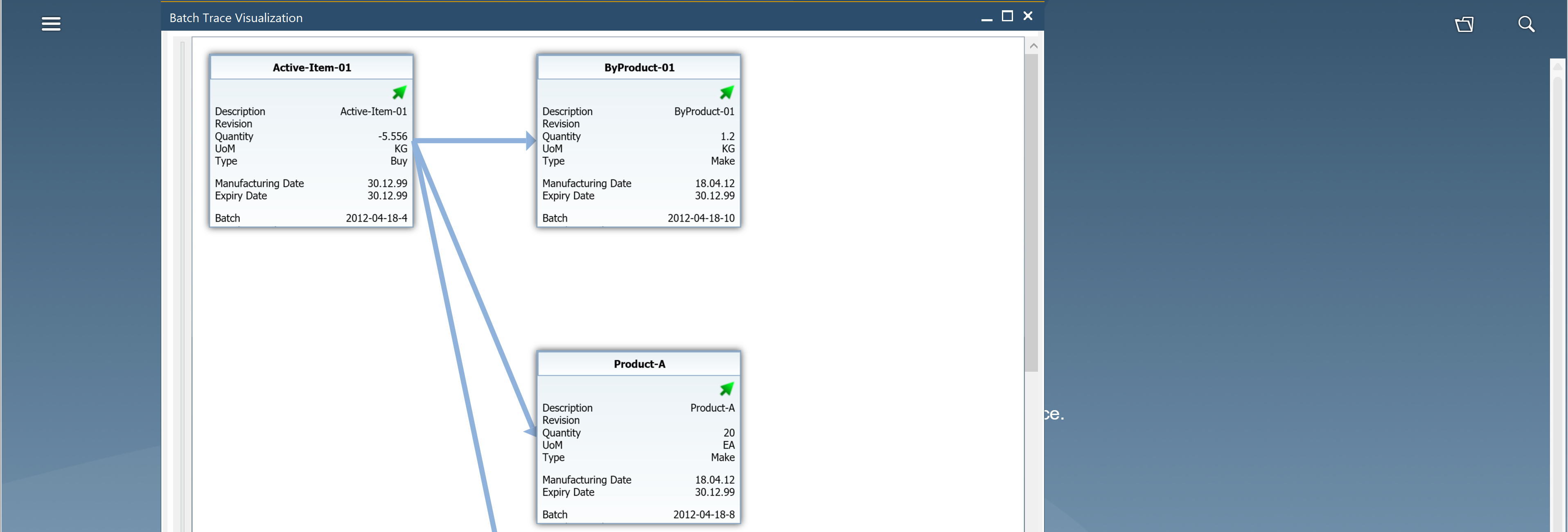
To access Batch Traceability, navigate to: Modules > Inventory > Item Management > Batches > Batch Traceability.
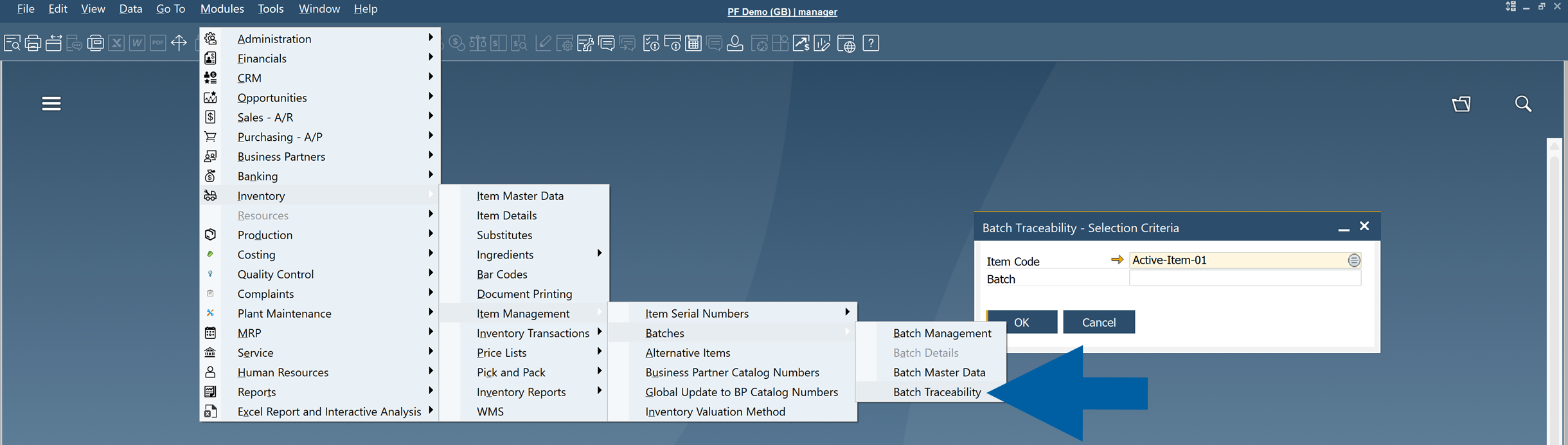
For detailed configuration instructions, read the Batch Traceability guide.
Bill of Materials (BOM)
Define what is required to manufacture a product.
Bills of Materials (BOMs) specify the raw materials, semi-finished products, packaging components, and quantities required to produce a finished item.
To access Bill of Materials, navigate to: Modules > Production > Bill of Materials.
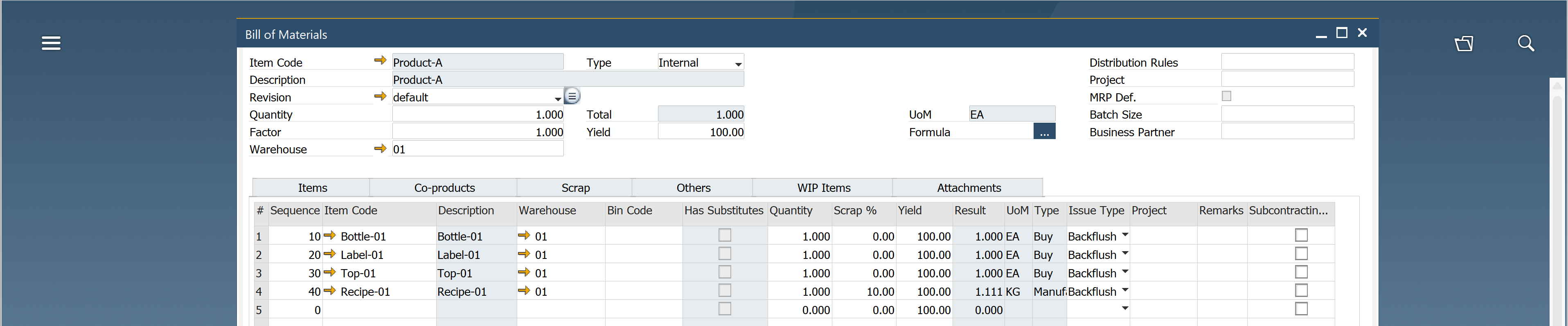
For detailed configuration instructions, read the Bill of Materials guide.
Routings
Define how a product is manufactured.
A routing describes the sequence of operations, resources, work centers, and production steps required to produce an item. It forms the basis for scheduling, capacity planning, and production execution.
To access Routings, navigate to: Modules > Production > Routings > Routing.

For detailed configuration instructions, read the Routings guide.
Manufacturing Order
Manage the complete production process from planning to completion.
Use Manufacturing Orders to issue materials, record production activities, report quantities, track progress, and receive finished goods into inventory.
To access Manufacturing Order, navigate to: Modules > Production > Manufacturing Order > Manufacturing Order.
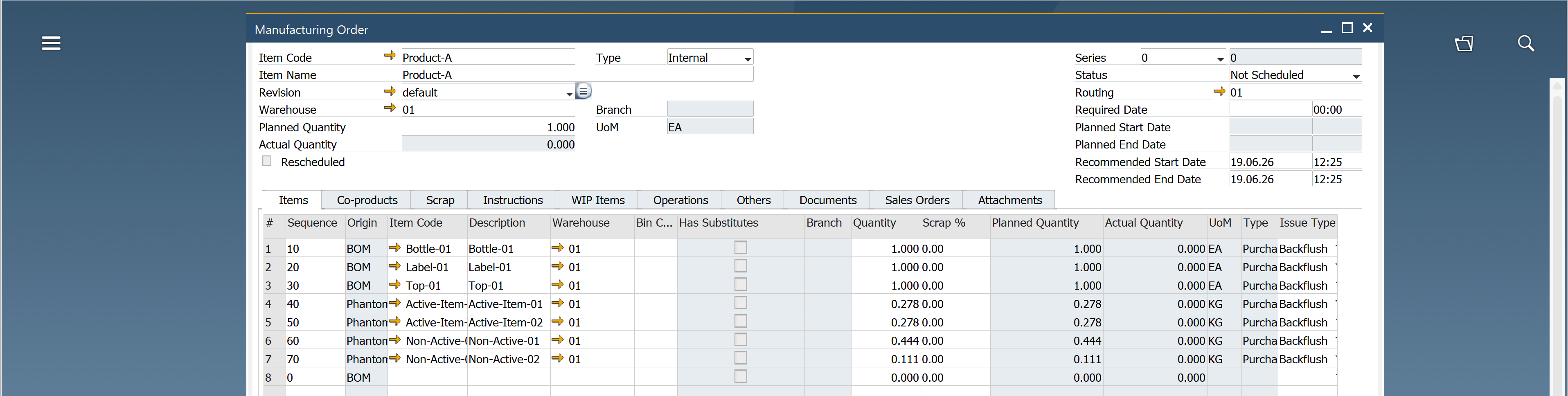
For detailed configuration instructions, read the Manufacturing Order guide.
Scheduling
Plan and optimize production activities across available resources.
Use this module to schedule manufacturing orders, balance workloads, identify capacity conflicts, and adjust production plans using an interactive scheduling board.
To access Scheduling, navigate to: Modules > Production > Manufacturing Order > Scheduling.

For detailed configuration instructions, read the Scheduling guide.
Item Costing
Calculate and analyze the cost of manufactured products.
Use this module to estimate production costs, evaluate material and resource consumption, compare planned and actual costs, and support financial analysis.
To access Item Costing, navigate to: Modules > Costing > Item Costing.

For detailed configuration instructions, read the Item Costing guide.
Plant Maintenance
Manage maintenance activities for machines, equipment, and production assets.
Use this module to schedule preventive maintenance, record repairs, track maintenance history, and reduce unplanned downtime.
To access Plant Maintenance, navigate to: Modules > Plant Maintenance.
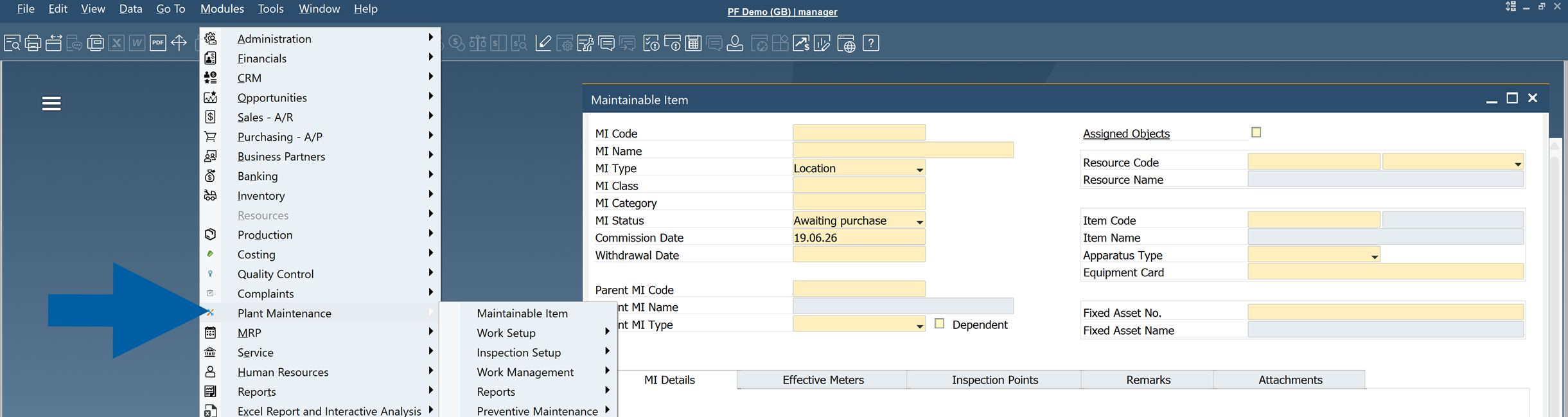
For detailed configuration instructions, read the Plant Maintenance guide.
Quality Control
Manage quality inspections throughout the manufacturing process.
Use this module to create test plans, perform inspections, record results, track non-conformances, and ensure products meet internal and regulatory quality requirements. It supports test templates, inspectors, resources, materials, testing frequencies, defect tracking, instructions, and attachments.
Quality Control tests can be triggered from business processes such as Goods Receipt POs, Manufacturing Orders, Complaints, or SAP Business One Business Alerts.
To access Quality Control, navigate to: Modules > Quality Control.
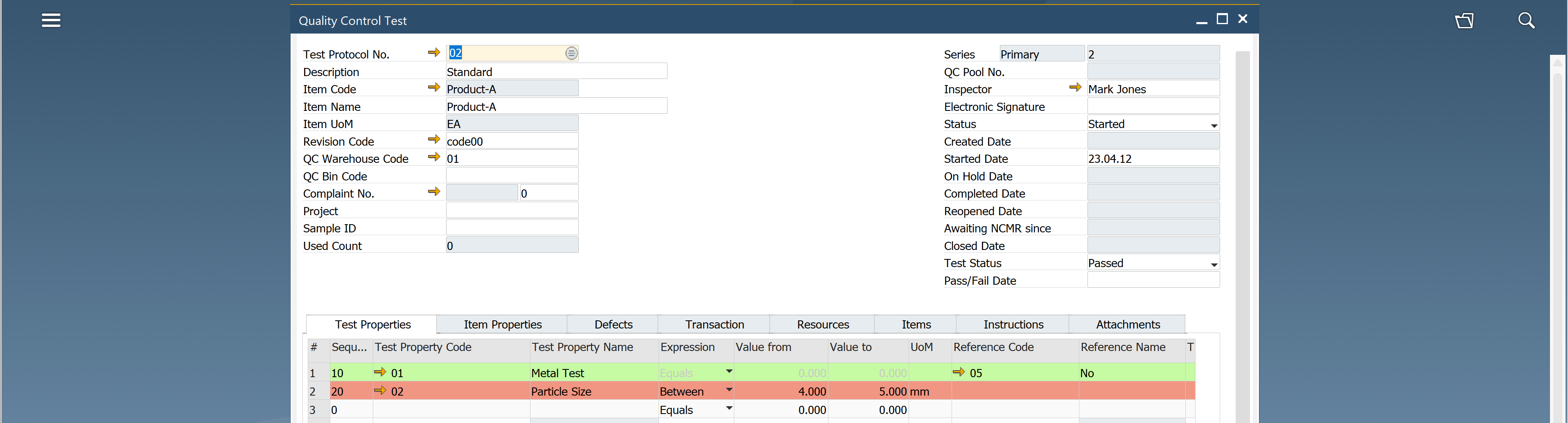
For detailed configuration instructions, read the Quality Control guide.
Complaint Management
Manage customer, supplier, and internal complaints from initial registration through resolution.
Use this module to investigate issues, identify root causes, assign corrective actions, and monitor the effectiveness of resolutions.
To access Complaints, navigate to: Modules > Complaints > Complaint.
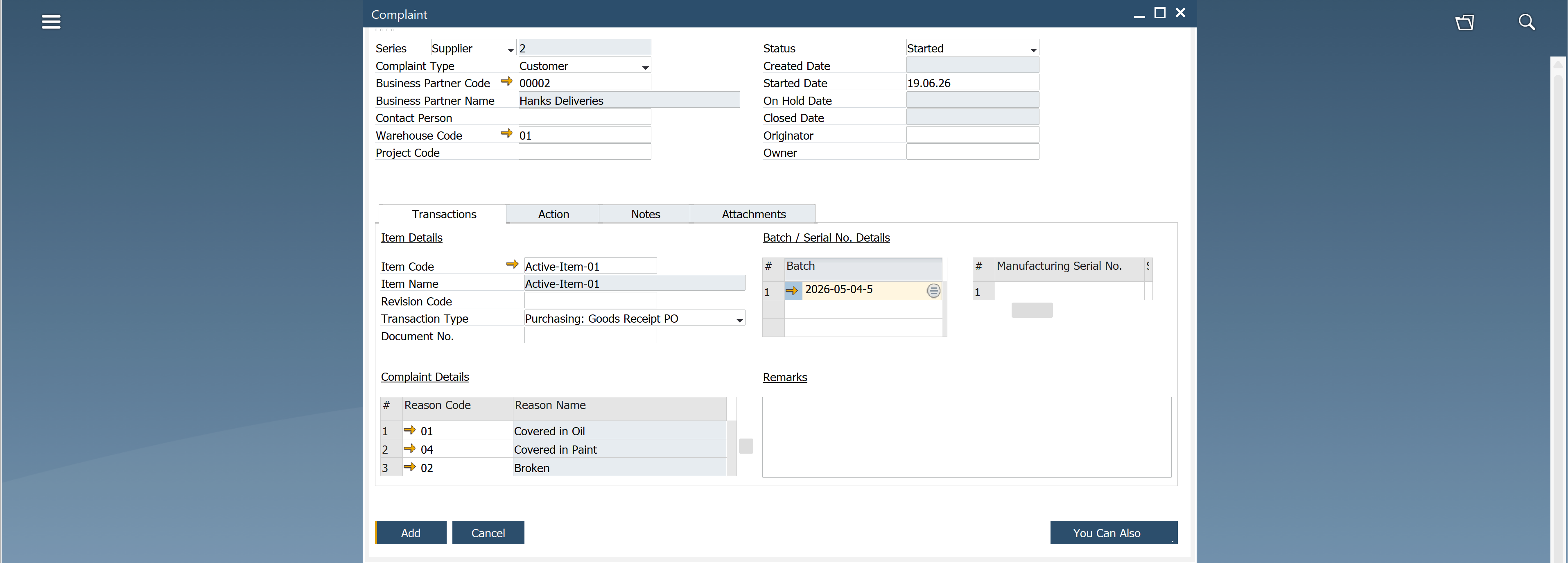
For detailed configuration instructions, read the Complaint guide.
Next Steps
After becoming familiar with the CompuTec ProcessForce 3.0 key features:
- Configure General Settings.
- Set up Item Details, Bill of Materials, and Routings.
- Configure Manufacturing Orders and Scheduling.
If you need any help, contact CompuTec Support.