You are currently viewing documentation for CompuTec ProcessForce 3.0, which is a plugin installed and managed through CompuTec AppEngine 3.0, built on .NET 8. If you are working with older environments, you may need the documentation for CompuTec ProcessForce 2.0: https://learn.computec.one/docs/processforce/2.0/.
Please note that CompuTec ProcessForce 2.0 will be supported only until December 31, 2026. After this date, the product will no longer receive regular support or maintenance updates. Read more
CompuTec AppEngine 3.0 introduces a new architecture, and all CompuTec components, including the CompuTec ProcessForce 3.0 plugin, must be updated together to ensure full compatibility.
Before starting your installation or upgrade process, we strongly recommend reviewing the CompuTec AppEngine 3.0 and CompuTec ProcessForce 3.0 documentation.
Request CompuTec ProcessForce License
Before you can use CompuTec ProcessForce, you must obtain a valid license file from CompuTec Support. The license is generated based on your SAP Business One system information, so you must provide accurate system details when submitting your request.
Follow the steps from this guide to request your license.
Step 1: Create a support ticket
-
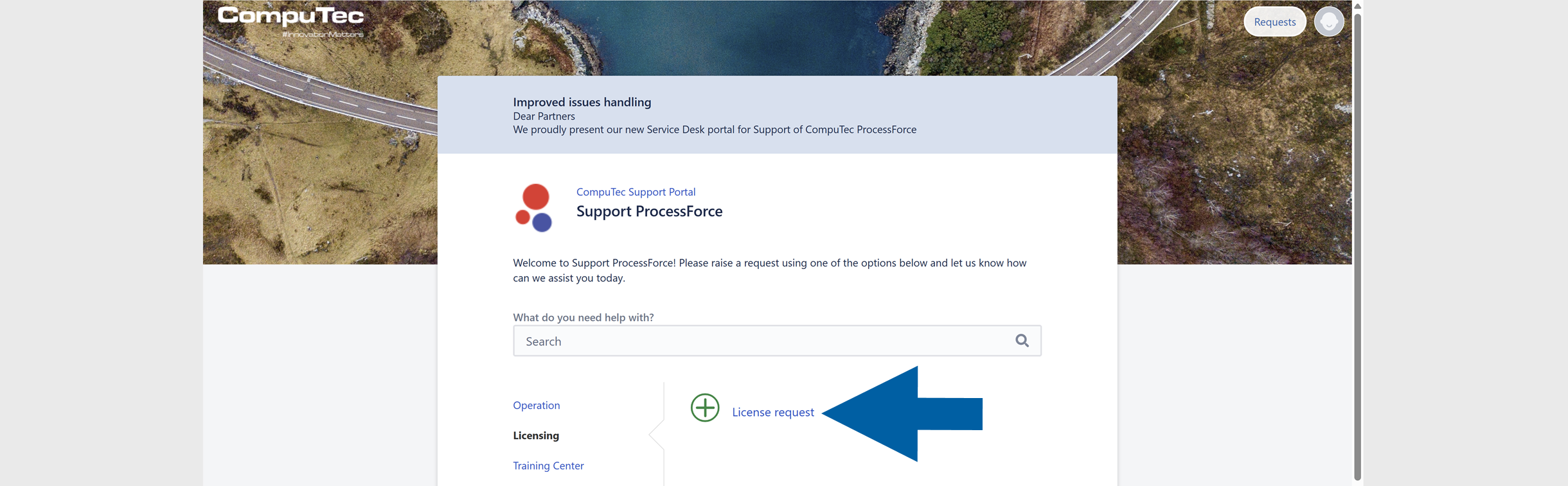
Log in to the CompuTec Support Portal.
-
Navigate to Support ProcessForce > Licensing.
-
Click + License request to create a new ticket.
-
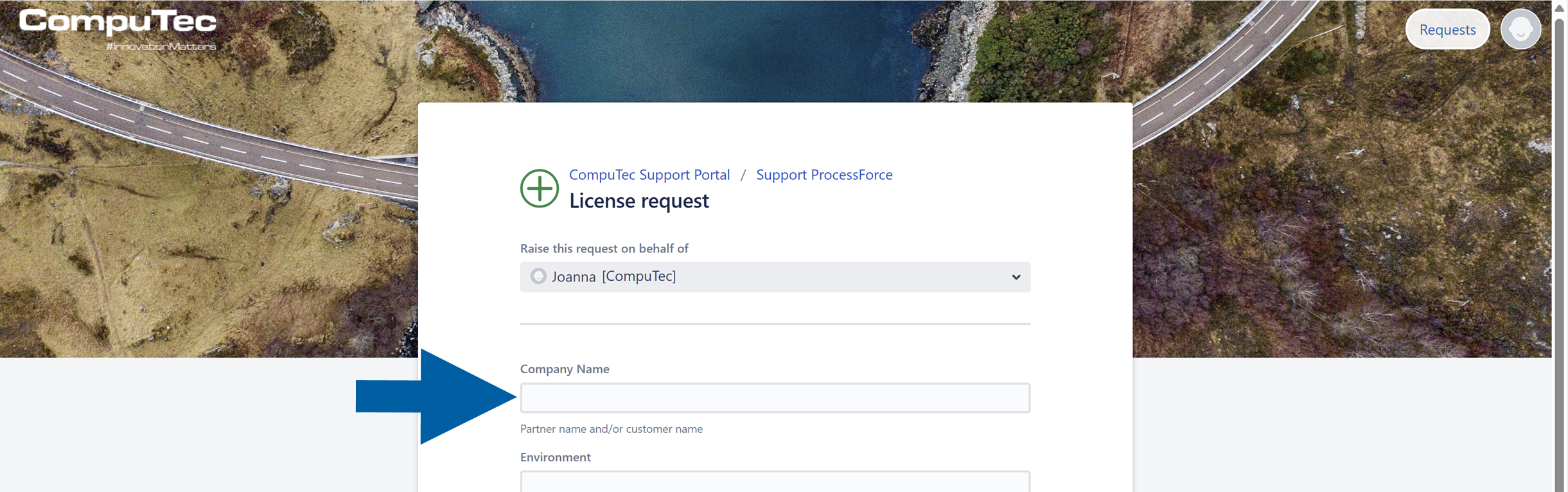
Fill in the Company Name field.
Step 2: Find the required information
-
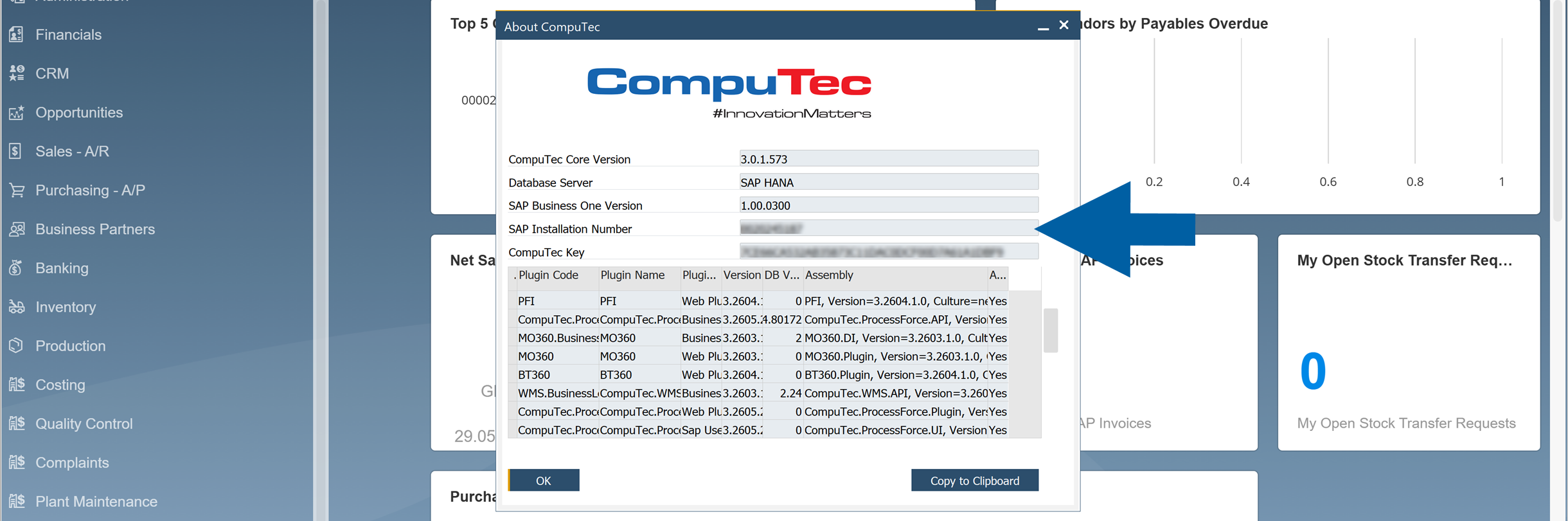
In SAP Business One, go to: Help > About CompuTec ProcessForce.

-
From the About CompuTec ProcessForce window, copy these details:
- SAP Business One Version: Example:
9.3or10.0. - SAP Business One Installation Number: This is a 10-character number.
- CompuTec Key: This is a 40-character key.
 important
Licenses are version-specific. When upgrading to another major version, request a new license.
If the Installation Number is
-1, or the CompuTec Key field is empty, do not submit the request yet. Read more - SAP Business One Version: Example:
-
To avoid mistakes, copy the values directly from the window. You can use Copy to Clipboard option.

Step 3: Check the SAP license localization
-
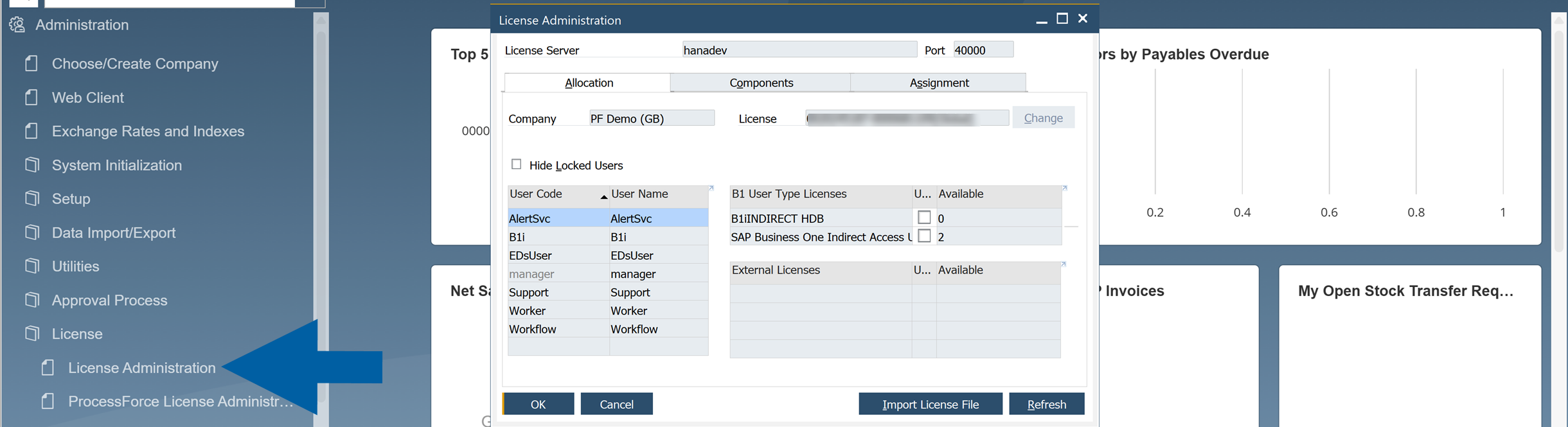
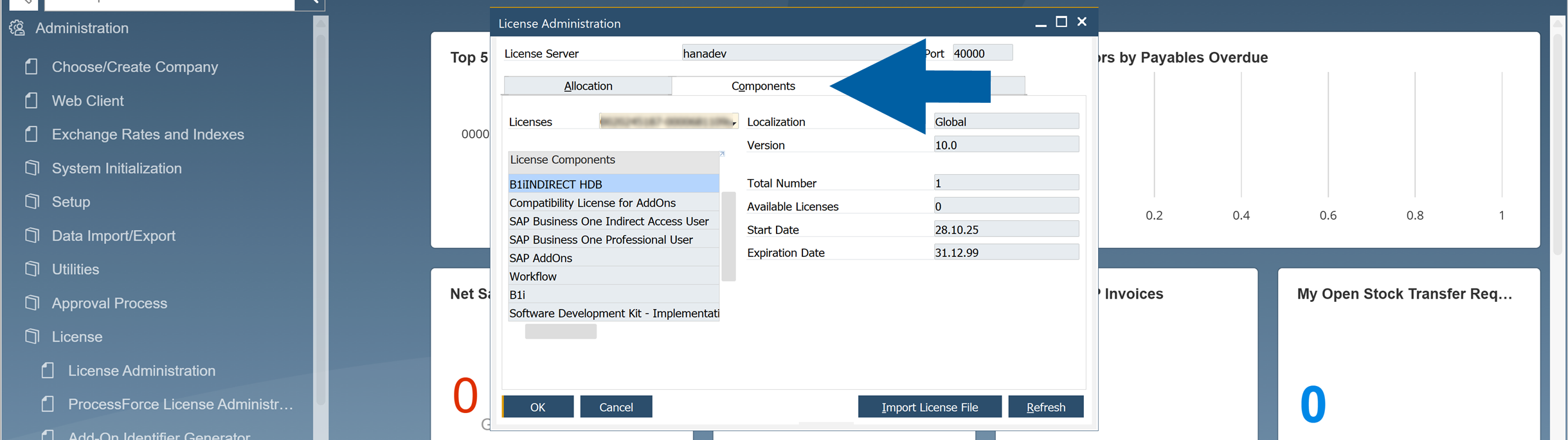
In SAP Business One, go to Administration > License > License Administration.
-
Navigate to Components tab.
-
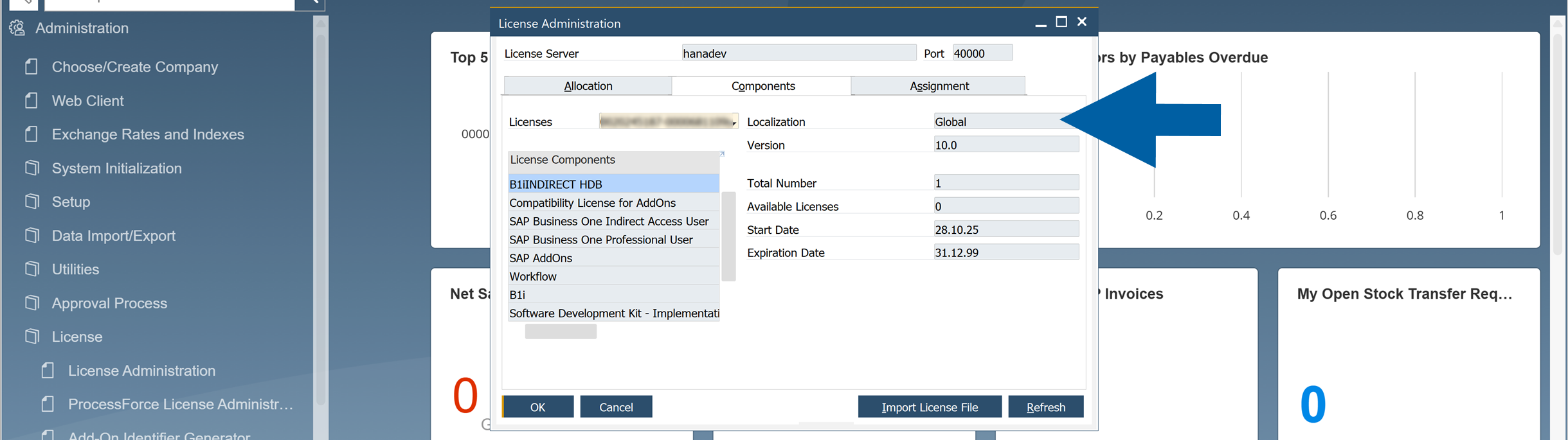
Find the SAP Business One license Localization.
Step 4: Add all the required information to the ticket
-
In CompuTec Support Portal, add all the required information to the ticket.

-
In the Description field:
-
Specify where the license will be used:
- Customer server
- Partner internal server
-
Add the information about the license purpose:
- Production / purchased license
- Demo or test license
NoteDemo and test licenses are generated for 1 Professional user by default.
-
-
Before submitting the ticket, check all the information.
Step 7: Submit the ticket
-
Click Create to submit the ticket to CompuTec Support.

-
Wait for CompuTec Support to process your request and send you the license file.
Step 8: Import the license file
After CompuTec Support sends you the license file, continue with the License Import and Assignment procedure.