You are currently viewing documentation for CompuTec ProcessForce 3.0, which is a plugin installed and managed through CompuTec AppEngine 3.0, built on .NET 8. If you are working with older environments, you may need the documentation for CompuTec ProcessForce 2.0: https://learn.computec.one/docs/processforce/2.0/.
Please note that CompuTec ProcessForce 2.0 will be supported only until December 31, 2026. After this date, the product will no longer receive regular support or maintenance updates. Read more
CompuTec AppEngine 3.0 introduces a new architecture, and all CompuTec components, including the CompuTec ProcessForce 3.0 plugin, must be updated together to ensure full compatibility.
Before starting your installation or upgrade process, we strongly recommend reviewing the CompuTec AppEngine 3.0 and CompuTec ProcessForce 3.0 documentation.
Inventory Transfer Request and Inventory Transfer
Efficient inventory movement between warehouses is essential for maintaining accurate stock levels and supporting production workflows. SAP Business One provides two core documents to manage these internal logistics:
- Inventory Transfer Request – to plan stock movement
- Inventory Transfer – to execute the physical transfer
To access Inventory Transactions, navigate to:
Inventory → Inventory Transactions
Difference Between the Two Documents
| Feature | Inventory Transfer Request | Inventory Transfer |
|---|---|---|
| Triggers stock movement | ❌ No | ✅ Yes |
| Affects inventory levels | ❌ No | ✅ Yes |
| Used for planning | ✅ Yes | ❌ No |
| Can be linked to MOs | ✅ Yes | ✅ Yes |
Inventory Transfer
To access Inventory Transfer, navigate to:
Inventory → Inventory Transactions → Inventory Transfer
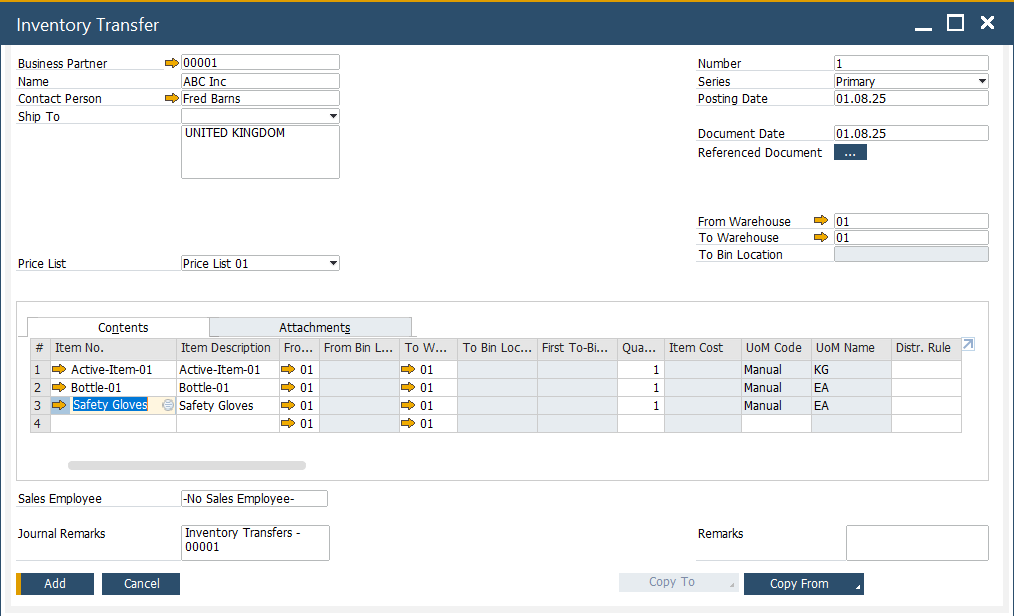
The Inventory Transfer document is used to record the physical movement of items from one warehouse to another. Once this document is added, it updates inventory balances accordingly and reflects the stock movement in the system. Use this document when the physical transfer is being executed and needs to be recorded in real-time.
Inventory Transfer Request
To access Inventory Transfer Request, navigate to:
Inventory → Inventory Transactions → Inventory Transfer Request
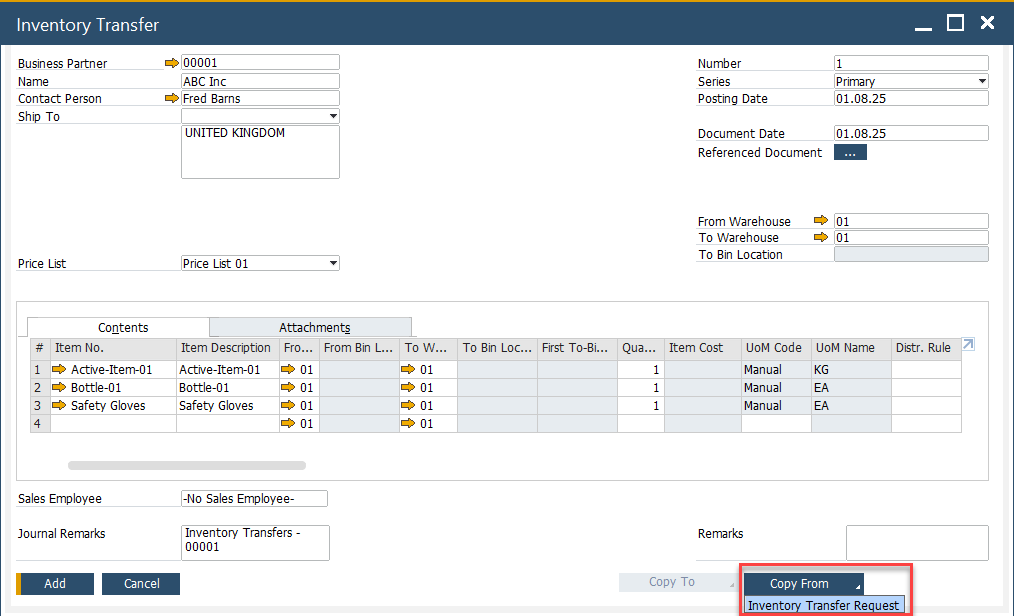
The Inventory Transfer Request is a planning document used to initiate internal stock movement without immediately affecting inventory levels. It allows users to outline required transfers which can later be converted into an Inventory Transfer document.
- Use this document for approvals or when planning material availability ahead of time.
- Once reviewed and approved, the request can be copied into an Inventory Transfer document to complete the process.
Manufacturing Order Based Document
Inventory Transfers and Transfer Requests can be directly linked to a Manufacturing Order. This enables users to manage material movement in alignment with production requirements.
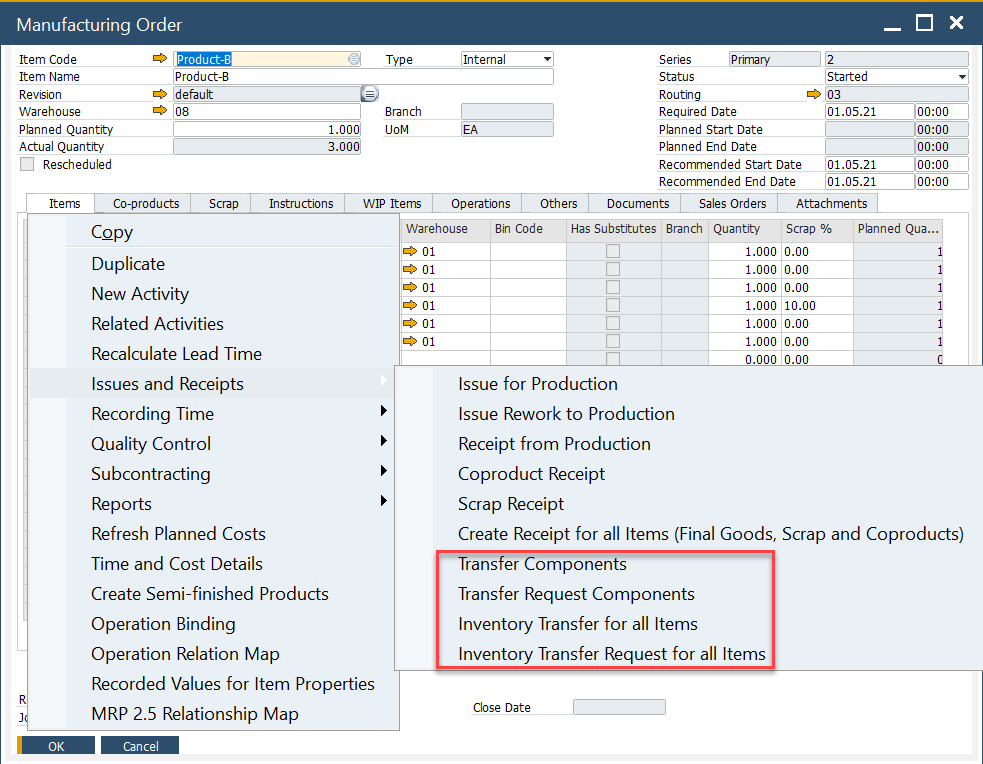
From the Manufacturing Order screen:
- Right-click to generate either a Transfer Request or an Inventory Transfer.
- Choose to generate the document for individual components or all required items.
This connection helps ensure material readiness for production and traceability in stock handling.
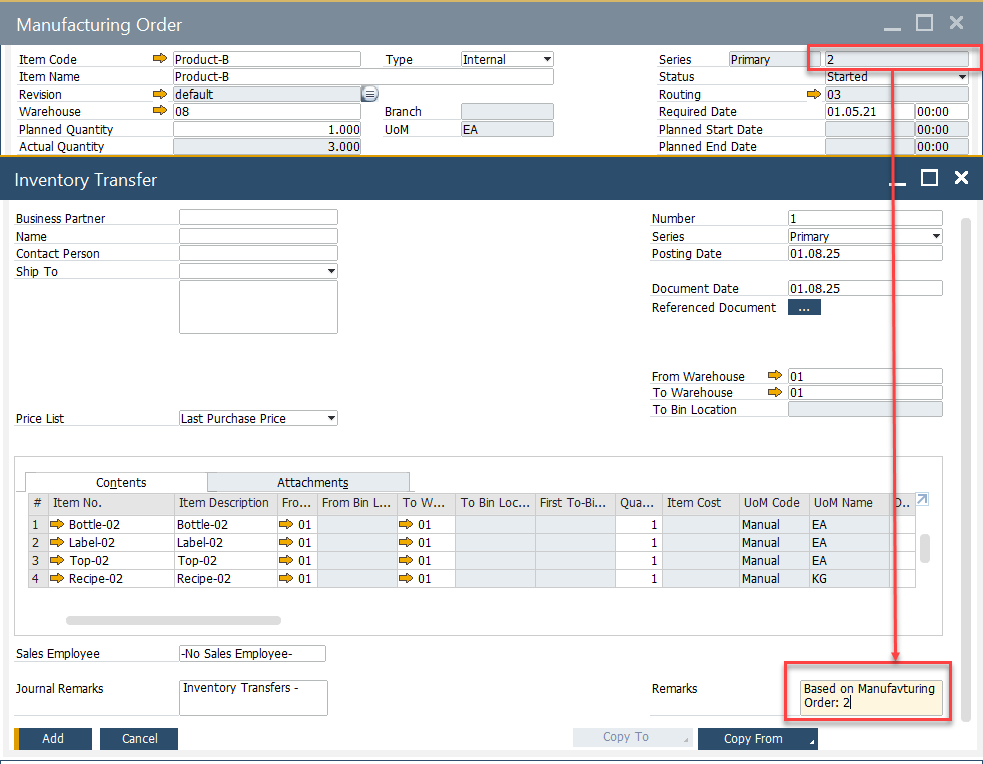
The generated documents automatically reference the Manufacturing Order in the Remarks field, allowing easy tracking of source transactions.