You are viewing documentation for CompuTec WMS 2.0, which is supported until December 31, 2026. After this date, it will no longer receive regular support or maintenance updates.
We recommend upgrading to CompuTec WMS 3.0, which runs on CompuTec AppEngine 3.0 (.NET 8).
When upgrading, update all required CompuTec components together to ensure compatibility. Read more
Item Details Restore
Each time an Item Master Data is created in CompuTec ProcessForce, corresponding Item Details are automatically recorded to ensure seamless communication between CompuTec WMS and CompuTec ProcessForce:
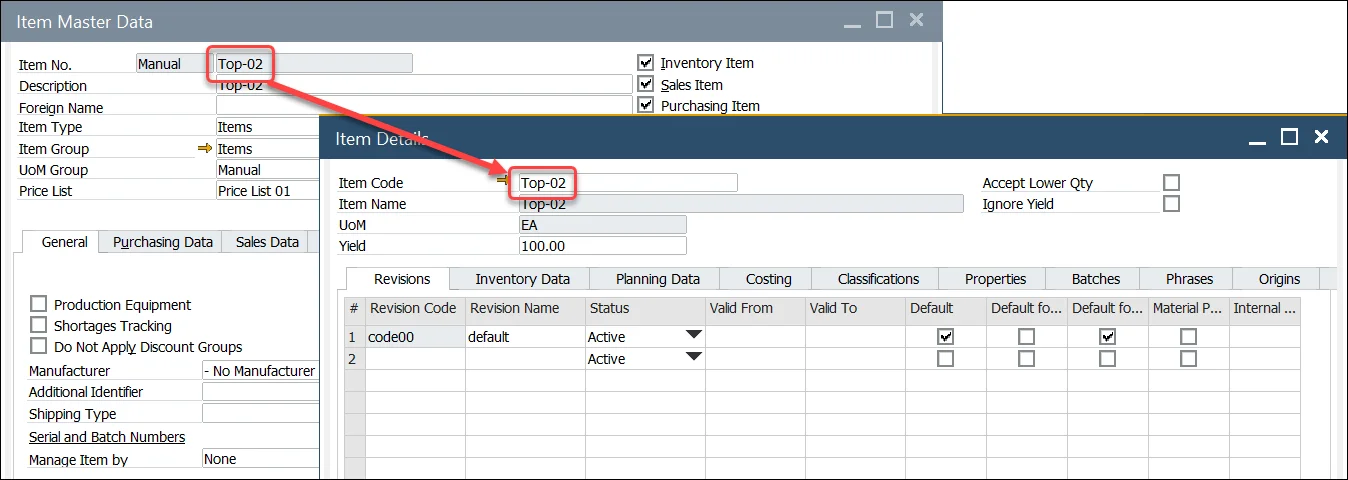
When an Item Master Data is created without CompuTec ProcessForce integration, the Item Details form may not be automatically populated. To ensure proper integration and communication between CompuTec WMS and CompuTec ProcessForce, you need to restore the missing Item Details for the corresponding Item Master Data.
Item Details Restore Procedure
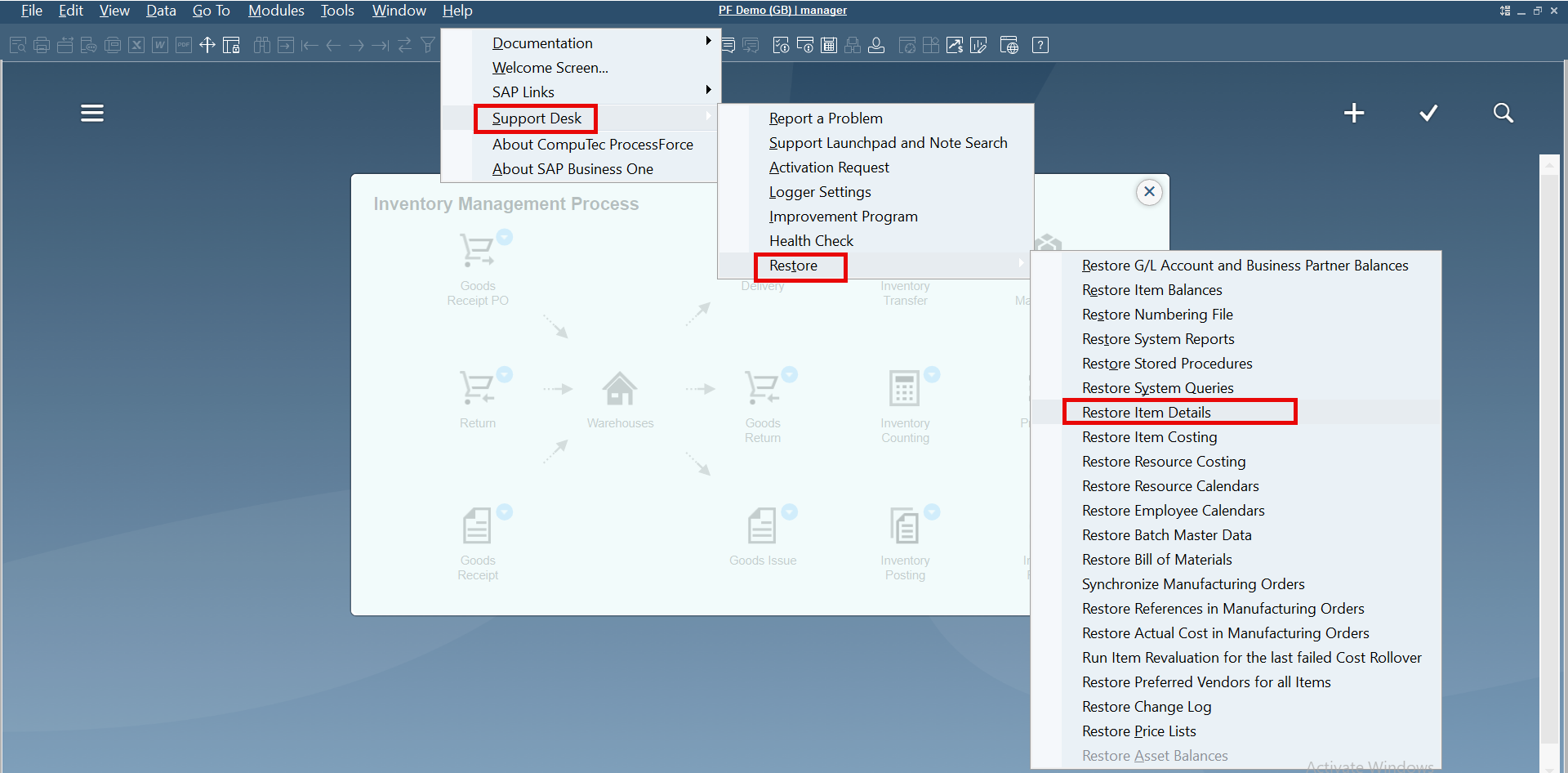
To perform the Item Details procedure, choose the following path in SAP Business One with CompuTec ProcessForce:
Help → Support Desk → Restore → Restore Item Details
-
Open SAP Business One with CompuTec ProcessForce and go to the Help menu.
-
Choose Support Desk → Restore → Restore Item Details.
-
Once you select "Restore Item Details," the system will automatically generate the missing Item Details for the selected Item Master Data.