Clean Up Old Requests
Use the Request Cleanup Wizard in CompuTec Labels to remove requests that you no longer need from the CTLABEL database.
Removing old requests can help reduce the size of the CTLABEL database. Before deleting the requests, you can filter and preview the records that will be removed. CompuTec Labels also creates a CSV file containing the deleted records.
Before you start
Review which requests you want to remove before starting the cleanup.
Request cleanup is irreversible. The selected requests and their related data are permanently deleted from the CTLABEL database.
Clean up requests
-
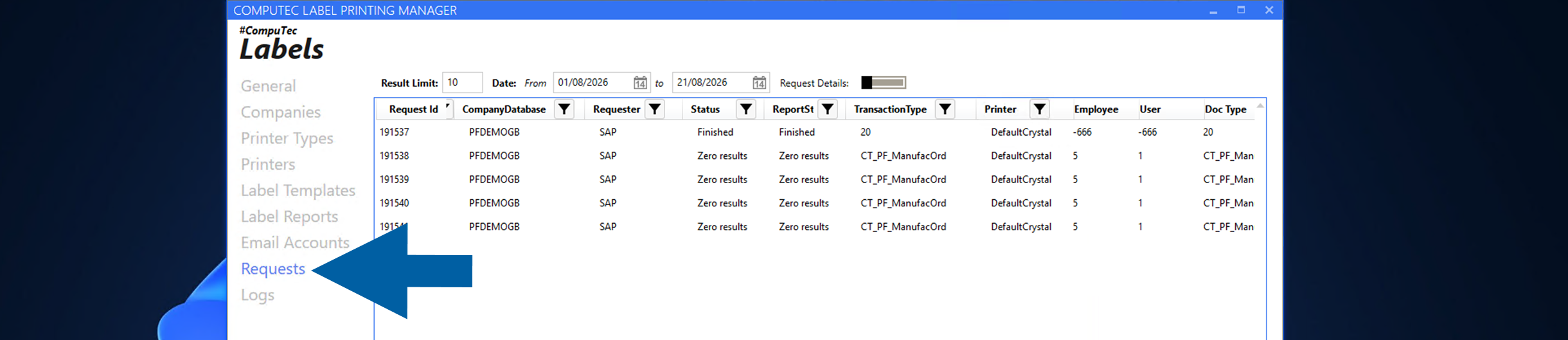
In CompuTec Labels Printing Manager, go to Requests.
-
Right-click inside the area of the Requests window and select Request Cleanup Wizard.

-
In the Request Cleanup Wizard, define the filters for the requests that you want to remove.
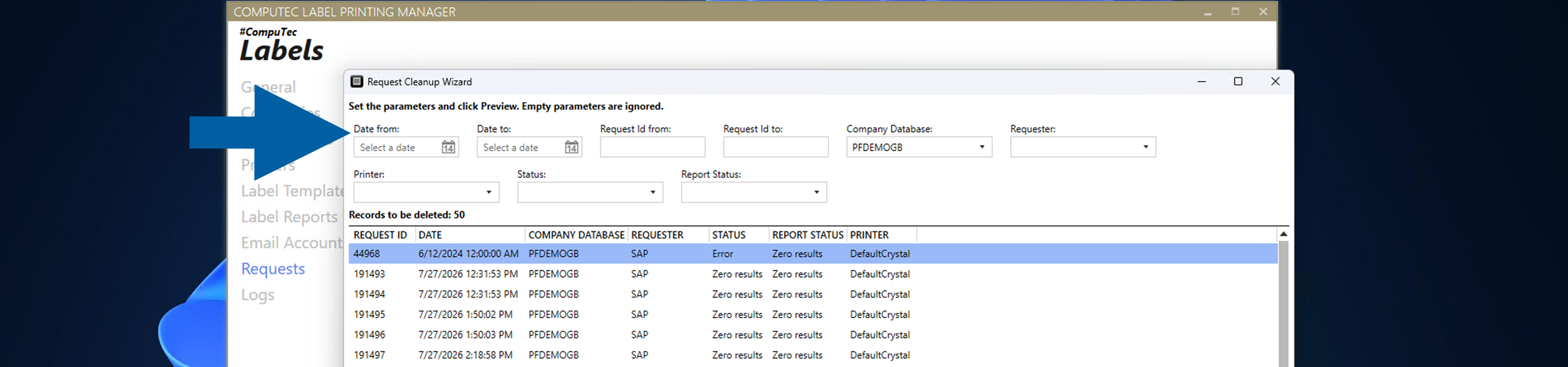
You can filter requests by:
- Date from
- Date to
- Request Id from
- Request Id to
- Company Database
- Requester
- Printer
- Status
- Report Status
You can leave fields empty if you do not want to use them as filters.
-
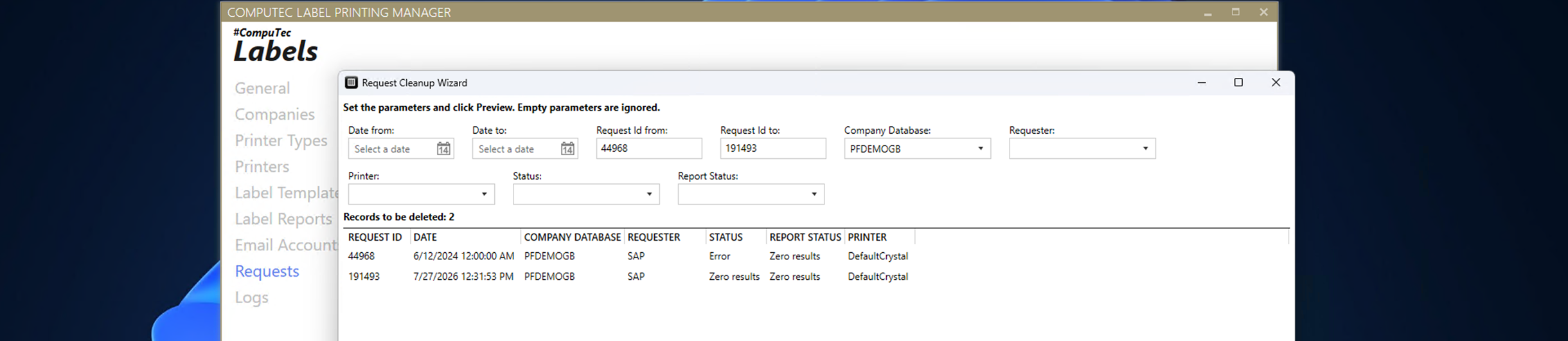
Click Preview.

-
The Records to be deleted section displays the requests that match the specified filters.
 Note
NoteThe preview displays a maximum of 2,000 records. If more than 2,000 requests match the filters, the cleanup operation still applies to all matching records.
-
Review the records and click Next.

-
Review the cleanup confirmation. The wizard displays the number of requests that will be permanently deleted.
-
Enter
CONFIRMEDin the confirmation field.
-
Click CLEANUP.

-
When the cleanup is complete, click OK.

Result
The requests that match the specified filters are permanently deleted from the CTLABEL database.
Before deleting the records, CompuTec Labels saves the records that will be removed to a CSV file in the logs folder. For example: C:\ProgramData\CompuTec\CT Label Printing\Logs\RequestCleanup_20260821_143748.csv.
The confirmation message displays the number of deleted requests and the location of the backup file.
Additional information
Use the filters in the Request Cleanup Wizard to limit the cleanup to requests that you no longer need.
Because the cleanup operation is irreversible, always review the records displayed in the preview before confirming the deletion.