You are currently viewing documentation for CompuTec ProcessForce 3.0, which is a plugin installed and managed through CompuTec AppEngine 3.0, built on .NET 8. If you are working with older environments, you may need the documentation for CompuTec ProcessForce 2.0: https://learn.computec.one/docs/processforce/2.0/.
Please note that CompuTec ProcessForce 2.0 will be supported only until December 31, 2026. After this date, the product will no longer receive regular support or maintenance updates. Read more
CompuTec AppEngine 3.0 introduces a new architecture, and all CompuTec components, including the CompuTec ProcessForce 3.0 plugin, must be updated together to ensure full compatibility.
Before starting your installation or upgrade process, we strongly recommend reviewing the CompuTec AppEngine 3.0 and CompuTec ProcessForce 3.0 documentation.
Overview
Manufacturing Orders (MOs) are at the core of managing production in SAP Business One. There are several ways to create an MO depending on your business needs. This guide walks you through each method step by step.
Before creating a Manufacturing Order, ensure that:
- The relevant Bill of Materials (BOM) is already defined.
- Required authorizations are assigned to your user.
- Items and resources used in production are set up in the system.
Creating a Manufacturing Order
Method 1: From the Bill of Materials Form
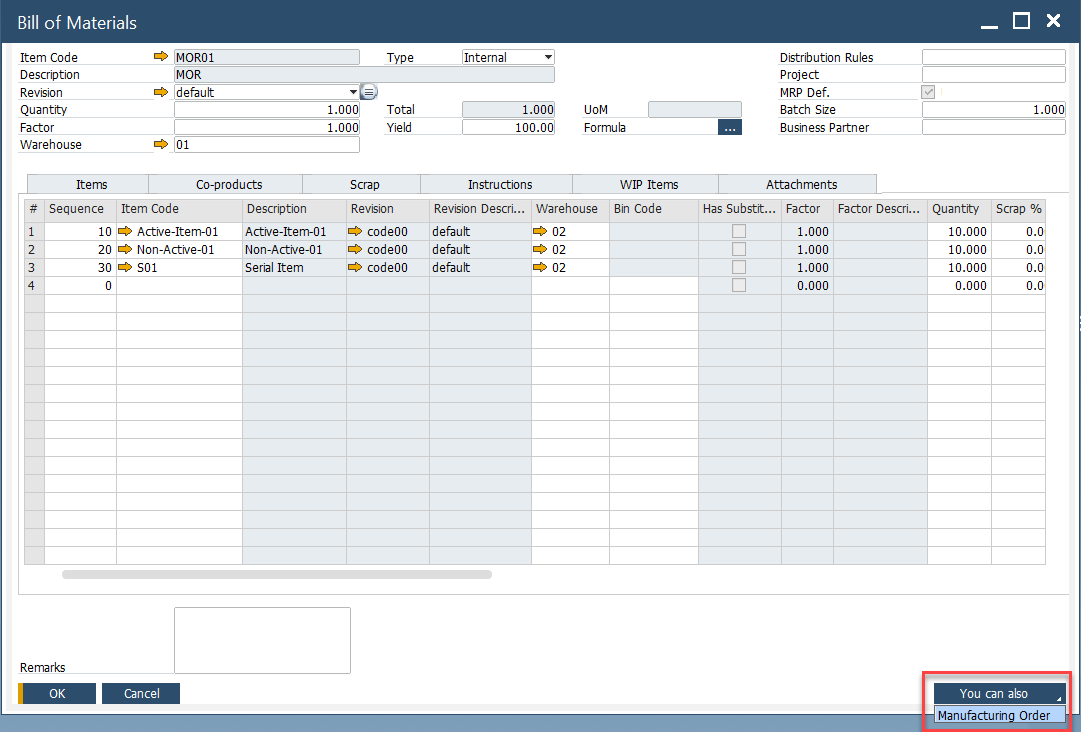
One of the easiest ways to create a Manufacturing Order is directly from the Bill of Materials (BOM) form:
- Open the Bill of Materials form.
- Click on the "You Can Also" option.
- Select Manufacturing Order.
Method 2: Manually from the Production Menu
For a more hands-on approach, you can create an MO manually through the Production menu. To this, navigate to:
Production → Manufacturing Order → Manufacturing Order
- Enter the necessary details (Item Code, Quantity, Required Date, etc.).
- Save the order.
Method 3: From a Sales Order
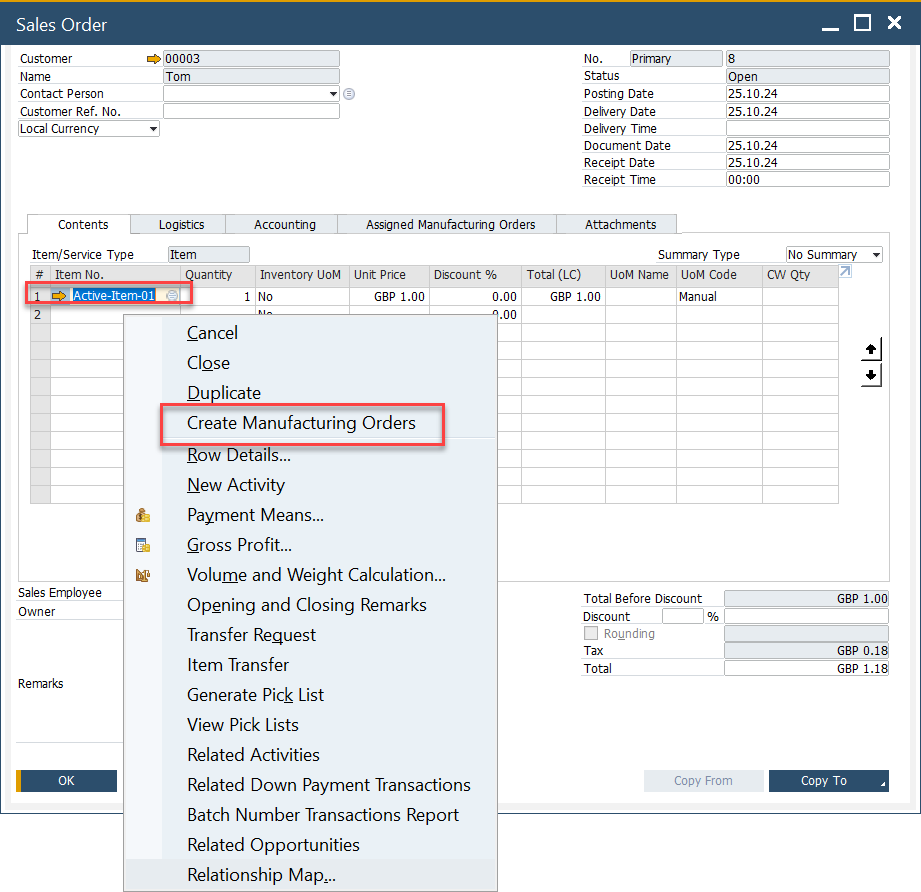
Creating an MO from a Sales Order ensures seamless order processing and inventory planning.
-
Open the Sales Order.
-
Enter the Delivery Date.
-
Select the Item Code; the default revision will be automatically entered.
-
Enter the Quantity.
-
Add the Sales Document and refresh it.
-
From the Context Menu, select "Create Manufacturing Order".
-
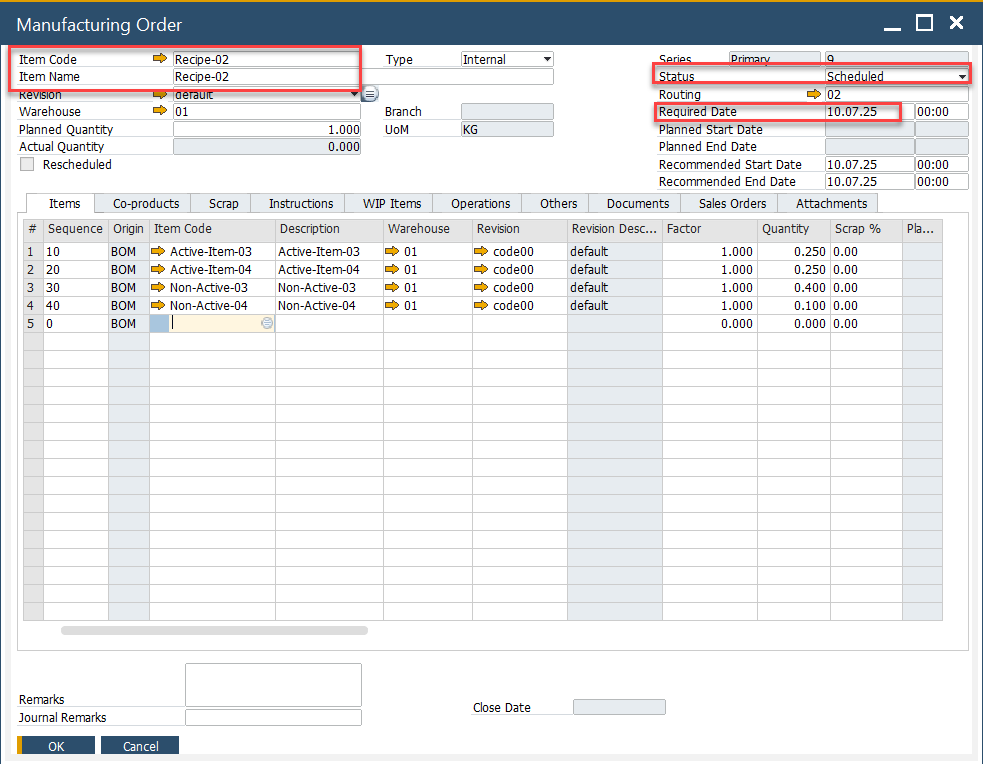
The Manufacturing Order Form will open.
- Sales Order Delivery Date is copied to the Required Date.
- Sales Order Item Code, Revision Code, and Quantity from the Sales Order are copied also.
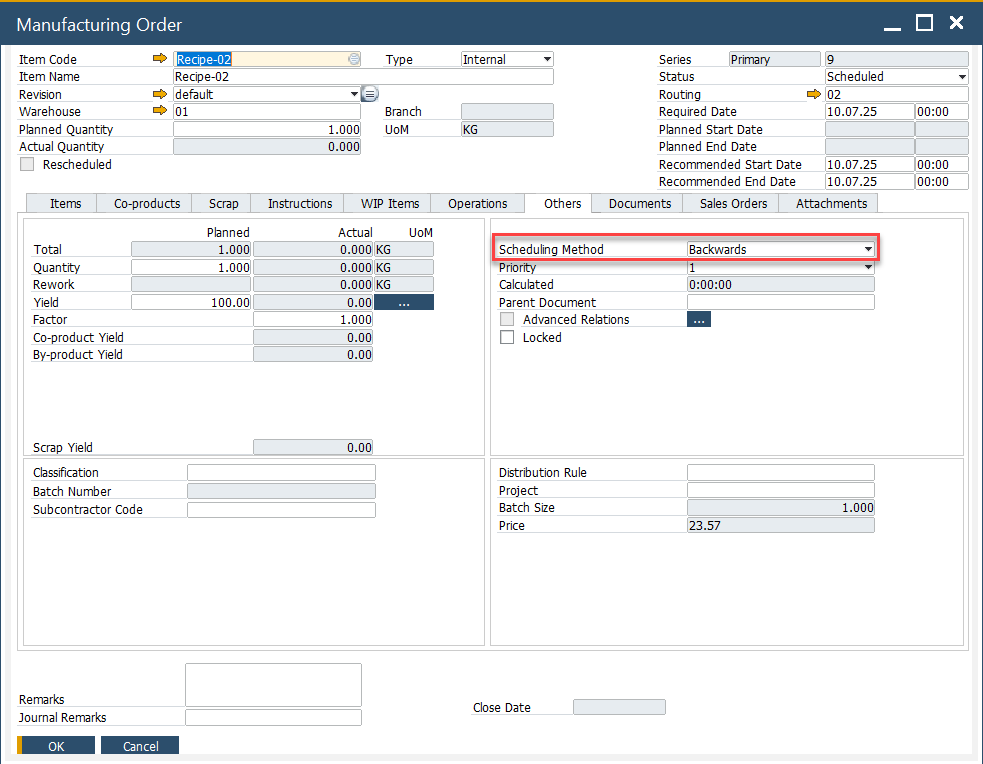
- Manufacturing Order is automatically scheduled based on the Backwards scheduling method from the Required Date.
-
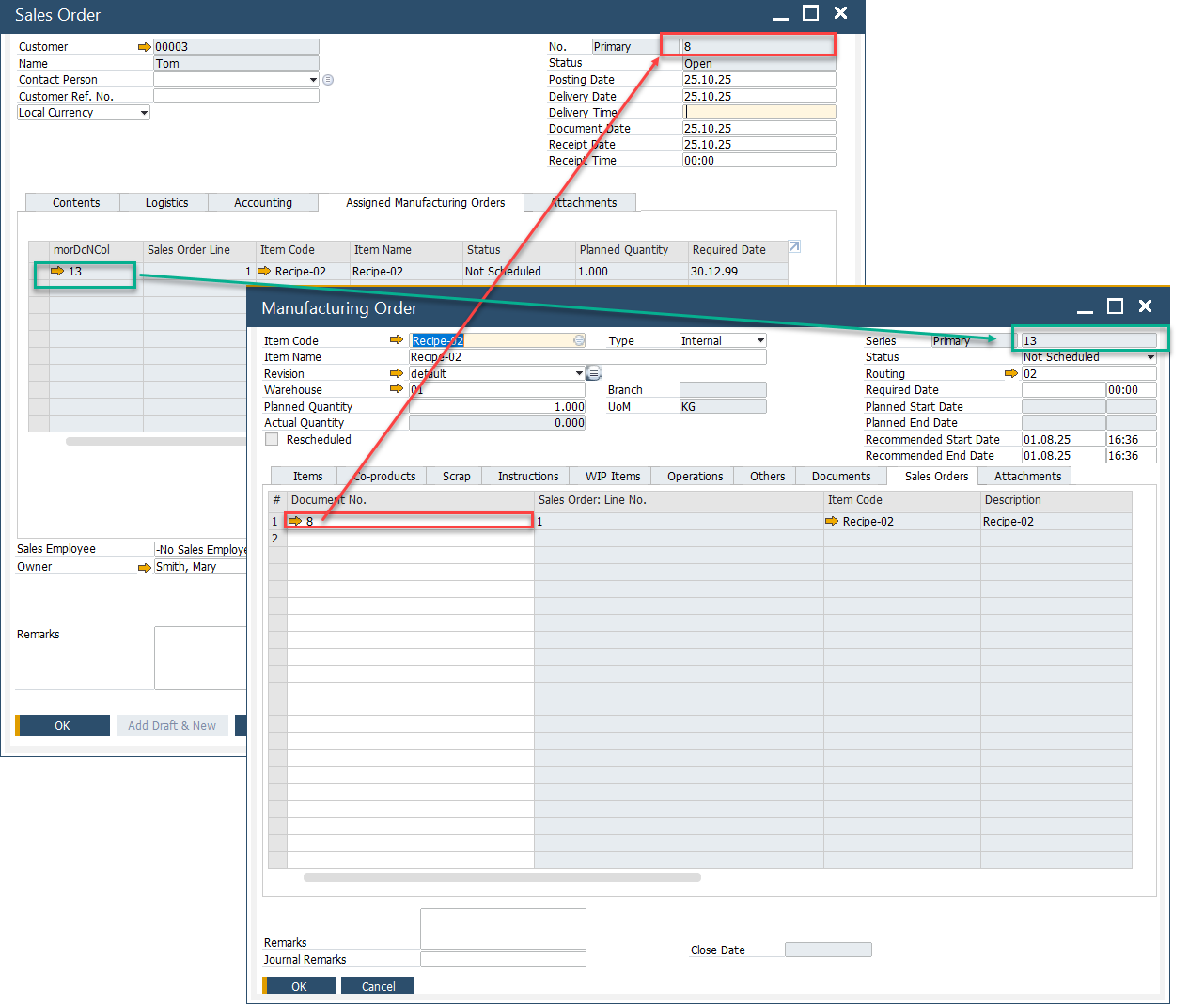
The Sales Order and Manufacturing Order documents are linked together for better tracking.
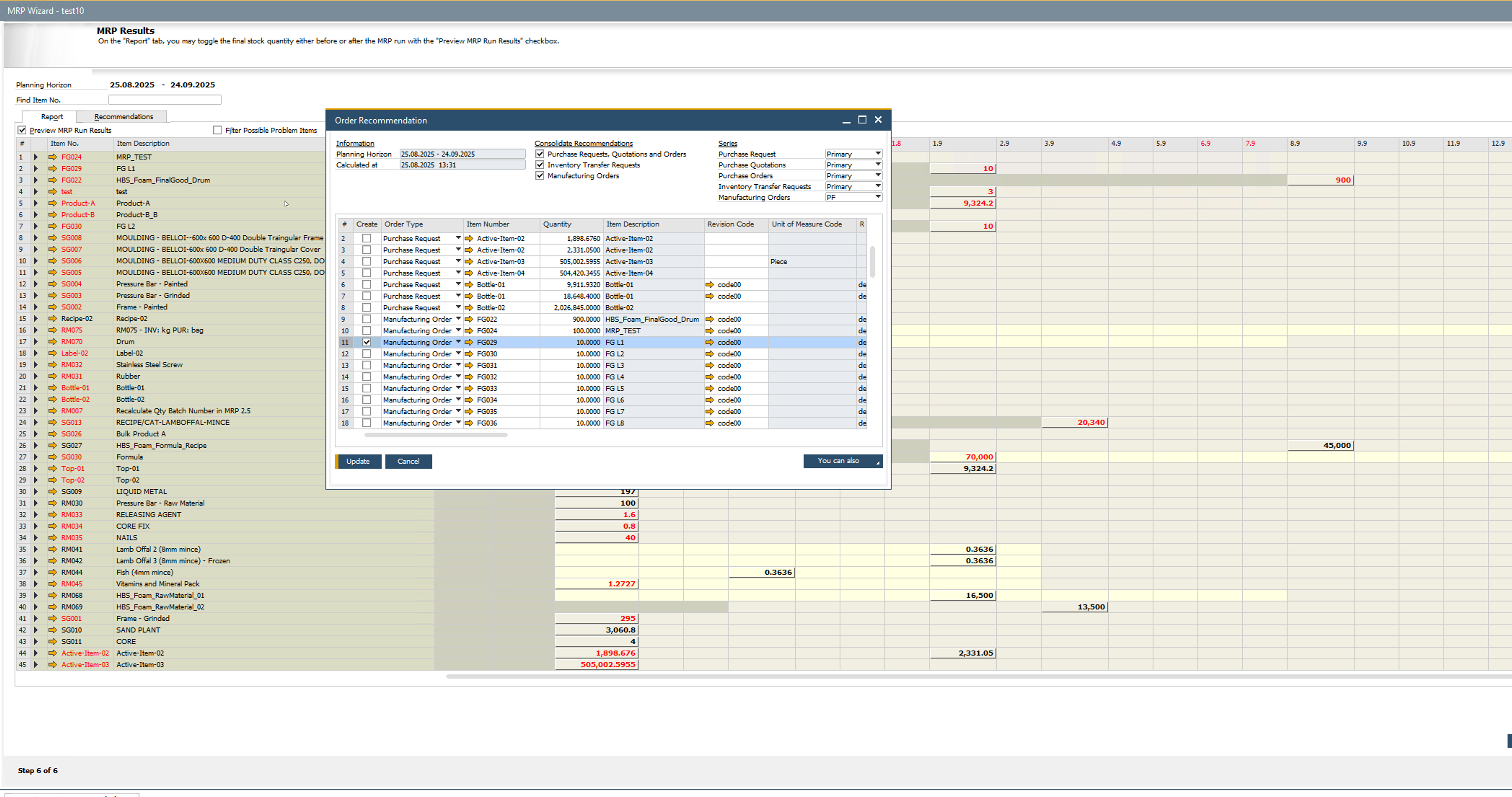
Method 4: From MRP Wizard - Order Recommendation
For automated order planning, you can use the MRP (Material Requirements Planning) Wizard to generate Manufacturing Orders:
- Run the MRP Wizard.
- Save the Recommendations.
- Open Order Recommendations.
- Select the Orders to create.
- Press Update.