You are currently viewing documentation for CompuTec ProcessForce 3.0, which is a plugin installed and managed through CompuTec AppEngine 3.0, built on .NET 8. If you are working with older environments, you may need the documentation for CompuTec ProcessForce 2.0: https://learn.computec.one/docs/processforce/2.0/.
Please note that CompuTec ProcessForce 2.0 will be supported only until December 31, 2026. After this date, the product will no longer receive regular support or maintenance updates. Read more
CompuTec AppEngine 3.0 introduces a new architecture, and all CompuTec components, including the CompuTec ProcessForce 3.0 plugin, must be updated together to ensure full compatibility.
Before starting your installation or upgrade process, we strongly recommend reviewing the CompuTec AppEngine 3.0 and CompuTec ProcessForce 3.0 documentation.
Batch Controlled Items
Effective Batch Management ensures accurate inventory tracking and optimized stock movement within a warehouse. This guide explains two methods for handling batch-controlled items during picking:
- Manual Picking (user-driven control)
- Auto Select Picking (system-driven allocation)
Manual Picking
With manual picking, the user specifies the required quantity and confirms selection:
- Enter the required quantity.
- Press the right arrow.
- The system automatically assigns bin allocation based on predefined bin allocation rules.
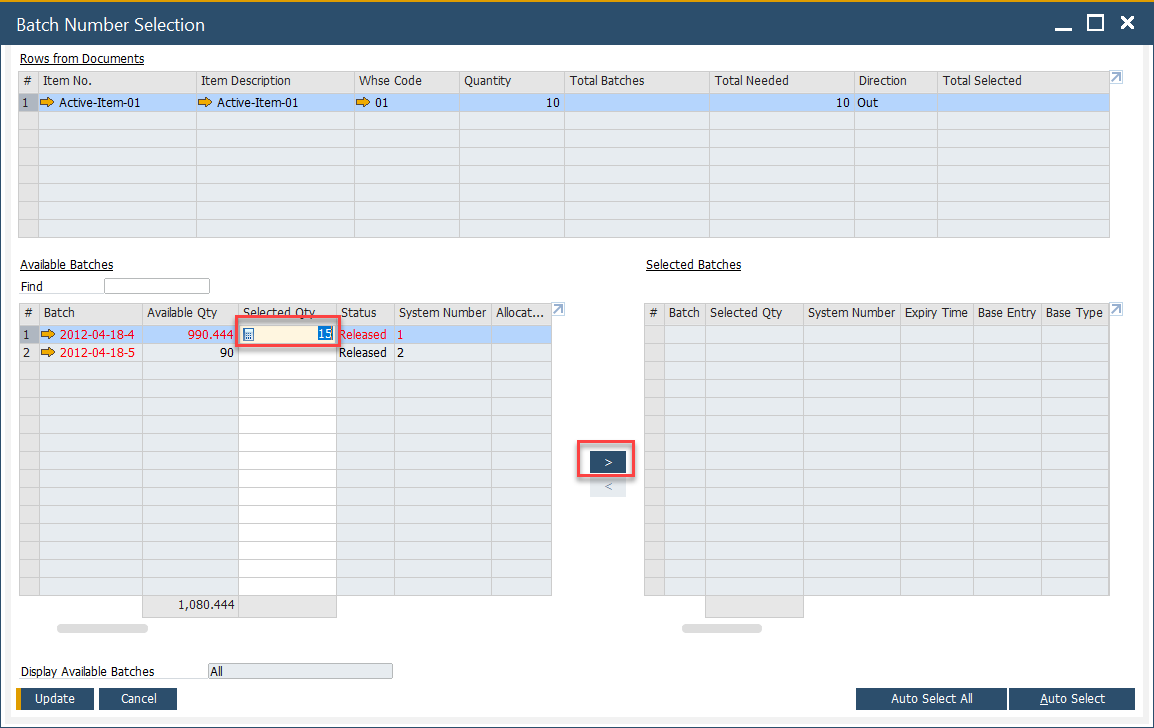
This method offers flexibility—ideal when warehouse staff need to override system recommendations.
Auto Select Picking
The Auto Select function streamlines picking by allowing SAP Business One to choose batches automatically. The system applies allocation rules such as:
- FIFO: First In, First Out
- FEFO: First Expired, First Out
- FMFO: First Manufactured, First Out
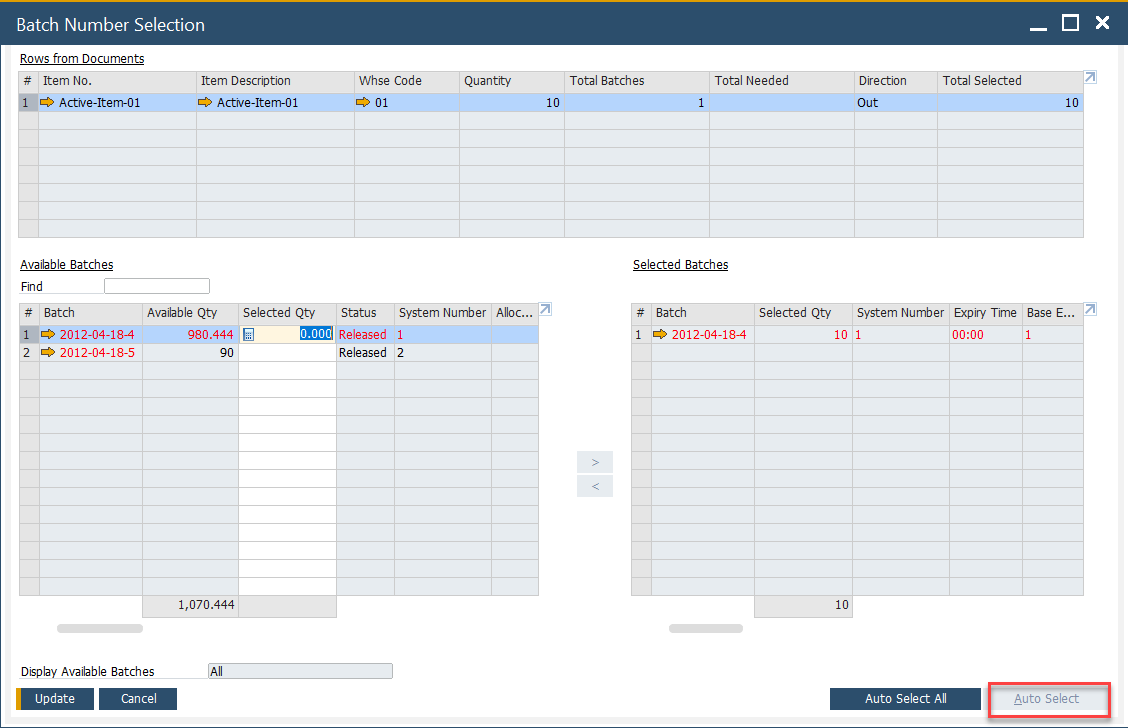
When a user clicks Auto Select, the system:
- Calculates the required quantity.
- Allocates bins and batches according to the selected rule.
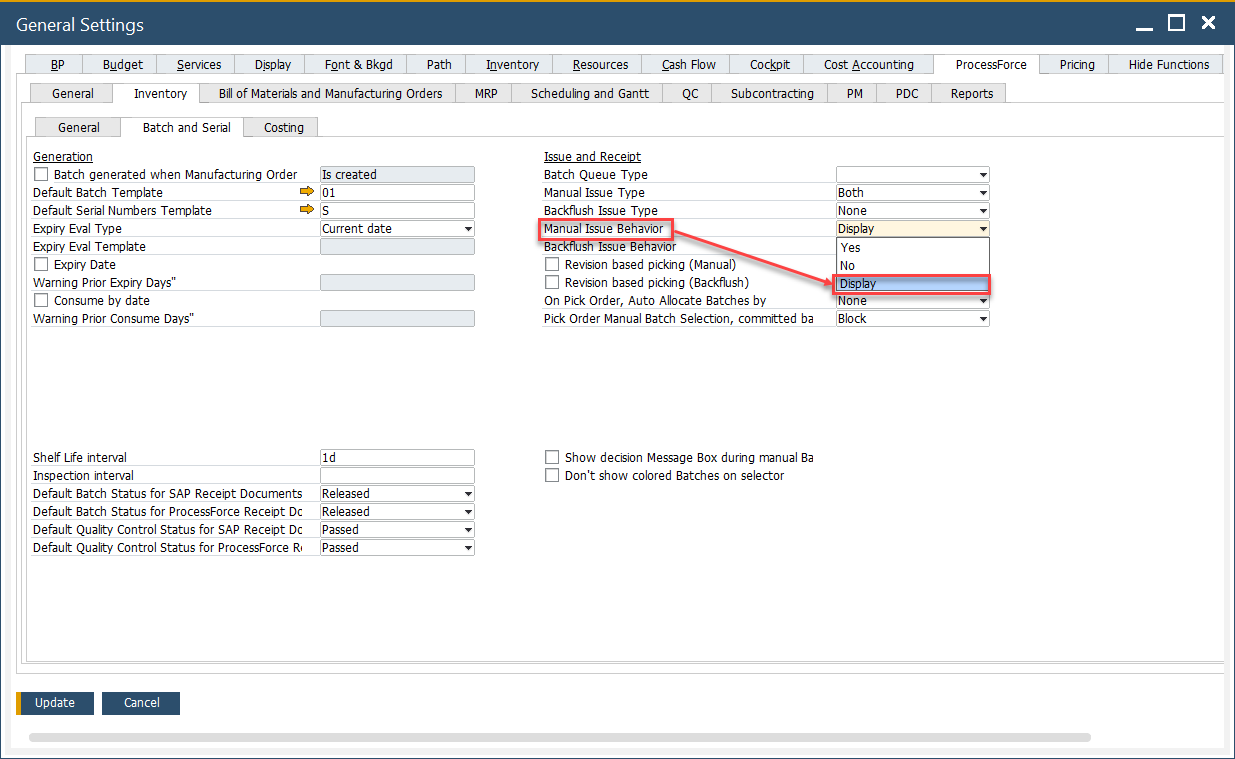
Note: If Manual Issue Behavior (General Settings → Inventory tab) is set to Display, the system does not complete the auto-pick. Instead, it prompts the user to confirm batches manually.
- Use Auto Select for efficiency when allocation rules are well-defined.
- Use Manual Picking when exceptions or special business cases require user judgment.