Display User-Defined Fields (UDFs) in PDC
CompuTec Production Data Capture (PDC) can display additional item information stored in SAP Business One User-Defined Fields (UDFs). This information is available in item selection windows and in the Issue to Production and Receipt from Production screens, allowing operators to identify items more easily without opening the item master data.
The information displayed in CompuTec PDC is retrieved from SQL functions that you configure in the CompuTec PDC Settings in SAP Business One.
Before You Start
Before configuring this feature, ensure that:
-
The required SQL functions have been created in the company database.
-
The SQL functions return the User-Defined Fields (UDFs) or other item information that you want to display.
-
You have permission to modify CompuTec PDC Settings in SAP Business One.
-
Your SQL functions use the required fixed parameter list expected by CompuTec PDC. The Issue/Receipt Function receives the
MORDocEntry,ItemLineNum,ItemCode, andItemType, and your SQL function must define exactly these parameters.
Configure UDF Display
To configure the UDF display in PDC, follow these steps:
-
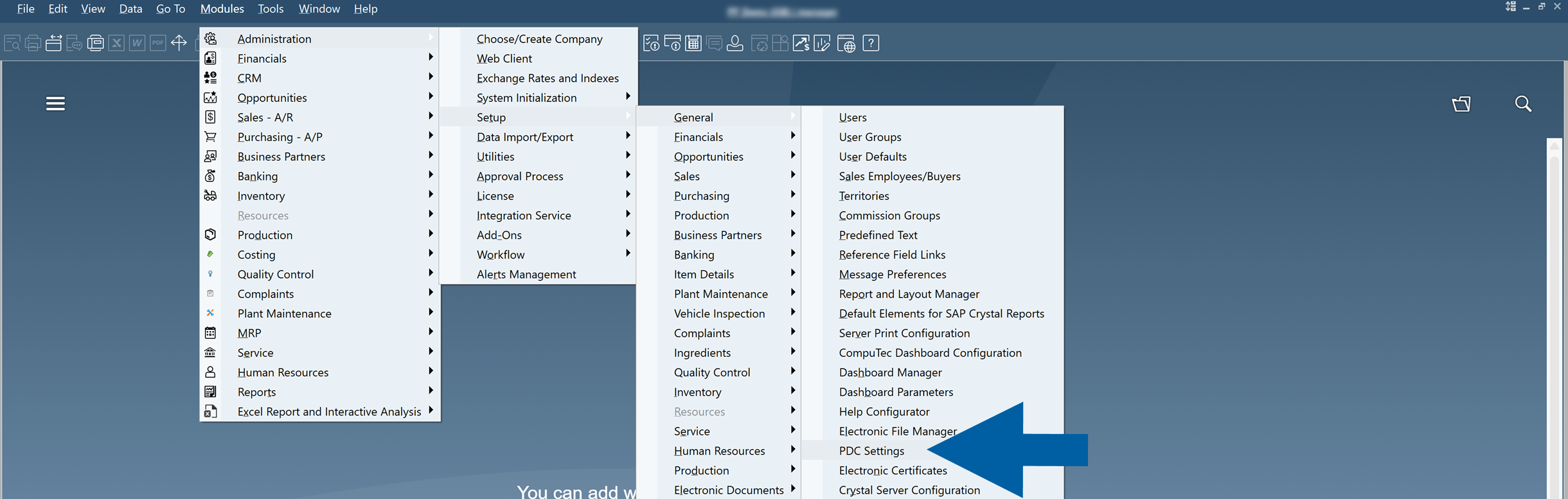
In SAP Business One, go to Administration > Setup > General > PDC Settings.
-
Open the CompuTec PDC settings profile that you want to modify.
-
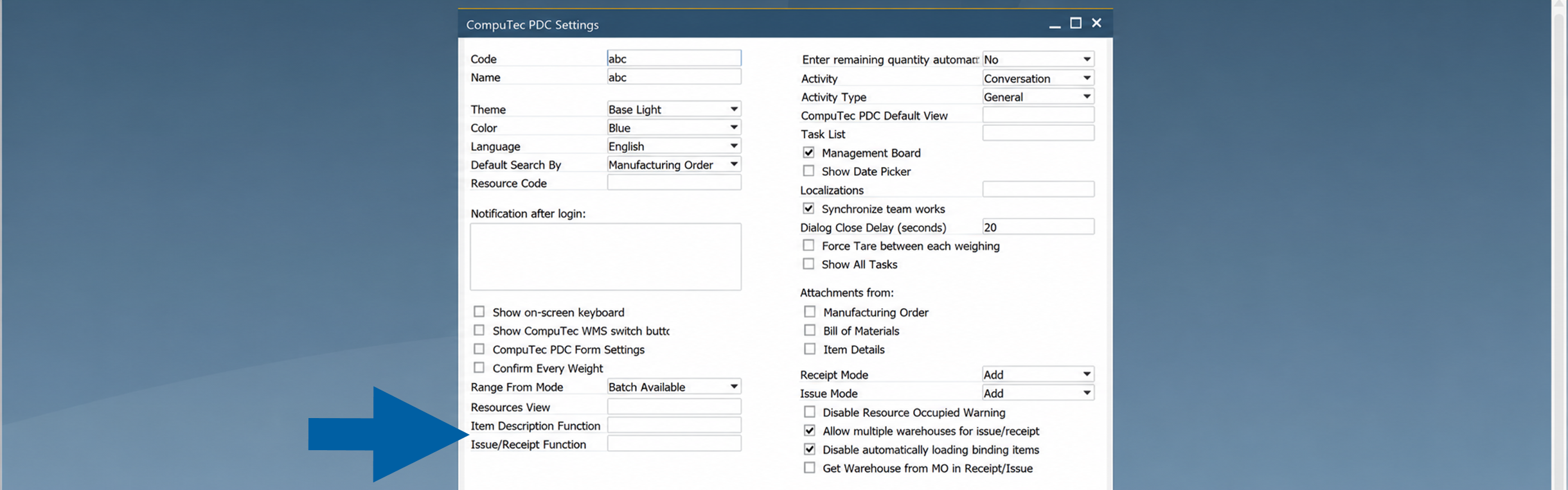
Configure one or both of the following fields:
- Item Description Function: Specifies the SQL view used to display additional information in Item Selection windows.
- Issue/Receipt Function: Specifies the SQL view used to display additional information in the Issue to Production and Receipt from Production screens.
-
Save your changes.
Display UDFs in Item Selection
When Item Description Function is configured, CompuTec PDC displays the information returned by the selected SQL view in item selection windows.

This allows operators to view additional item information, such as User-Defined Fields (UDFs), while searching for or selecting an item.

Display UDFs in Issue and Receipt Screens
When Issue/Receipt Function is configured, CompuTec PDC displays additional information for items in the Issue to Production and Receipt from Production screens.

The additional information can be displayed for:
- Finished Goods
- Raw Materials
- Scrap
- Co-products
After the configuration is complete, operators can view additional User-Defined Fields directly in CompuTec PDC. This reduces the need to open item master data and provides quick access to the information required during production.

Notes
- Item Description View and Issue/Receipt Functions are configured independently.
- If a field is left empty, CompuTec PDC displays only the standard item information.
- The information displayed depends on the SQL view assigned to each setting.
- The parameters passed to each SQL function are fixed and cannot be changed. When creating a custom SQL function, it must use the required parameter list expected by CompuTec PDC.