You are currently viewing documentation for CompuTec ProcessForce 3.0, which is a plugin installed and managed through CompuTec AppEngine 3.0, built on .NET 8. If you are working with older environments, you may need the documentation for CompuTec ProcessForce 2.0: https://learn.computec.one/docs/processforce/2.0/.
Please note that CompuTec ProcessForce 2.0 will be supported only until December 31, 2026. After this date, the product will no longer receive regular support or maintenance updates. Read more
CompuTec AppEngine 3.0 introduces a new architecture, and all CompuTec components, including the CompuTec ProcessForce 3.0 plugin, must be updated together to ensure full compatibility.
Before starting your installation or upgrade process, we strongly recommend reviewing the CompuTec AppEngine 3.0 and CompuTec ProcessForce 3.0 documentation.
Resource Efficiency
Resource Efficiency uses the Capacity Adjustment Factor (CAF) to reflect how efficiently a resource can perform during production.
Instead of assuming that every resource always operates at 100% capacity, you can define a CAF for individual working days or specific calendar exceptions. During scheduling, CompuTec ProcessForce automatically adjusts the operation's run time based on the configured value.
Example: If a machine normally requires 10 hours to complete an operation but is available at only 80% efficiency, the scheduler reserves 12.5 hours instead.
When to use Resource Efficiency
Use Resource Efficiency when the actual capacity of a resource differs from its normal capacity.
Typical examples include:
- Machines with reduced Overall Equipment Effectiveness (OEE)
- Production lines that operate below full capacity
- Temporary efficiency increases after process optimization
- Reduced capacity caused by maintenance or staffing limitations
Before you start
Before configuring Resource Efficiency, make sure that:
- The resource has a Resource Calendar assigned.
- Scheduling is performed using CompuTec ProcessForce.
Configure the Resource Efficiency using CAF
To configure Resource Efficiency using CAF, follow these steps:
-
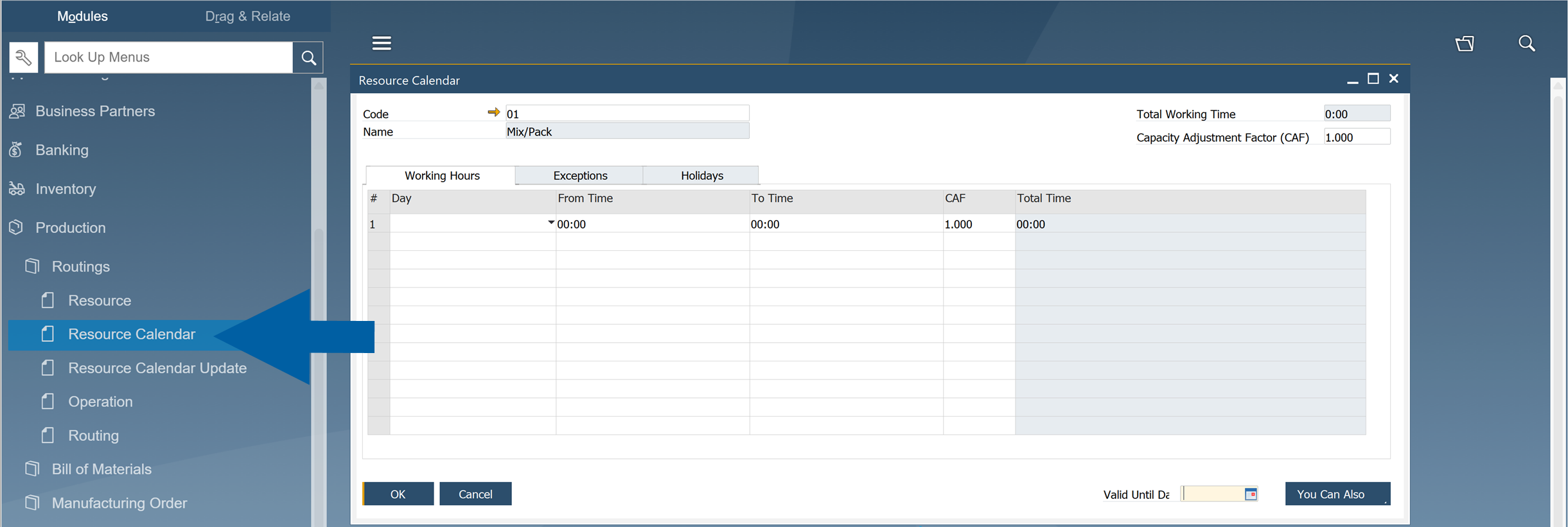
In SAP Business One, go to Production > Routings.
-
Navigate to Resource Calendar.
-
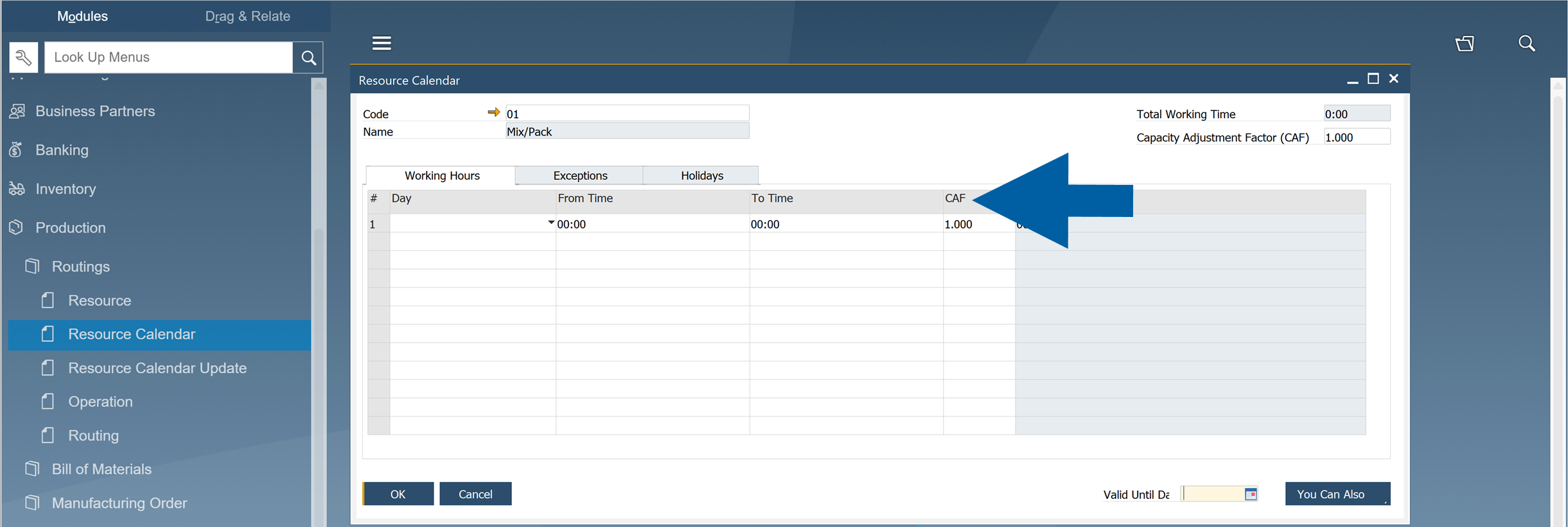
On the Working Hours tab, find the Capacity Adjustment Factor (CAF) field.
-
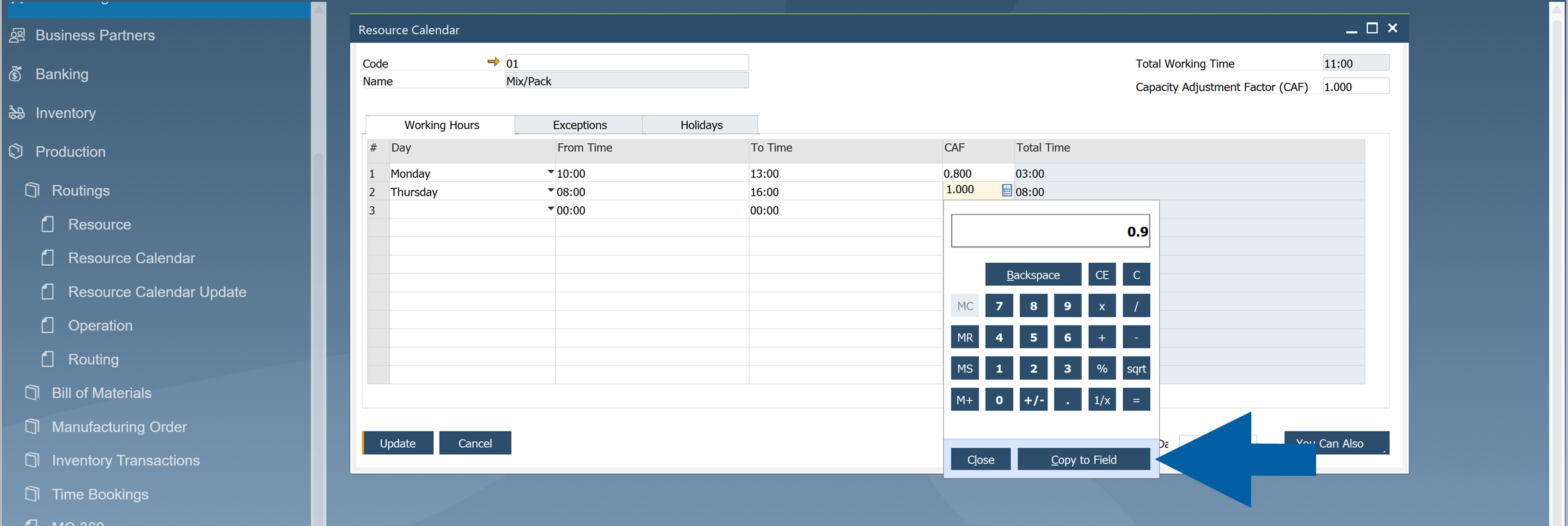
Enter the Capacity Adjustment Factor (CAF) for each working day.
-
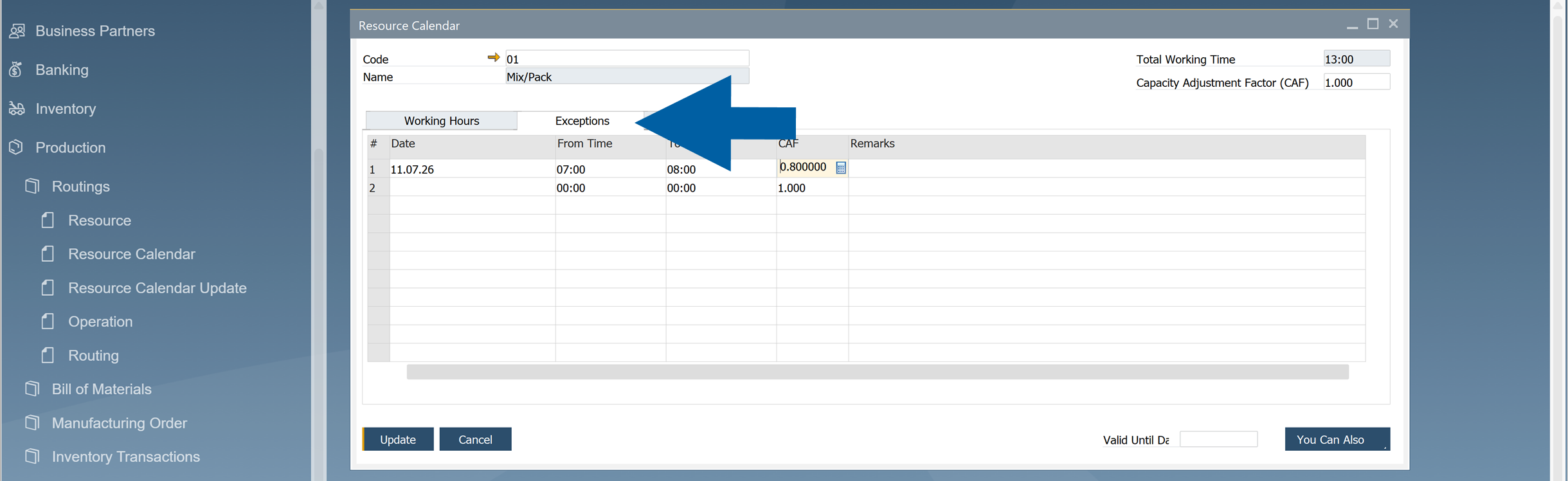
(Optional) Open the Exceptions tab to define a different Capacity Adjustment Factor for specific dates.
 Note
NoteThe Capacity Adjustment Factor (CAF) in the header sets the default CAF value for all new working-hour entries you create. Changing this value does not update existing entries. You can also change the CAF for each individual entry when adding or editing it.

-
Click Update to save the calendar.
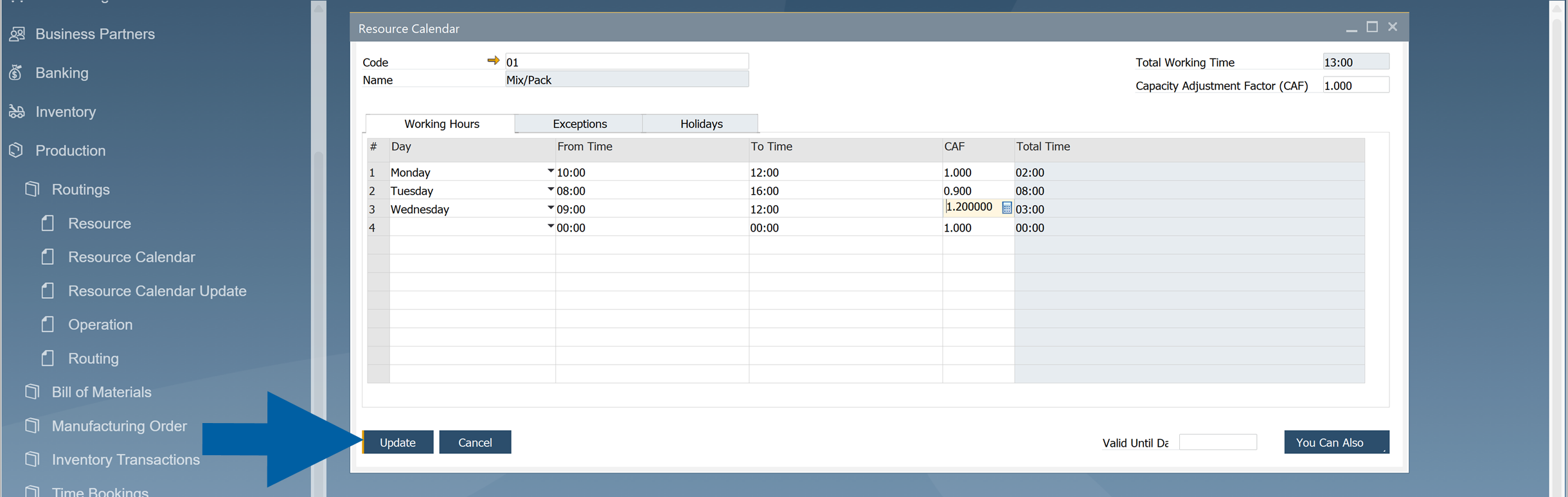
The scheduler uses the configured values automatically the next time Manufacturing Orders are scheduled.
How the Capacity Adjustment Factor works
The Capacity Adjustment Factor (CAF) changes the effective capacity of a resource.
| Capacity Adjustment Factor | Resource Capacity | Scheduling Result |
|---|---|---|
| 1.0 | 100% | Uses the standard run time |
| 0.8 | 80% | Extends the run time by 25% |
| 0.9 | 90% | Extends the run time slightly |
| 1.1 | 110% | Shortens the run time |
| 1.2 | 120% | Schedules the operation faster than the standard run time |
The Capacity Adjustment Factor affects Run Time only. It does not change setup time or other production parameters.
Assume a resource normally produces 100 units per hour.
| Day | Capacity Adjustment Factor | Effective Capacity |
|---|---|---|
| Monday | 0.9 | 90 units/hour |
| Tuesday | 1.0 | 100 units/hour |
| Wednesday | 1.1 | 110 units/hour |
If an operation normally requires 10 hours:
- CAF = 1.0 - scheduled for 10 hours
- CAF = 0.8 - scheduled for 12.5 hours
- CAF = 1.2 - scheduled for approximately 8.3 hours
Result
After you configure the Capacity Adjustment Factor, CompuTec ProcessForce automatically adjusts resource run times during scheduling based on the configured efficiency.
No additional configuration is required when creating or scheduling Manufacturing Orders.