You are currently viewing documentation for CompuTec ProcessForce 3.0, which is a plugin installed and managed through CompuTec AppEngine 3.0, built on .NET 8.
If you are working with older environments, you may need the documentation for CompuTec ProcessForce 2.0, which is still supported: https://learn.computec.one/docs/processforce/2.0/.
Please note that CompuTec AppEngine 3.0 introduces a new architecture. All CompuTec components, including the CompuTec ProcessForce 3.0 plugin, must be updated together to ensure full compatibility.
Before starting your installation or upgrade process, we strongly recommend reviewing the CompuTec AppEngine 3.0 and CompuTec ProcessForce 3.0 documentation.
Manual and Backflush Issue Type Configuration
Configuring issue types correctly in inventory management ensures smooth handling of materials in production and warehouse operations. This guide explains the behavior of different issue types - Manual and Backflush - and how they influence batch selection and processing. Understanding these settings helps streamline operations and maintain accurate inventory tracking.
Manual Issue Method
The table below illustrates the interaction between Issue Type and Issue Behavior:
- Locked: Restricts access strictly based on rules.
- Non-Accessible: Hides or blocks issue even when visible.
- Both: Combines restrictions for stronger control.
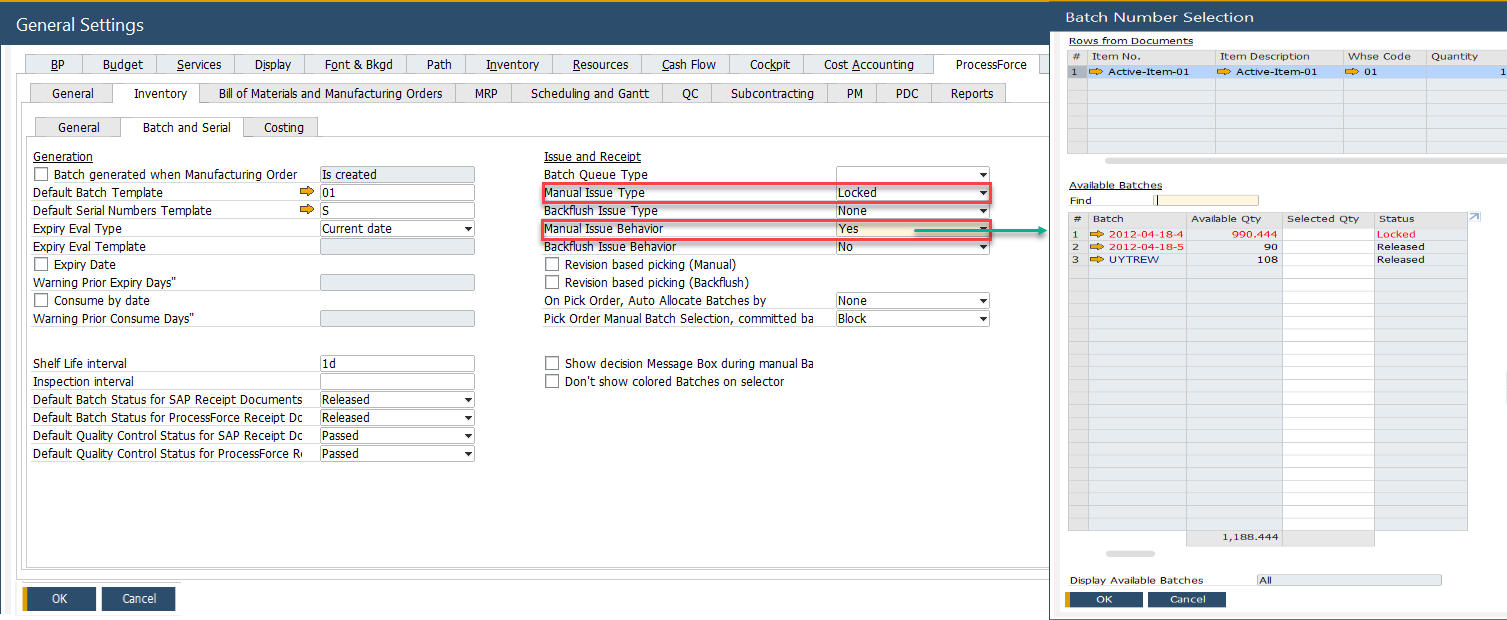
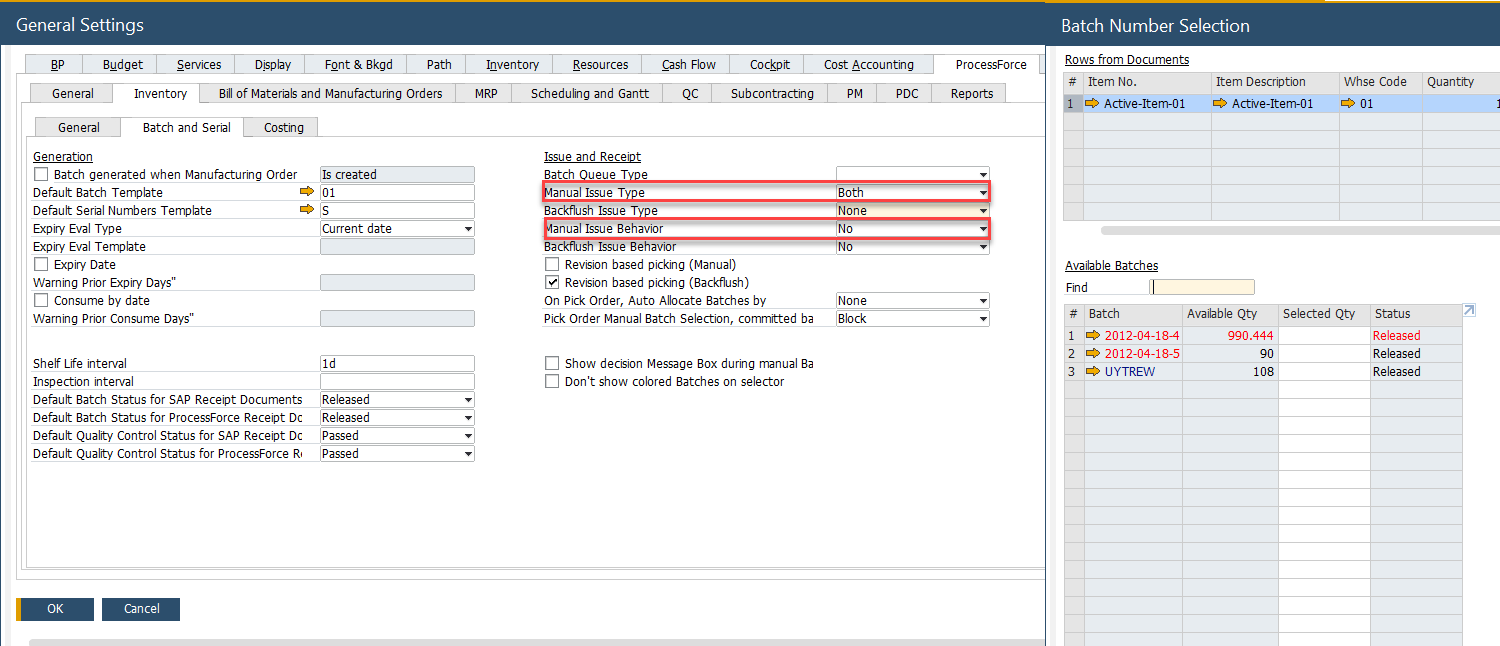
- Yes: The batch is listed within the Batch Number Selection form.
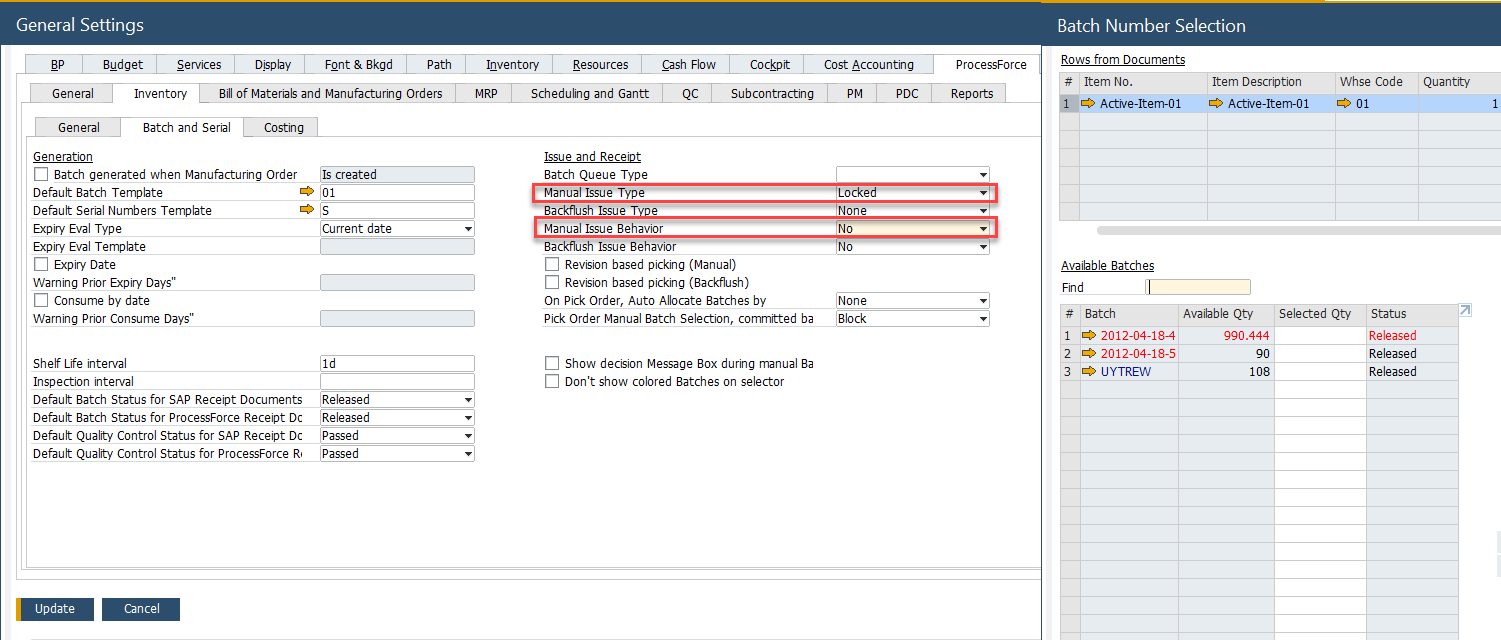
- No: The batch is not listed within the Batch Number Selection form.
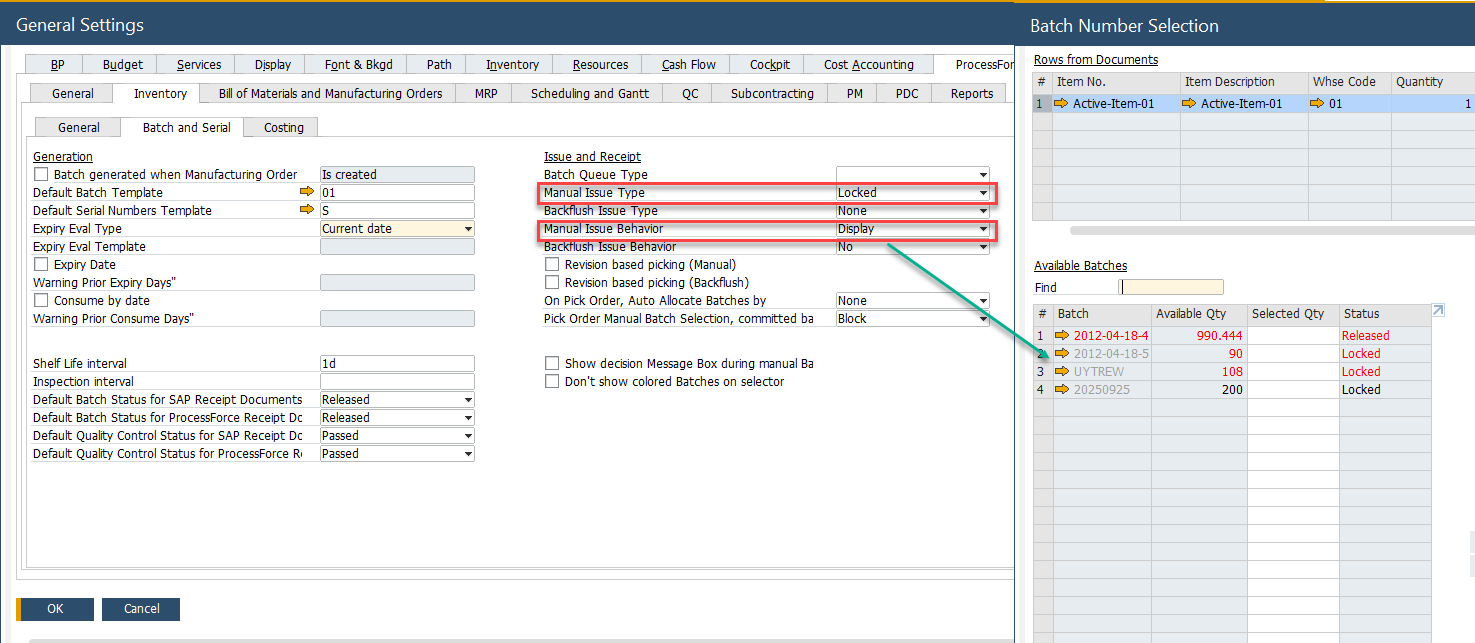
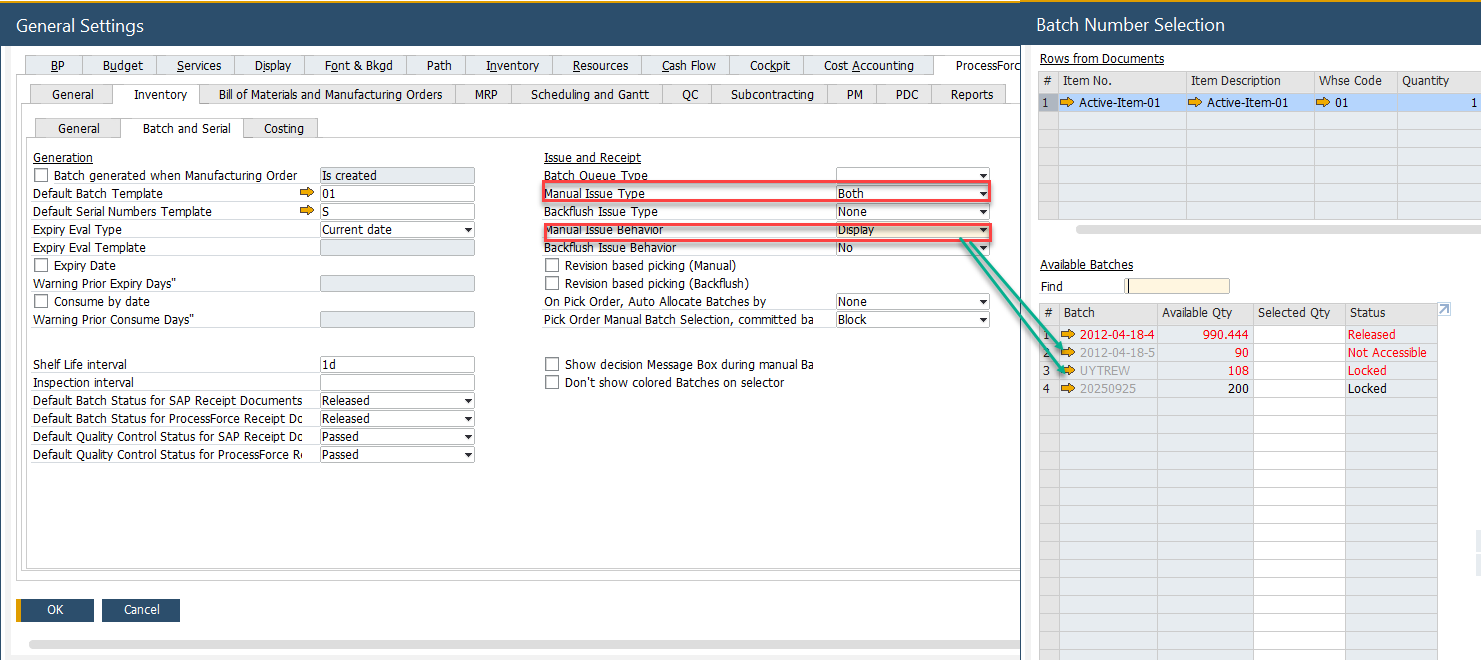
- Display: The batch is visible but cannot be issued within the Batch Number Selection form.
| Issue Type | Issue Behavior | Issue Behavior | Issue Behavior | Issue Behavior | Issue Type | Issue Type |
|---|---|---|---|---|---|---|
| Not Accessible | Locked | |||||
| Yes | No | Display | ||||
| Locked | Yes | ✔️ | ✔️ | |||
| No | ❌ | ✔️ | ||||
| Display | ℹ️ | ✔️ | ||||
| Non Accessible | Yes | ✔️ | ✔️ | |||
| No | ❌ | ✔️ | ||||
| Display | ℹ️ | ✔️ | ||||
| Both | Yes | ✔️ | ||||
| No | ❌ | |||||
| Display | ℹ️ |
Locked – Yes
Locked – No
Locked – Display
Non-Accessible – Yes
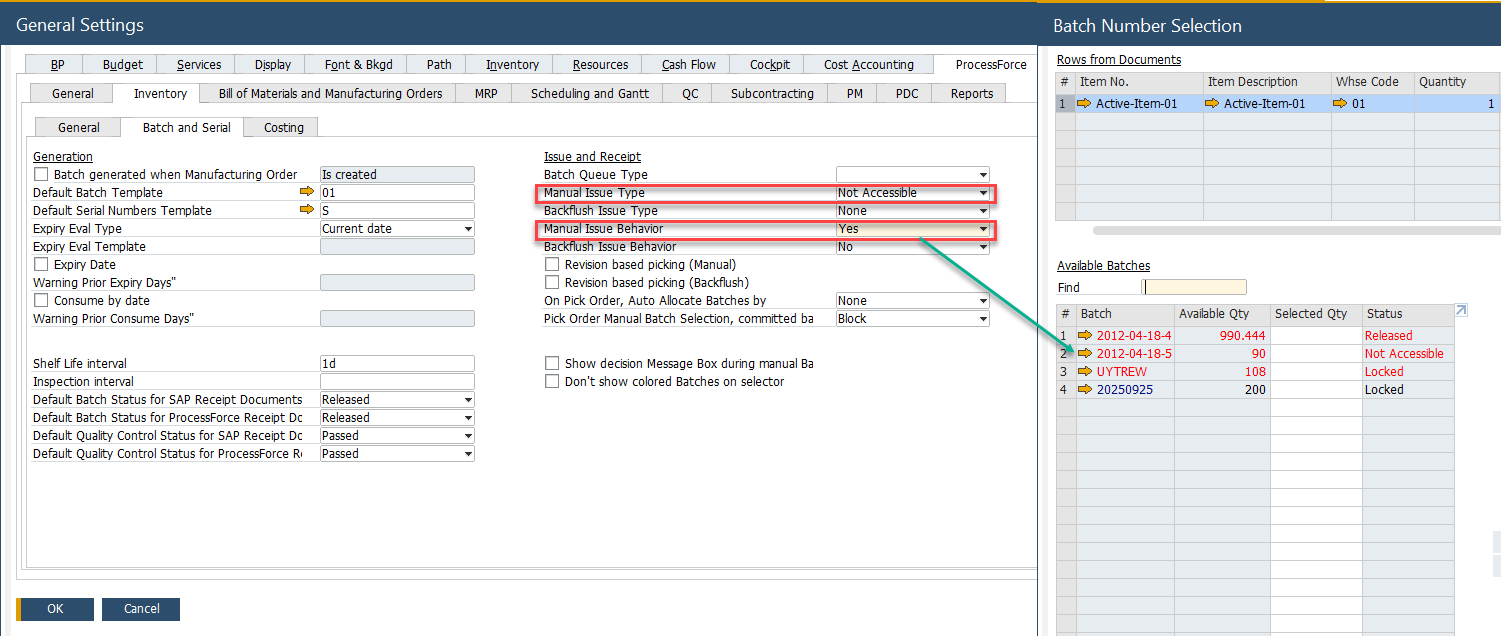
Non-Accessible – No
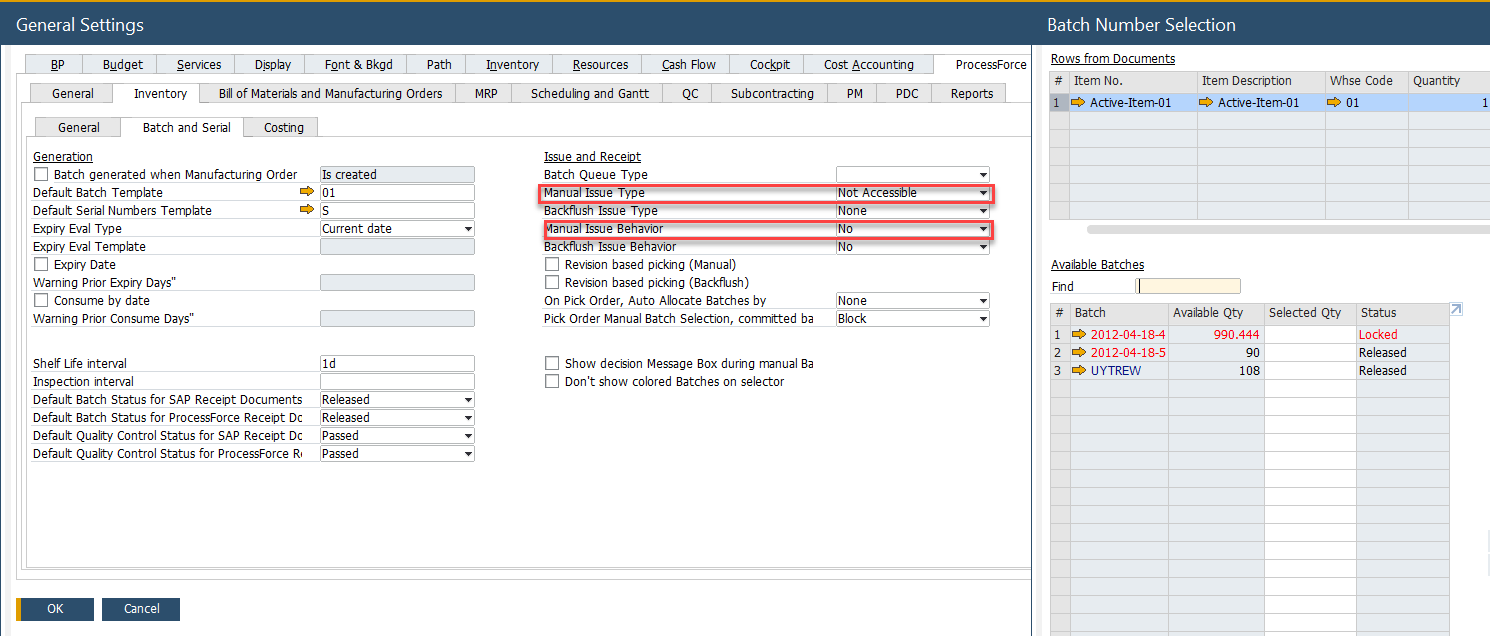
Non-Accessible Display
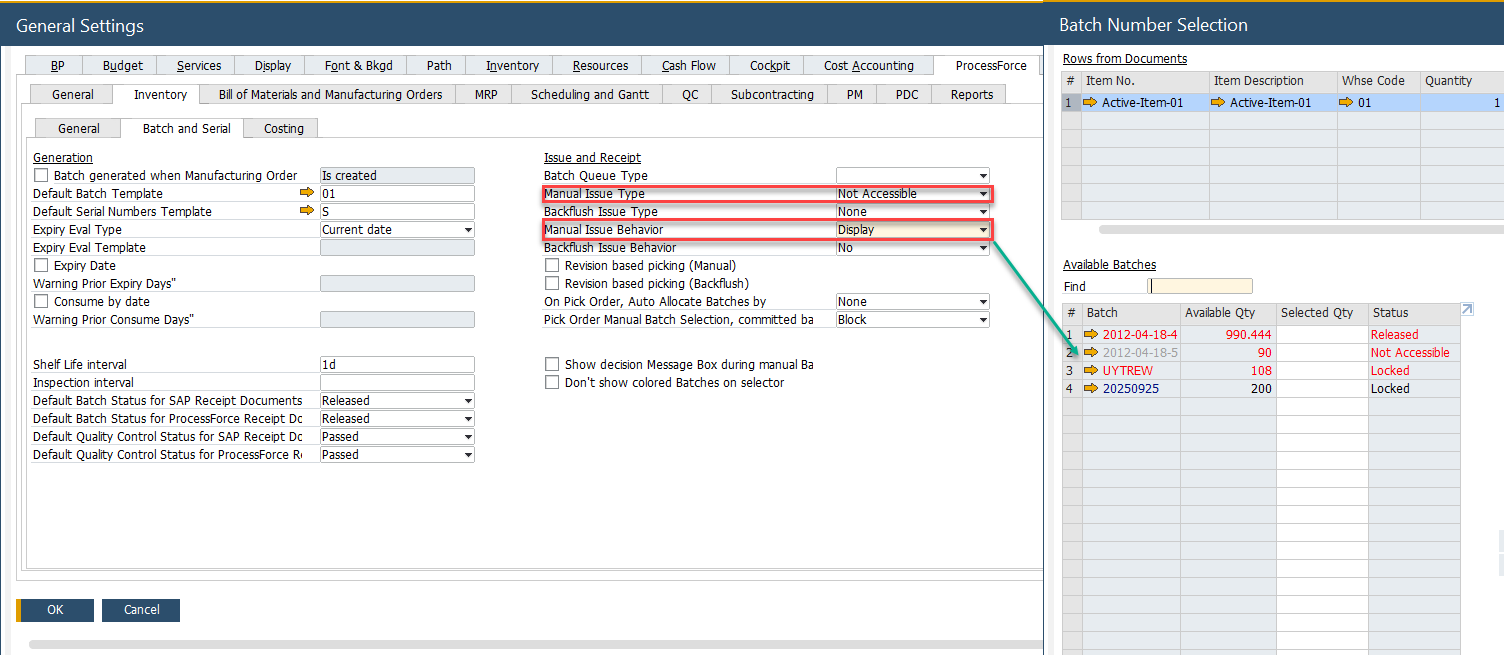
Both - Yes
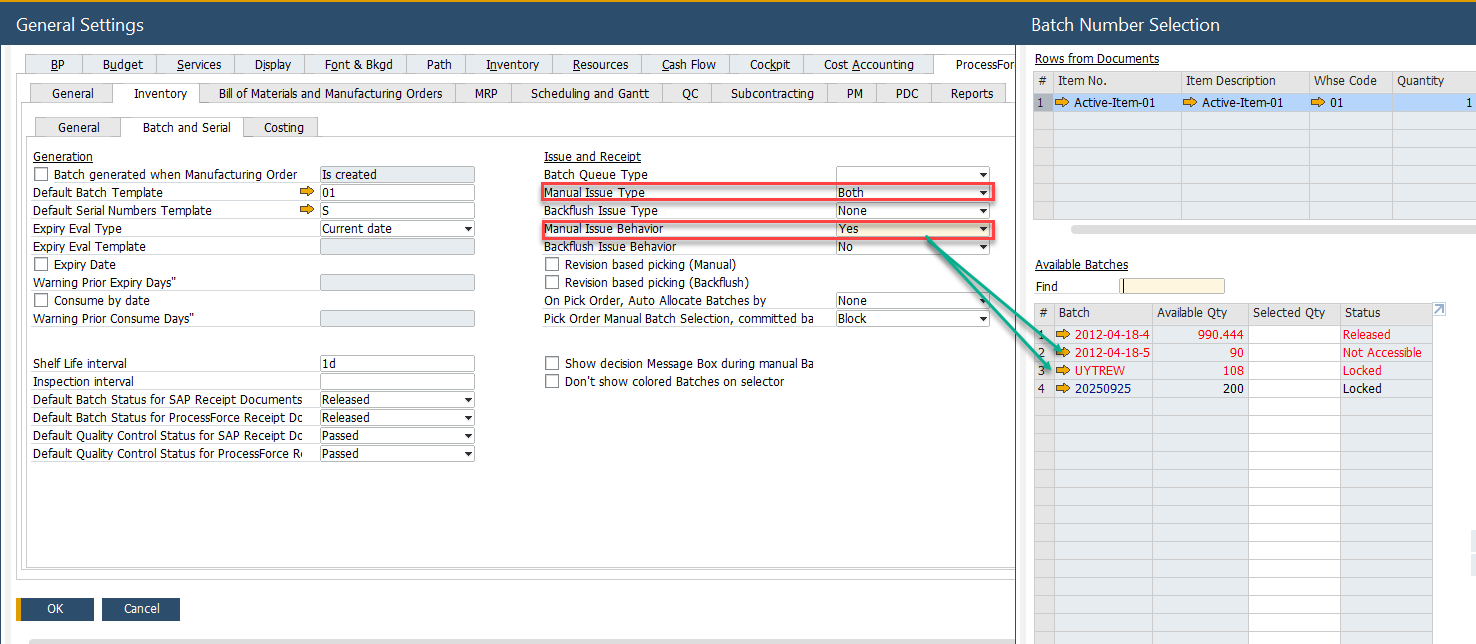
Both - No
Both - Display
Backflush Issue Method
The same principles that apply to manual issue types also apply to batch back-flushing.
- Yes: The batch is included in backflush.
- No: The batch is excluded from backflush.
- Display: The batch is shown but cannot be consumed.