You are viewing documentation for CompuTec WMS 2.0, which is supported until December 31, 2026. After this date, it will no longer receive regular support or maintenance updates.
We recommend upgrading to CompuTec WMS 3.0, which runs on CompuTec AppEngine 3.0 (.NET 8).
When upgrading, update all required CompuTec components together to ensure compatibility. Read more
Enable Base Document Header Remarks
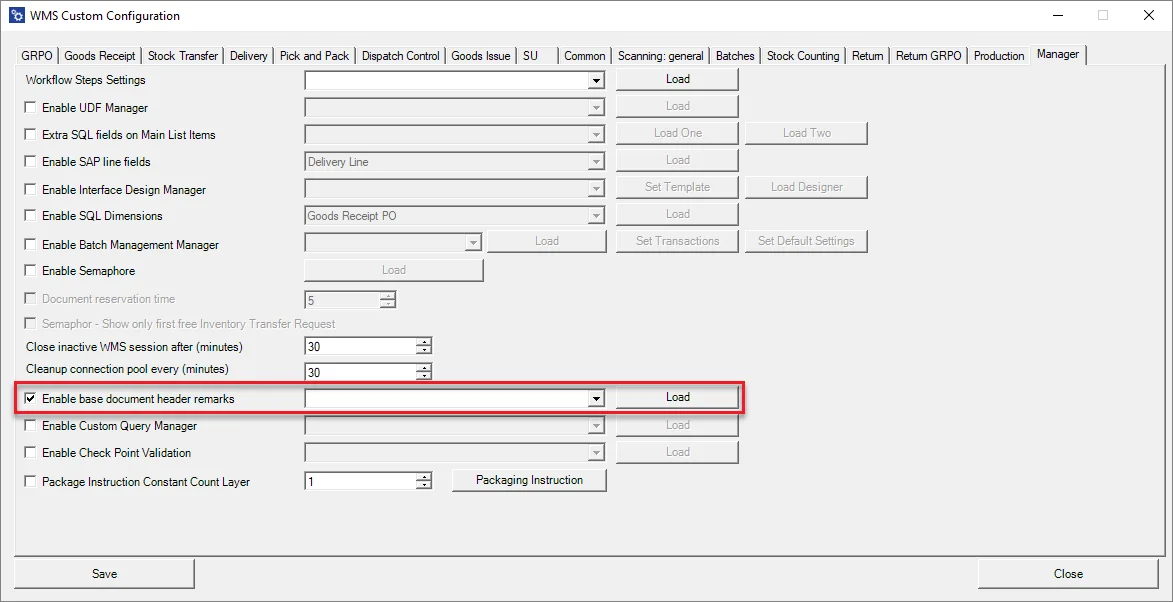
This option allows to set additional fields for a header.
-
Check the checkbox, choose a transaction from the drop-down list and click Load:
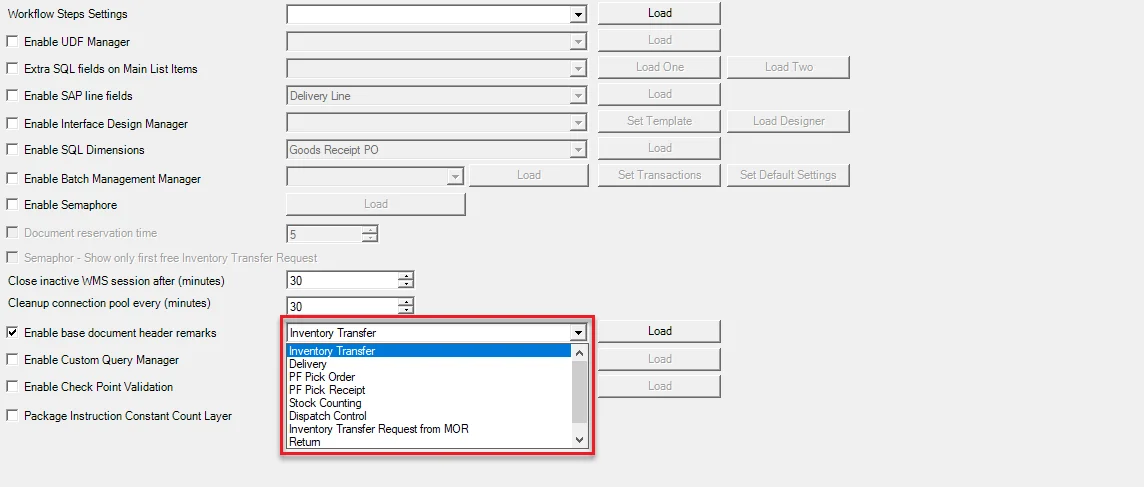
The option is available for the following transactions:
- Goods Receipt Purchase Order
- Inventory Transfer
- Delivery
- CompuTec ProcessForce Pick Order
- CompuTec ProcessForce Pick Receipt
- Goods Receipt
- Stock Counting
- Dispatch Control
- Inventory Transfer Request from Manufacturing Order
- Return
- Return PO
-
Here you can put an SQL query, the result of which will be displayed in the header.

-
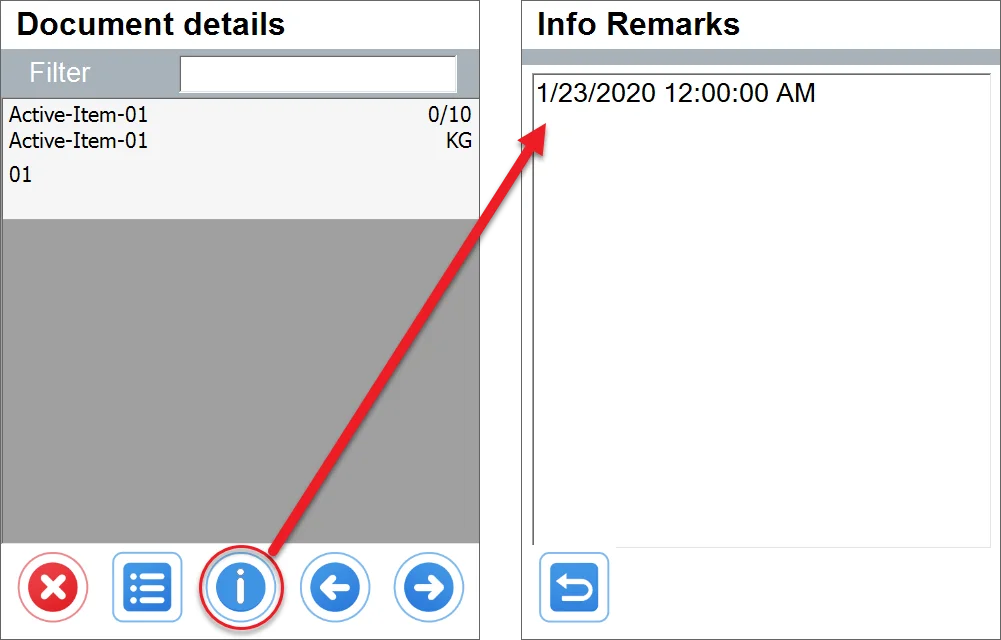
Upon opening the related document (Inventory Transfer from Transfer Request in this case), there is an additional button in the Document details window: