You are viewing documentation for CompuTec WMS 2.0, which is supported until December 31, 2026. After this date, it will no longer receive regular support or maintenance updates.
We recommend upgrading to CompuTec WMS 3.0, which runs on CompuTec AppEngine 3.0 (.NET 8).
When upgrading, update all required CompuTec components together to ensure compatibility. Read more
Showing the Operation in CompuTec WMS
- We create goods receipt PO
- We choose a warehouse
- We choose a supplier
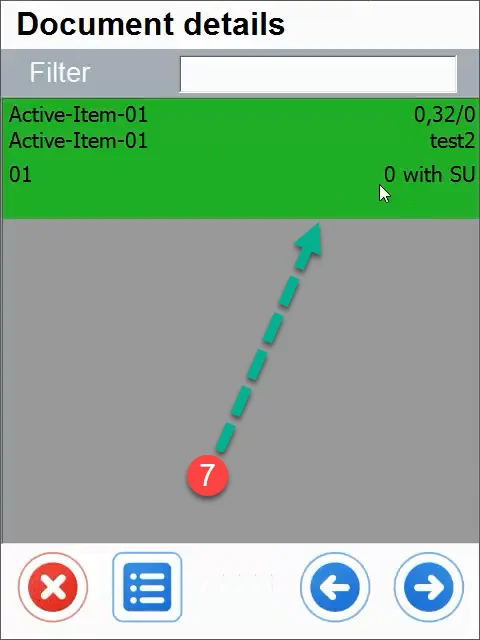
- We choose an index that we will weigh.
Click here to know more about Weight Scales Operation.
-
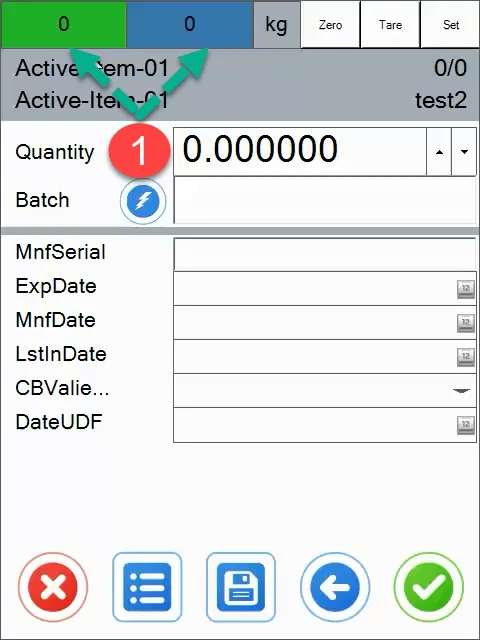
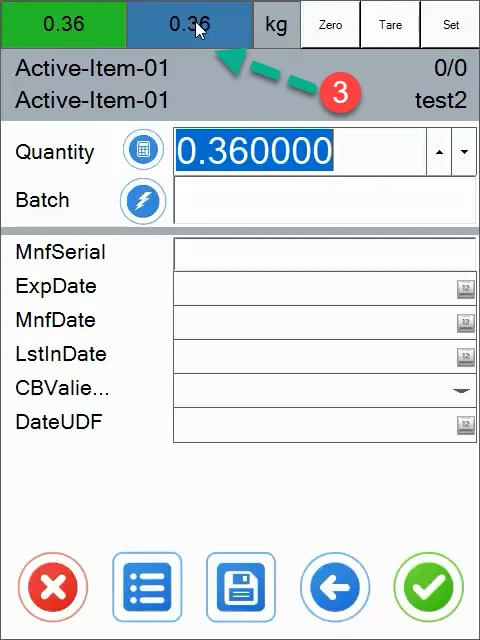
The green field displays the net weight and the blue field shows the gross weight.
-
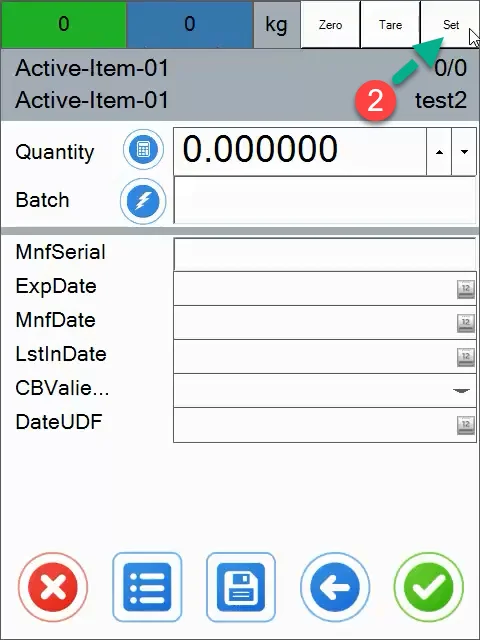
By using the "Set" button we can select the device with which we want to connect to read the current weight.

-
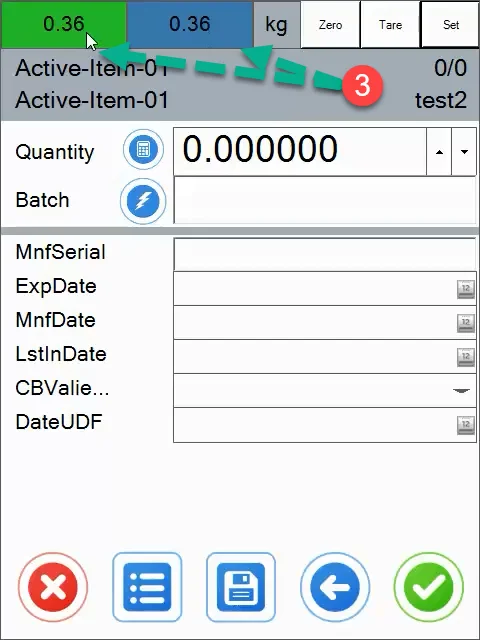
As you can see, the scale works, check the quantity box and click on the weight box at the top (green, blue or gray).
-
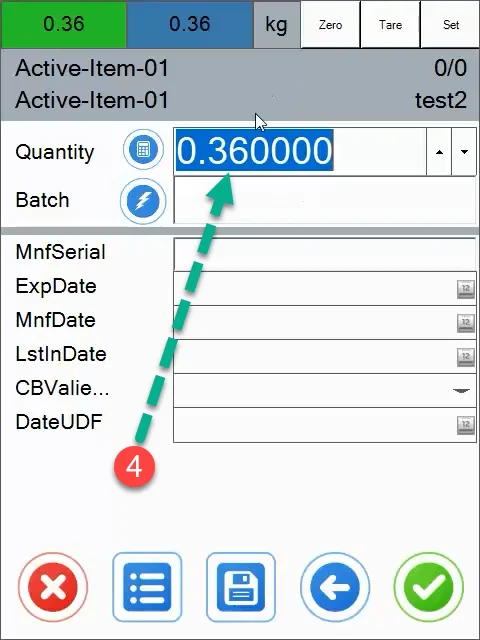
The quantity field has been completed.
-
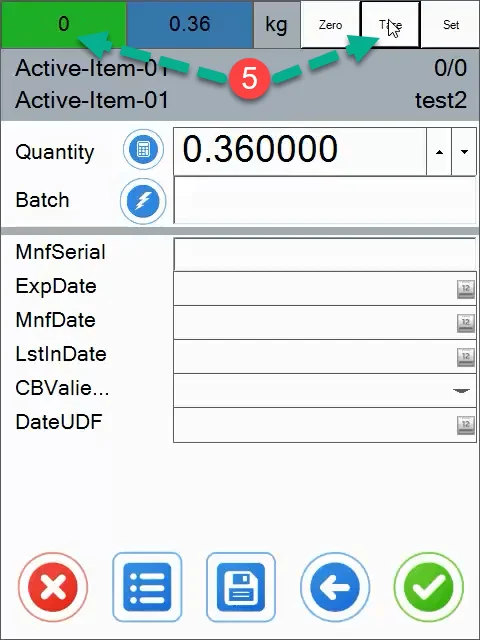
We can tare the given weight (e.g: if we weigh something in a box and without it).
-
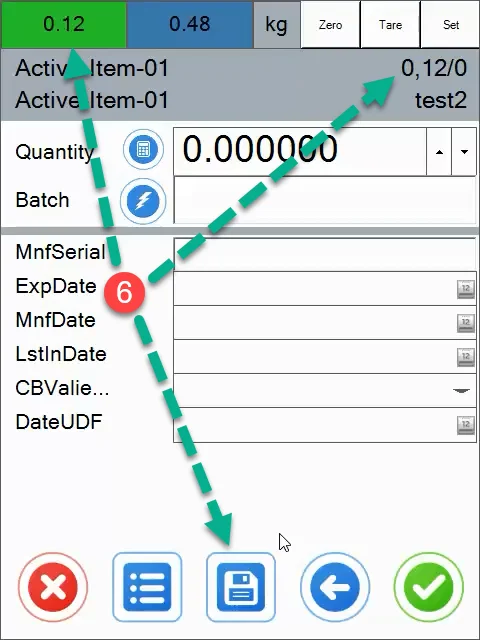
After clicking the save button, the balance is added (we can zero the weight and add another weight). In the last step, we confirm all our operations.
-
The weight of the product has been saved and successfully supplied.