You are currently viewing documentation for CompuTec AppEngine 3.0 (.NET 8).
If you are working with older environments, you may need the documentation for CompuTec AppEngine 2.0 based on .NET Framework, which is still supported: https://learn.computec.one/docs/appengine/2.0/.
As CompuTec AppEngine 3.0 introduces a new architecture, all CompuTec components must be updated together to ensure full compatibility.
Please review the CompuTec AppEngine 3.0 documentation before starting your installation or upgrade process.
Overview
Plugins extend the functionality of CompuTec AppEngine by delivering additional features as independent CompuTec products, such as warehouse management, production, or quality control.
This article explains what plugins are, how they are structured, and where to find them in the CompuTec AppEngine.
About plugins
A plugin is a packaged extension that enhances CompuTec AppEngine capabilities. Depending on its type, a plugin can:
- Add new business logic (for example, automation or calculations)
- Extend the user interface in SAP
- Integrate with external systems or services
- Provide additional tools within the CompuTec AppEngine environment
- Plugins are modular, meaning they can be installed, updated, or removed independently.
Plugin types
In the CompuTec AppEngine Administration Panel, plugins are grouped into categories to help you find what you need:
- Computec AppEngine Plugins: Core extensions that enhance CompuTec AppEngine functionality, such as services, APIs, or system-level features.
- Business Logic Plugins: Plugins that implement specific business processes, validations, or automation rules.
- SAP User Interface Plugins: Extensions that add or modify elements in the SAP Business One interface.

Plugins page structure
The Plugins page in CompuTec AppEngine Administration Panel consists of three main tabs:
Downloaded
Displays plugins already added to your CompuTec AppEngine.
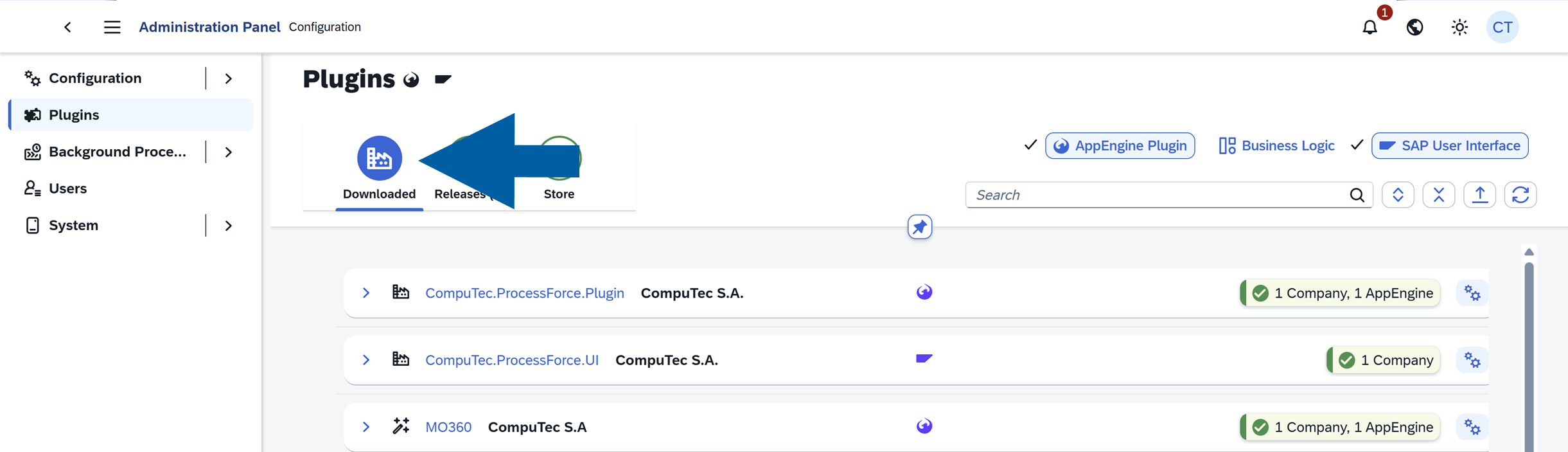
Here you can:
- verify installation status
- check activation on CompuTec AppEngine instances
- see assigned companies
- identify plugins that require updates
Releases
Displays new versions for plugins already downloaded.
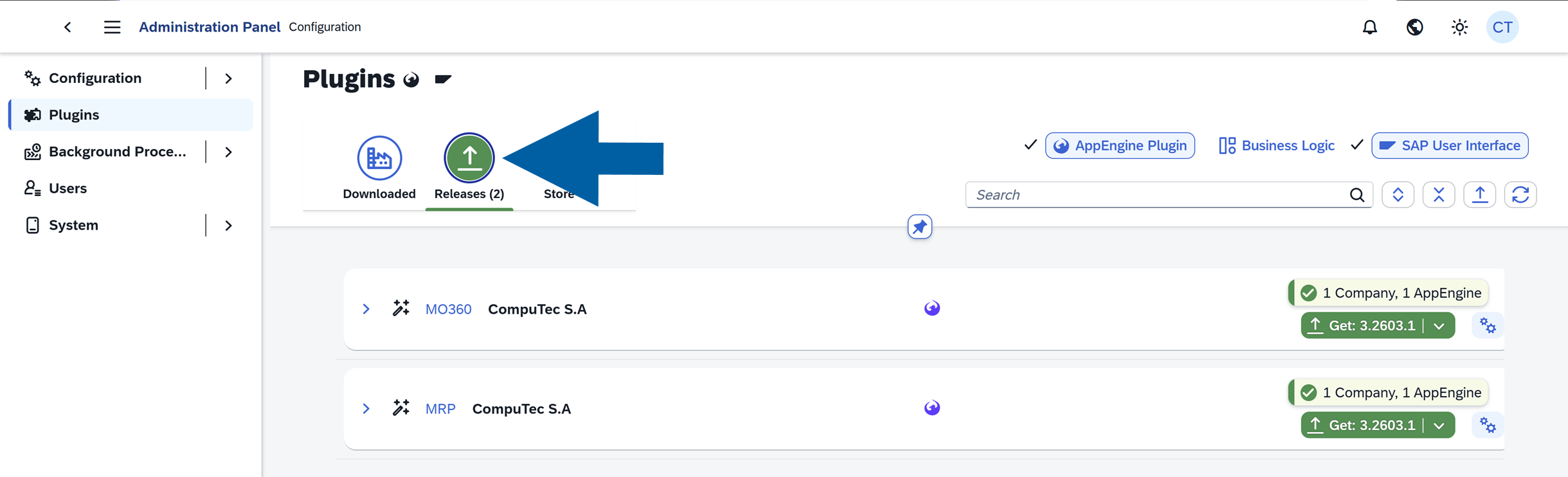
Use this tab to:
- review available updates
- upgrade plugins to newer versions
Store
Contains all available plugins.
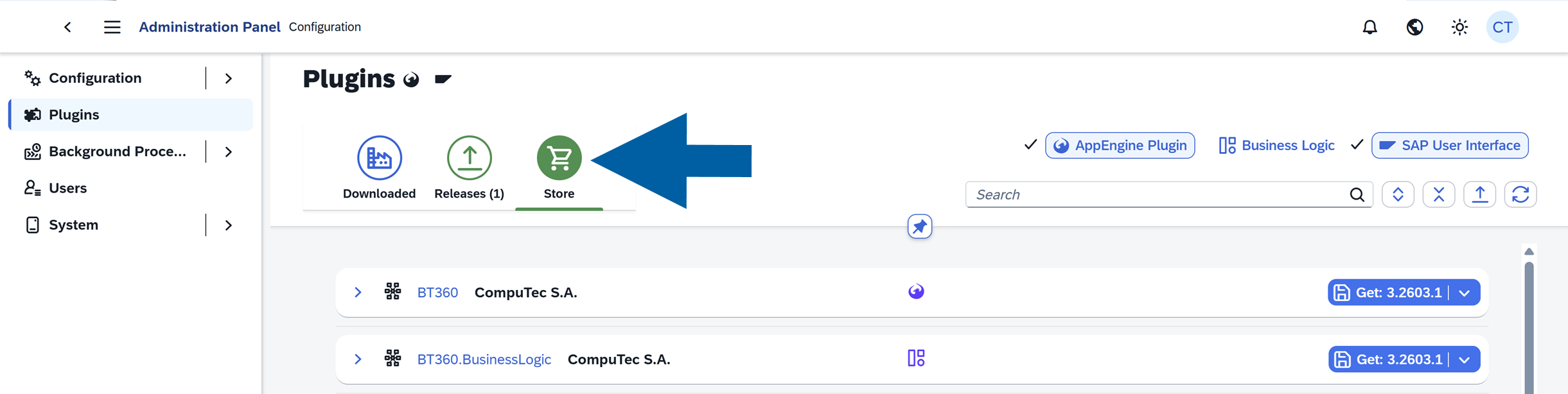
You can:
-
Search for plugins you want to install.
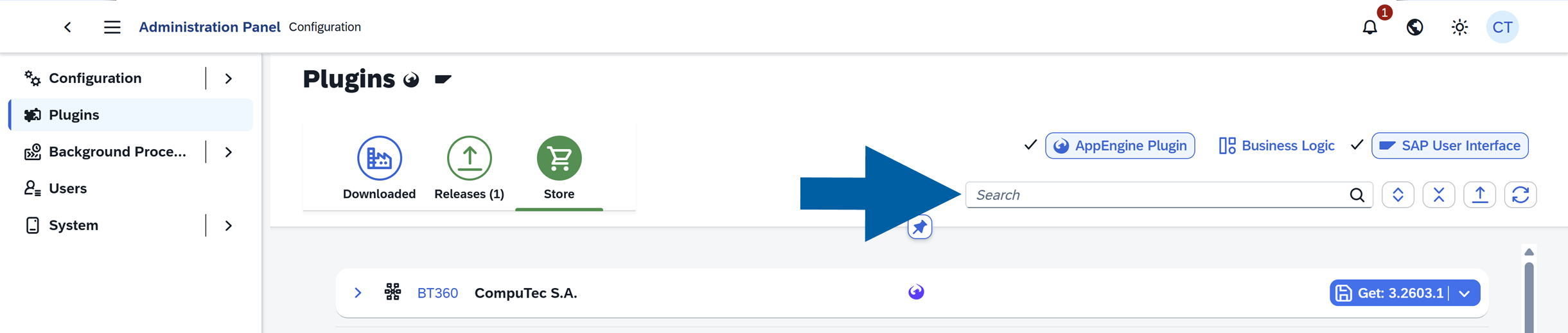
-
Filter the plugin list by type:
-
AppEngine Plugins
-
Business Logic Plugins
-
SAP User Interface Plugins
-
-
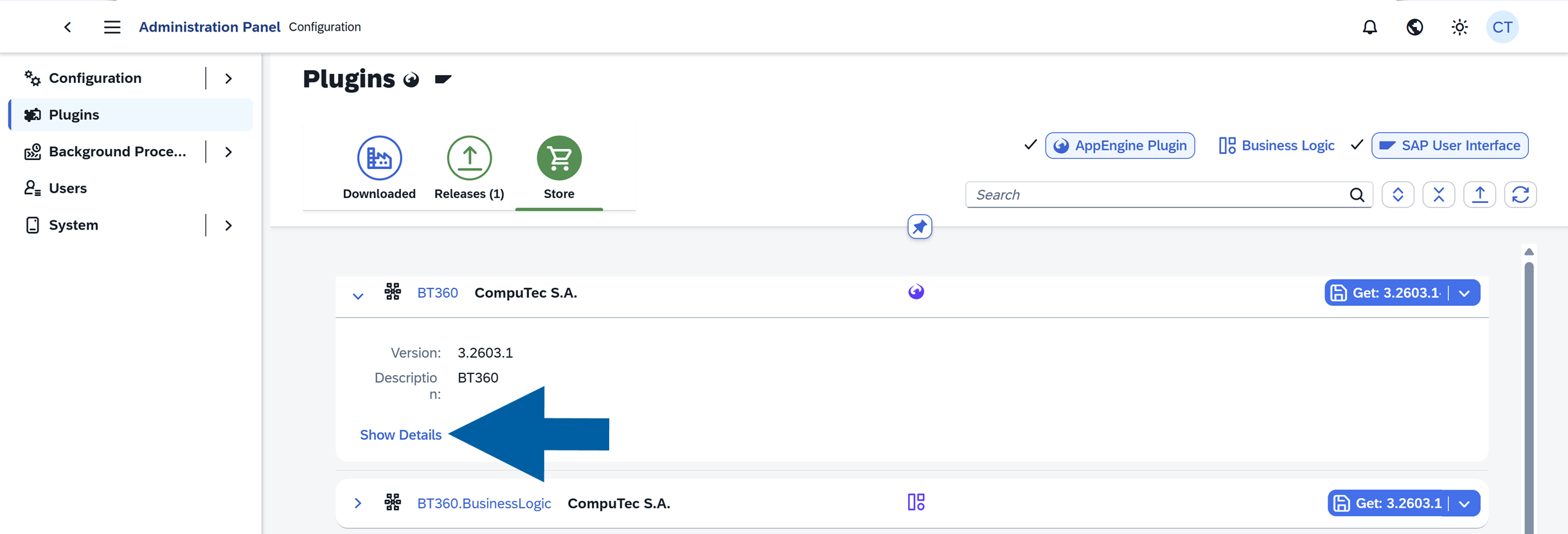
View plugin details after clicking the plugin name or Show details button.
-
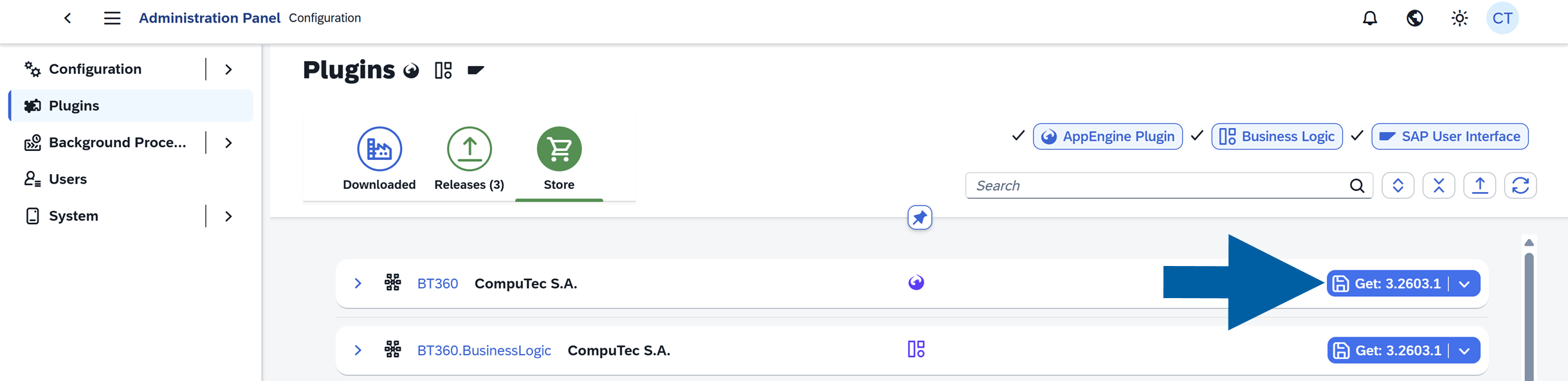
Install new plugins. Read more
Plugin details
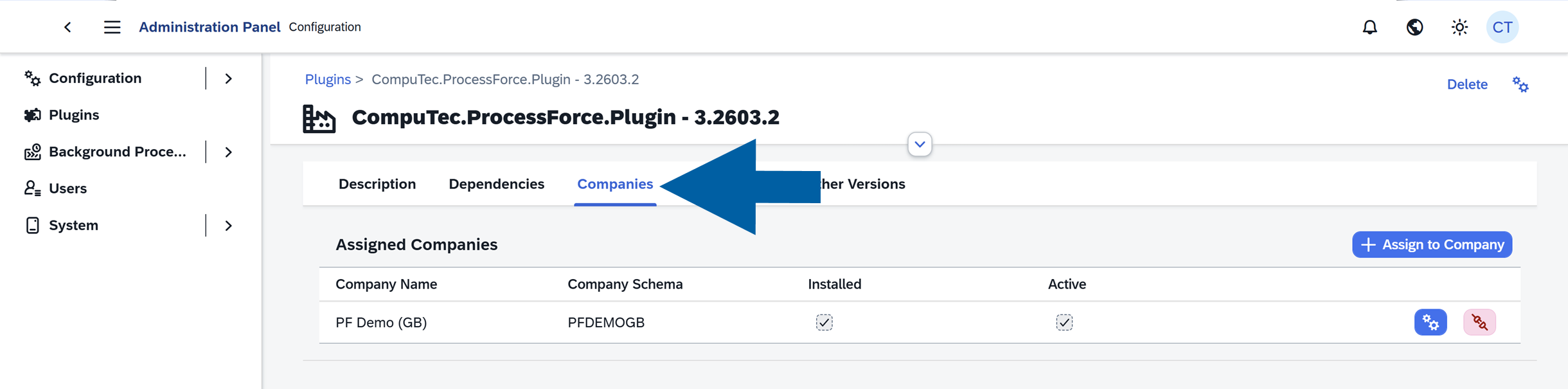
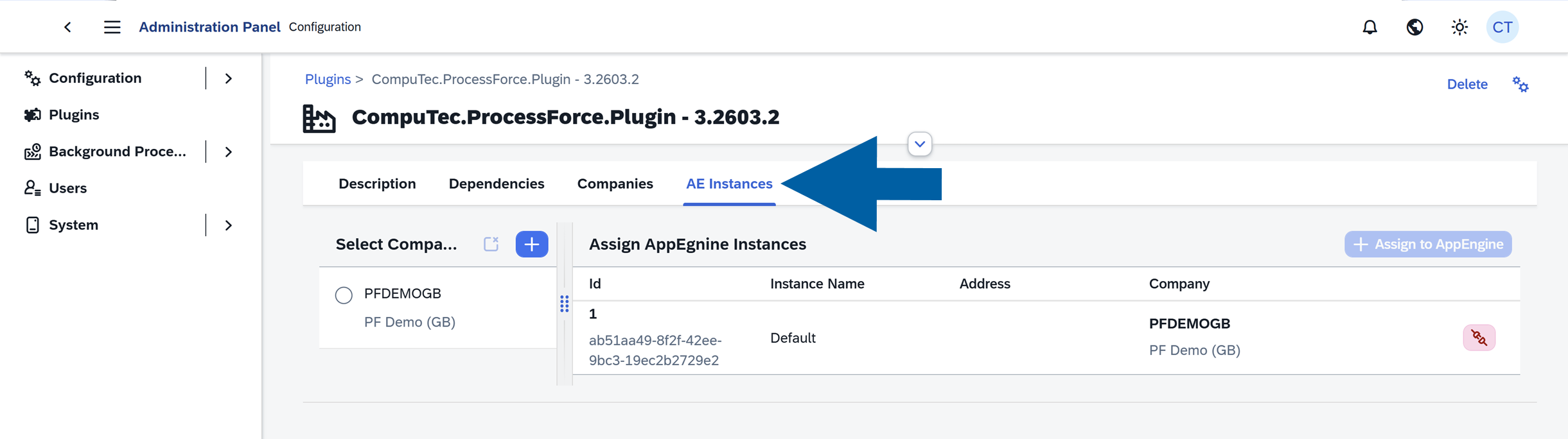
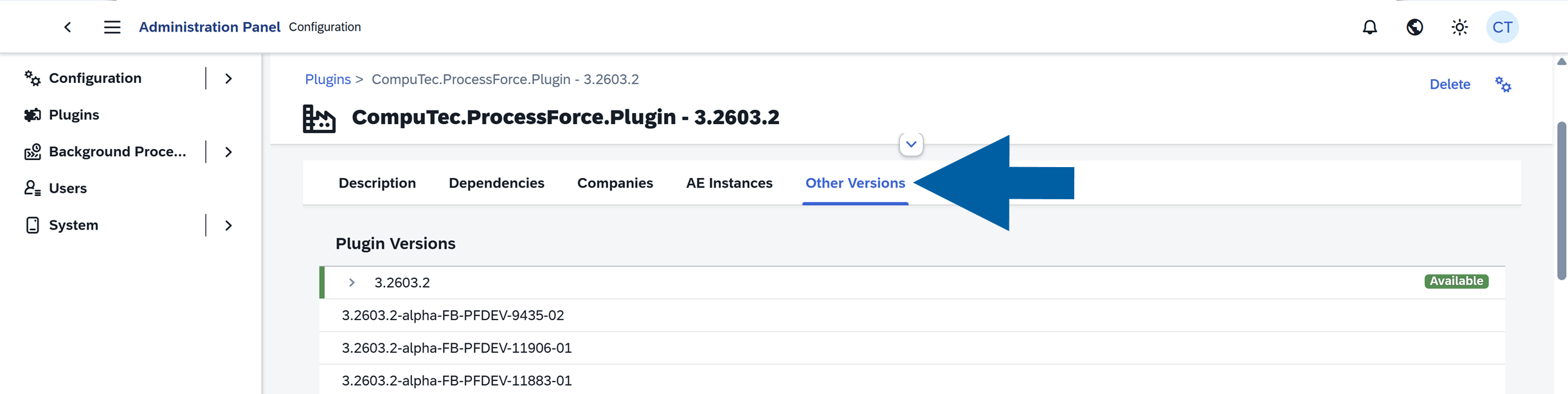
Selecting a plugin opens its detaileds view. You can click on the plugin name or Show Details button to learn more about the plugin.
From here, you can:
-
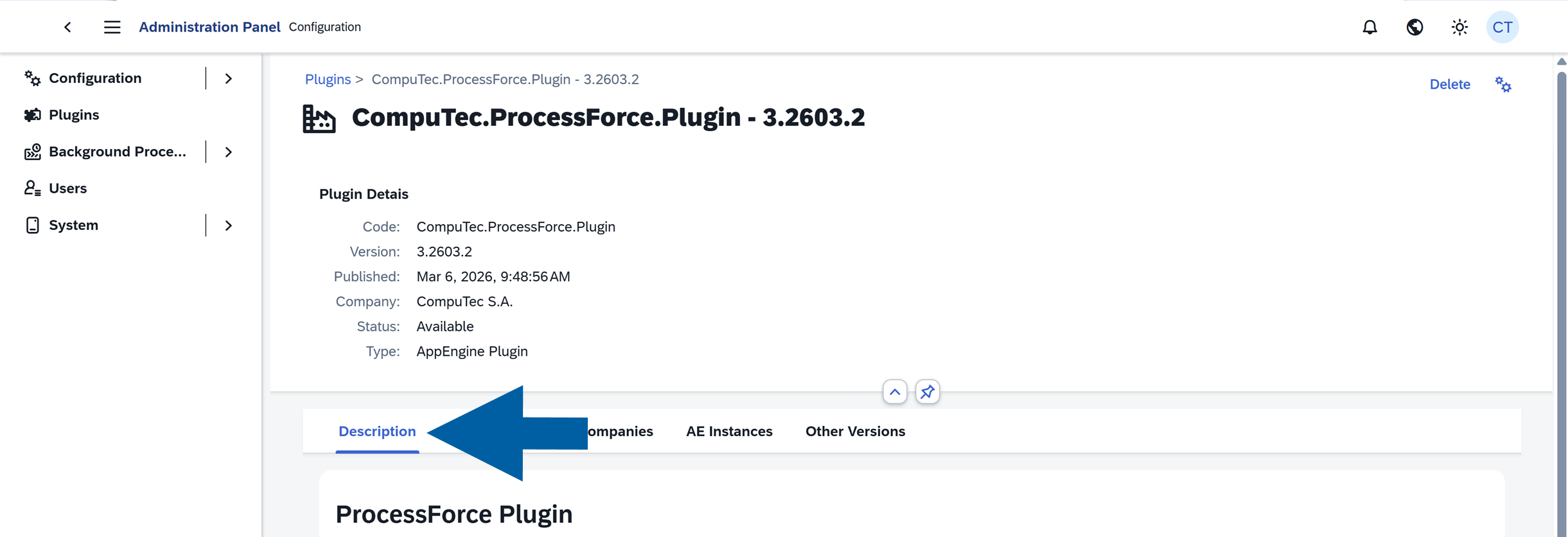
Read the plugin description
-
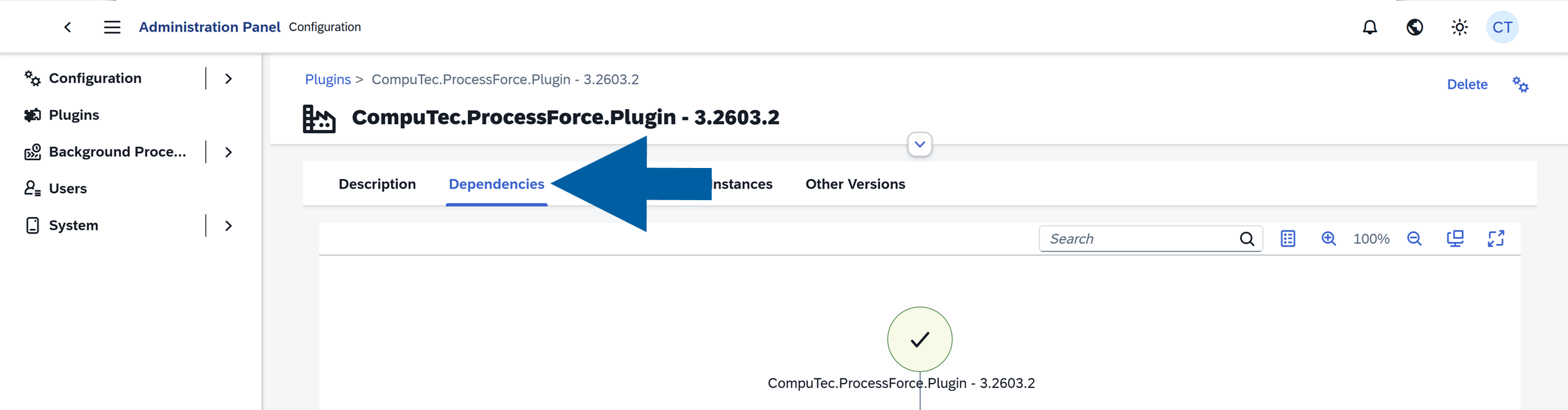
Check the plugin dependencies
-
Verify company assignments
-
Confirm activation on CompuTec AppEngine instances
-
View other available versions of the plugin and check which version is currently active on your CompuTec AppEngine instance
Plugin versions
Plugins may be available in different release types:
-
Testing versions (
alpha/internal) : Early development versions intended for testing
-
Release Candidate (
rc): Near-final versions undergoing validation
-
Official Release: Stable, production-ready versions

Available plugins
Each plugin comes with its own product documentation, where you can learn about its features, configuration, and daily use.
Here you can find description of specific plugins' function and how-to manuals:
CompuTec Batch Traceability (BT 360) Plugin
End to End material traceability
CompuTec Mass Change (Bulk Change) Plugin
Change Recipes, BoM's & Routing Master Data
CompuTec Planning & Bottleneck Scheduling (MO Wizard) Plugin
Create and schedule manufacturing orders
CompuTec Quality Testing Mobile (QC360) Plugin
Employee assignment & Inspection test execution
CompuTec Plant Maintenance Mobile (MI 360) Plugin
Employee assignment & maintenance order execution
CompuTec ProcessForce Import (PFI) Plugin
Upload & download data with MS Excel & CSV
CompuTec ProcessForce Plugin Related Jobs
An overview of the most commonly used CompuTec ProcessForce plugin jobs
CompuTec Production Data Capture (PDC) Plugin
Execute manufacturing orders on the shop floor
CompuTec Manufacturing Cockpit (MO360) Plugin
Dispatching, Employee assignment, WIP visibility & Analytics
CompuTec Warehouse Management System (WMS) Plugin
Inbound, outbound and internal logistics
CompuTec Docs (Labels) Plugin
Print, Send & Save document's & label's layouts