You are viewing documentation for CompuTec WMS 3.0, which runs on CompuTec AppEngine 3.0 (.NET 8).
If you use CompuTec WMS 2.0, see the CompuTec WMS 2.0 documentation.
When upgrading to CompuTec WMS 3.0, update all required CompuTec components together to ensure compatibility.
Before installing or upgrading, review the CompuTec WMS Installation Guide and the system requirements.
Troubleshooting
Problem: DataLayerConnectionNotEstablischedException error in WMS Server Logs (HANA Environments)
This error indicates that the CompuTec WMS Server is unable to establish a stable connection to the SAP HANA database. In many cases, the issue is caused by conflicting or outdated Sap.Data.Hana.v4.5.dll assemblies on the Windows server.
Solution
Here's how to resolve this problem:
Step 1: Verify the HDBADONET Environment Variable
-
Open the Environment Variables on your computer.
-
Locate the variable named
HDBADONET.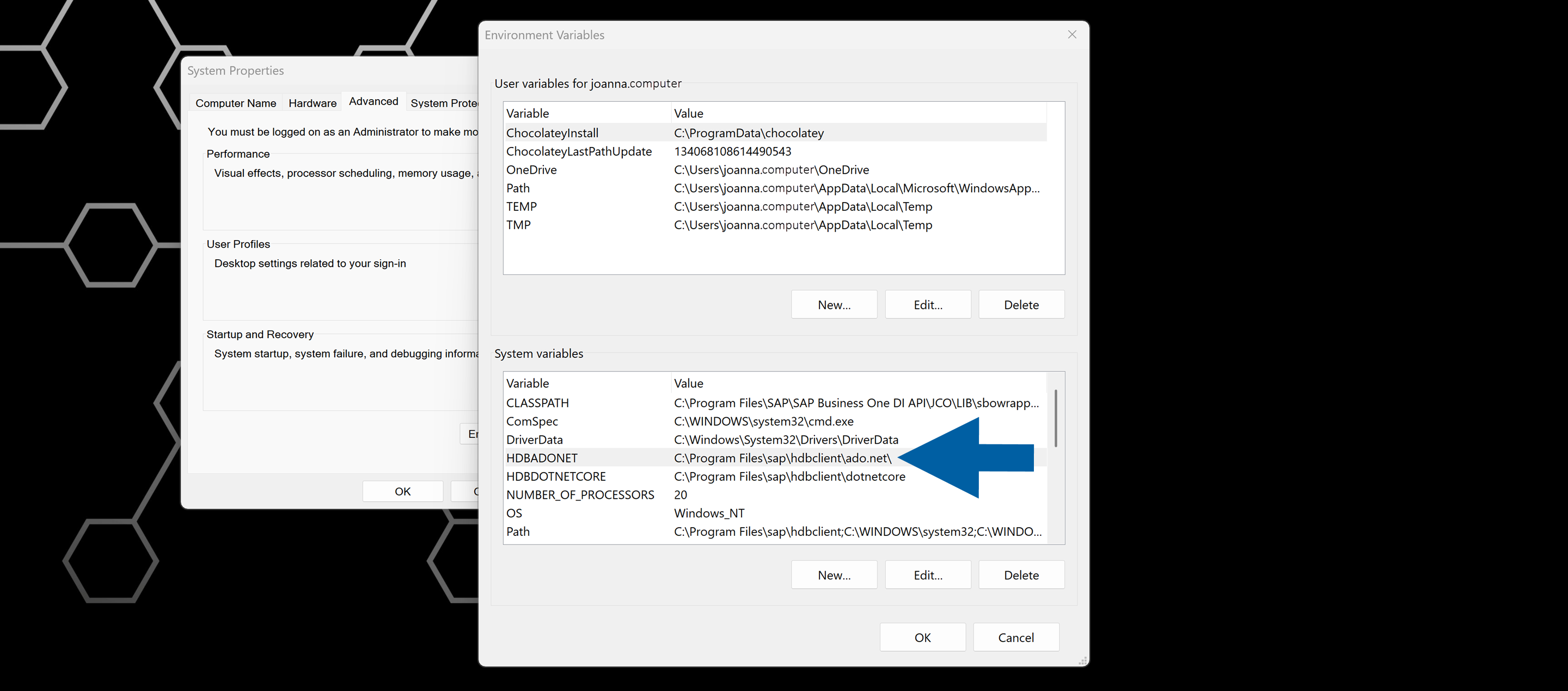
-
Note the directory path defined in this variable.
Step 2: Check the DLL file version in the HDBADONET directory
-
Navigate to the folder identified in the
HDBADONETvariable. -
Open the v4.5 subfolder.
-
Locate the Sap.Data.Hana.v4.5.dll file.
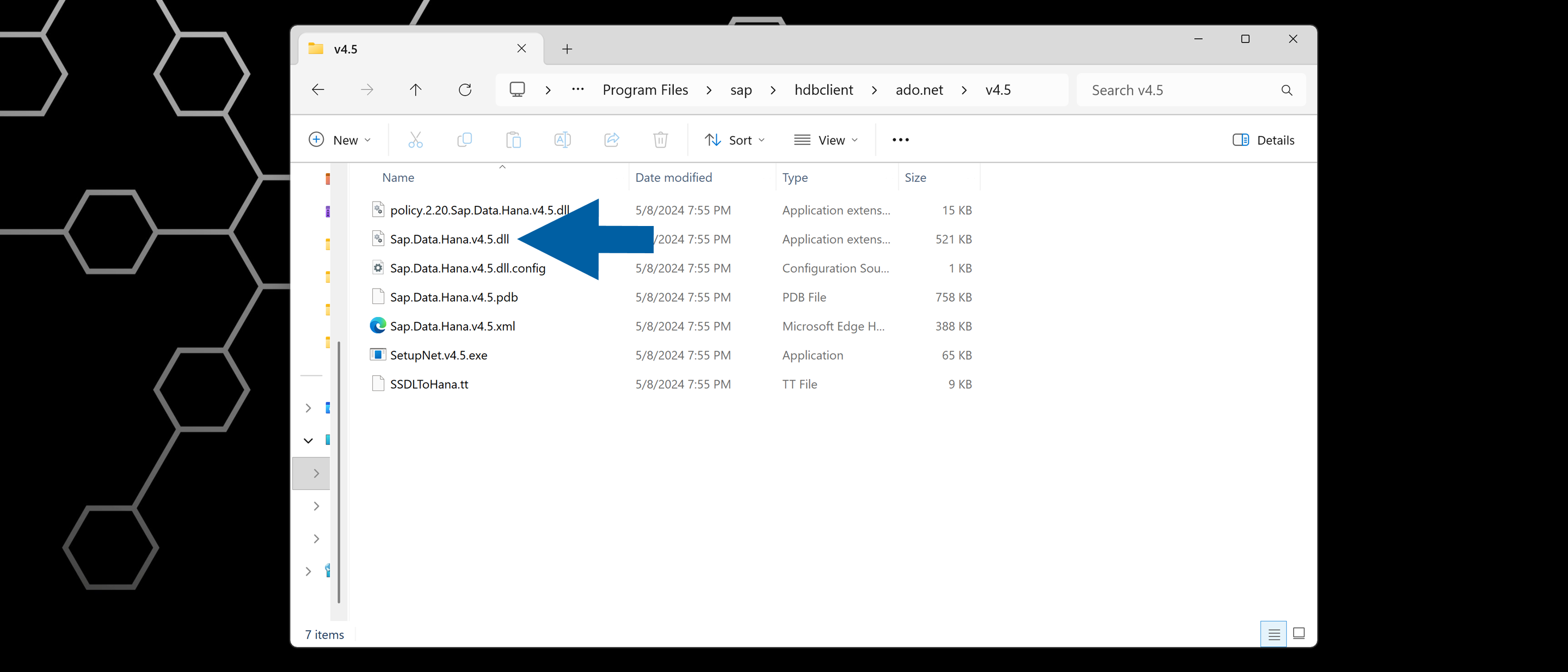
-
Hoover over the file to check its version.
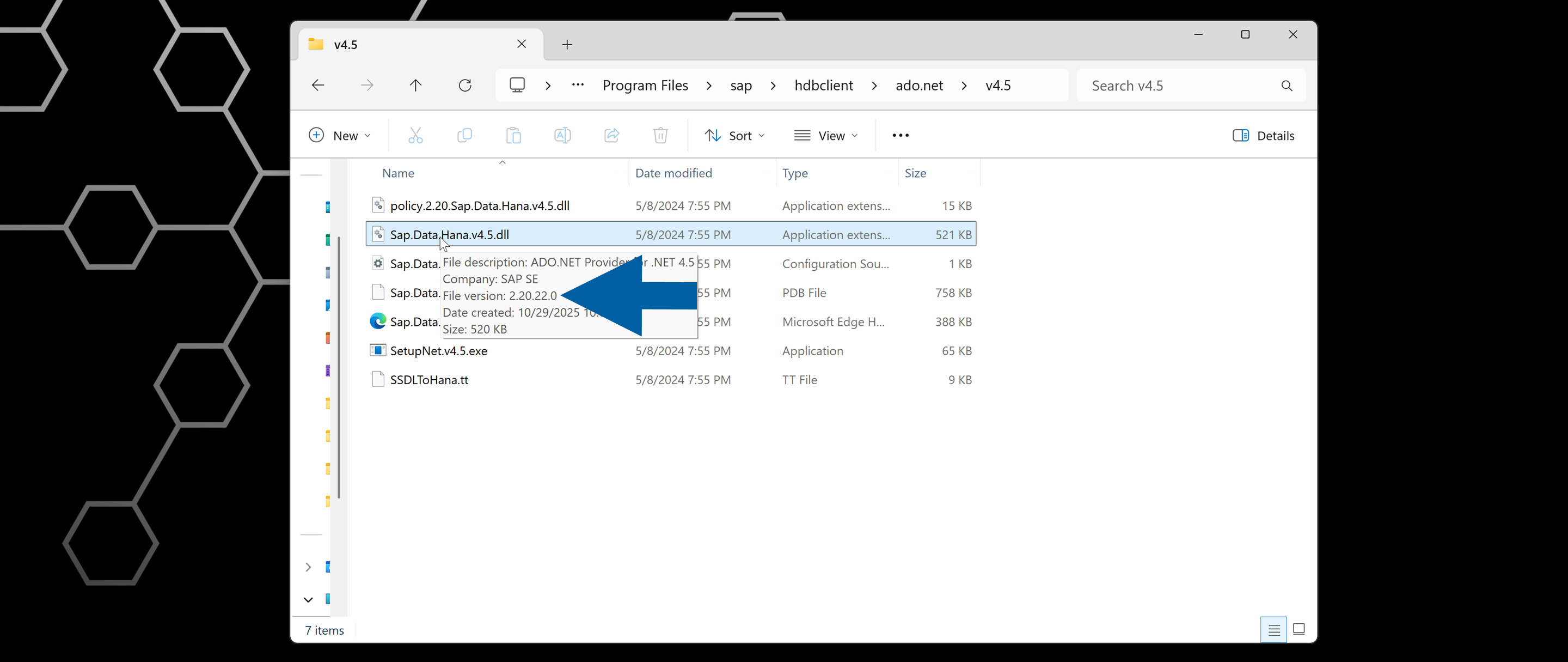 note
noteThe version should be similar to 2.20.22.0 (your actual version may vary depending on the HANA client installed).
Step 3: Check the Global Assembly Cache (GAC) for conflicting versions
-
Go to:
C:\Windows\Microsoft.NET\assembly\GAC_MSIL\Sap.Data.Hana.v4.5\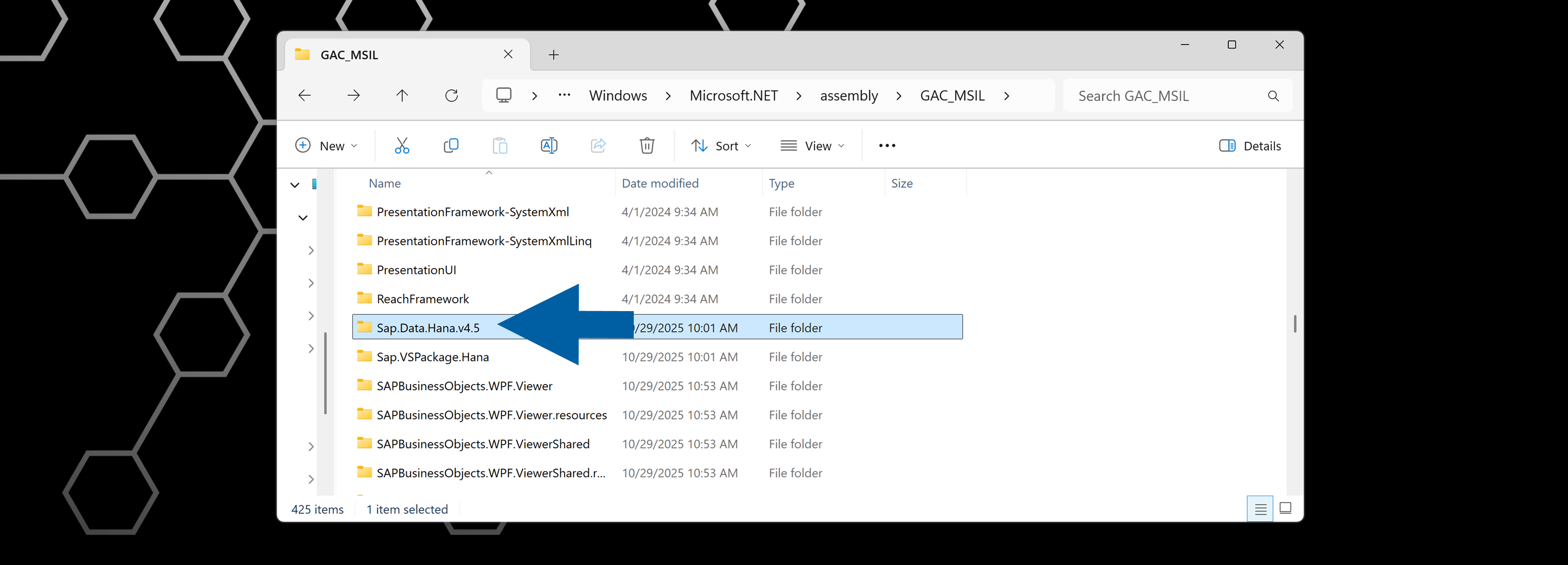
-
Check whether multiple subfolders exist, each containing different versions of
Sap.Data.Hana.v4.5.dllfile. -
If you find versions that don't match the version in the
HDBADONETdirectory, remove the mismatched folders. Only keep the version that matches the installed HANA client DLL file. -
Done!
Problem: Storage Unit Allocation Issues
Incorrect use of Storage Units, for example, transfer Items that belong to a Storage Unit in SAP Business One, may result in quantity discrepancies or incorrect Bin Location assignments.
These issues often appear as system errors, such as:
- Error 1470000336:
Bin location 'X' does not belong to specified warehouse 'Y'. - Error 10001153:
Insufficient quantity for item "X" with batch 'Y' in warehouse. - Error:
Bin location 'X' does not belong to specified warehouse 'Y'.
Solution
For full diagnostic queries and repair instructions, refer to the dedicated article: Storage Unit Allocation Issues.