You are currently viewing documentation for CompuTec ProcessForce 3.0, which is a plugin installed and managed through CompuTec AppEngine 3.0, built on .NET 8. If you are working with older environments, you may need the documentation for CompuTec ProcessForce 2.0: https://learn.computec.one/docs/processforce/2.0/.
Please note that CompuTec ProcessForce 2.0 will be supported only until December 31, 2026. After this date, the product will no longer receive regular support or maintenance updates. Read more
CompuTec AppEngine 3.0 introduces a new architecture, and all CompuTec components, including the CompuTec ProcessForce 3.0 plugin, must be updated together to ensure full compatibility.
Before starting your installation or upgrade process, we strongly recommend reviewing the CompuTec AppEngine 3.0 and CompuTec ProcessForce 3.0 documentation.
General tab
The General tab provides configuration options that control core behaviors in production and resource-related processes within SAP Business One enhanced by CompuTec ProcessForce. These settings define defaults for visibility, automation, scheduling behavior, and data display preferences - impacting how production and resource information is managed and visualized.
To access General tab, navigate to:
Administration → System Initialization → General Settings → ProcessForce tab → General tab
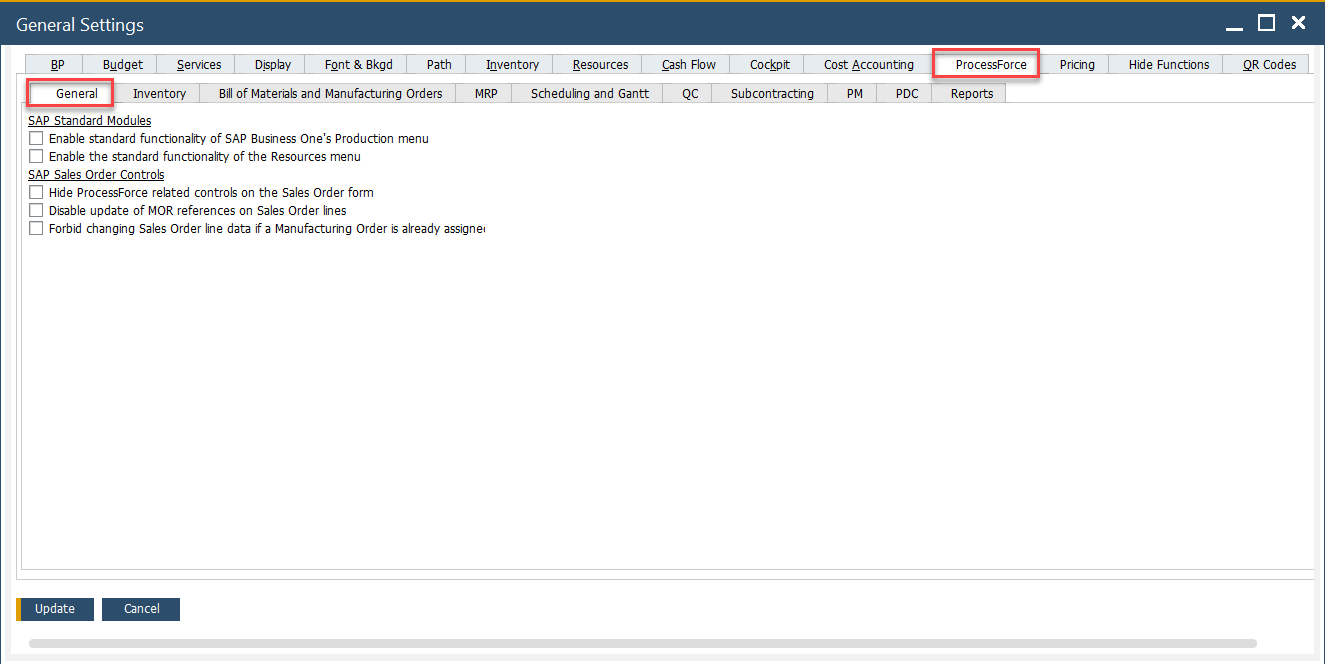
Key Settings
-
SAP Standard Modules
This section includes options to enable or disable default SAP Business One features that may overlap with CompuTec ProcessForce capabilities:
- Enable standard functionality of SAP Business One's Production menu: Activates the native SAP Business One Production menu, allowing users to access SAP’s built-in production functionalities. This may be necessary for scenarios where hybrid use of SAP Business One and CompuTec ProcessForce production is needed.
- Enable the standard functionality of the Resources menu: Allows access to the default SAP Resources functionality. This is relevant if you’re managing machine or labor resources directly through SAP’s standard definitions and want them visible even when using CompuTec ProcessForce.
-
SAP Sales Order Controls
This section configures how Sales Orders interact with CompuTec ProcessForce-specific functionalities, particularly Manufacturing Order Requests (MORs):
-
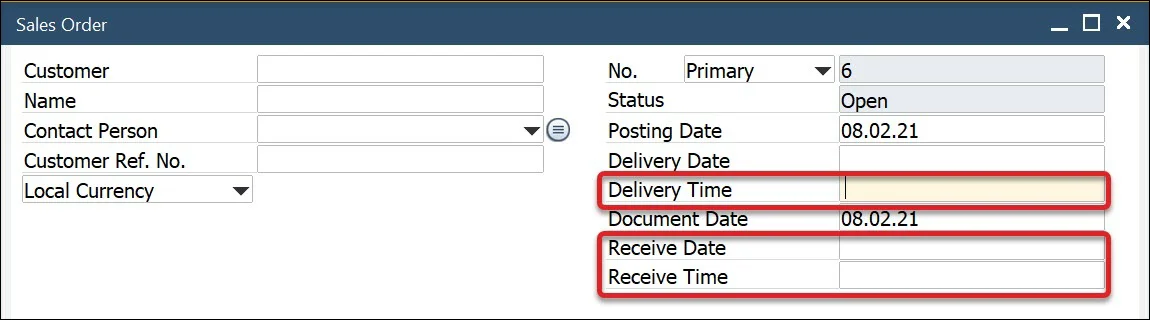
Hide ProcessForce related controls on the Sales Order form: When enabled, this hides all ProcessForce-specific fields and controls from the standard Sales Order form, offering a cleaner interface for users who do not need those options.
-
Disable update of MOR references on Sales Order lines: Prevents manual modification of the MOR linkage once it has been created, ensuring the integrity of the manufacturing planning process once a Sales Order is linked to a Manufacturing Order Request.
-
Forbid changing Sales Order line data if a Manufacturing Order is already assigned: Ensures that no modifications are made to Sales Order lines that are already tied to a Manufacturing Order. This safeguards against accidental data inconsistency between Sales and Production processes.
-