You are currently viewing documentation for CompuTec ProcessForce 3.0, which is a plugin installed and managed through CompuTec AppEngine 3.0, built on .NET 8. If you are working with older environments, you may need the documentation for CompuTec ProcessForce 2.0: https://learn.computec.one/docs/processforce/2.0/.
Please note that CompuTec ProcessForce 2.0 will be supported only until December 31, 2026. After this date, the product will no longer receive regular support or maintenance updates. Read more
CompuTec AppEngine 3.0 introduces a new architecture, and all CompuTec components, including the CompuTec ProcessForce 3.0 plugin, must be updated together to ensure full compatibility.
Before starting your installation or upgrade process, we strongly recommend reviewing the CompuTec AppEngine 3.0 and CompuTec ProcessForce 3.0 documentation.
Documents Rollback
In manufacturing operations, errors in Goods Issue or Goods Receipt documents can impact inventory accuracy and financial records. The Rollback Document feature in SAP Business One allows users to quickly correct such mistakes by reversing the transactions, ensuring data integrity and smooth production processes.
You can use the Rollback Document option to correct Goods Issue or Goods Receipt documents. To perform a rollback, follow these steps:
-
Open the relevant Manufacturing Order.
-
Right-click on the document line that needs correction.
-
Select Rollback Document from the context menu.
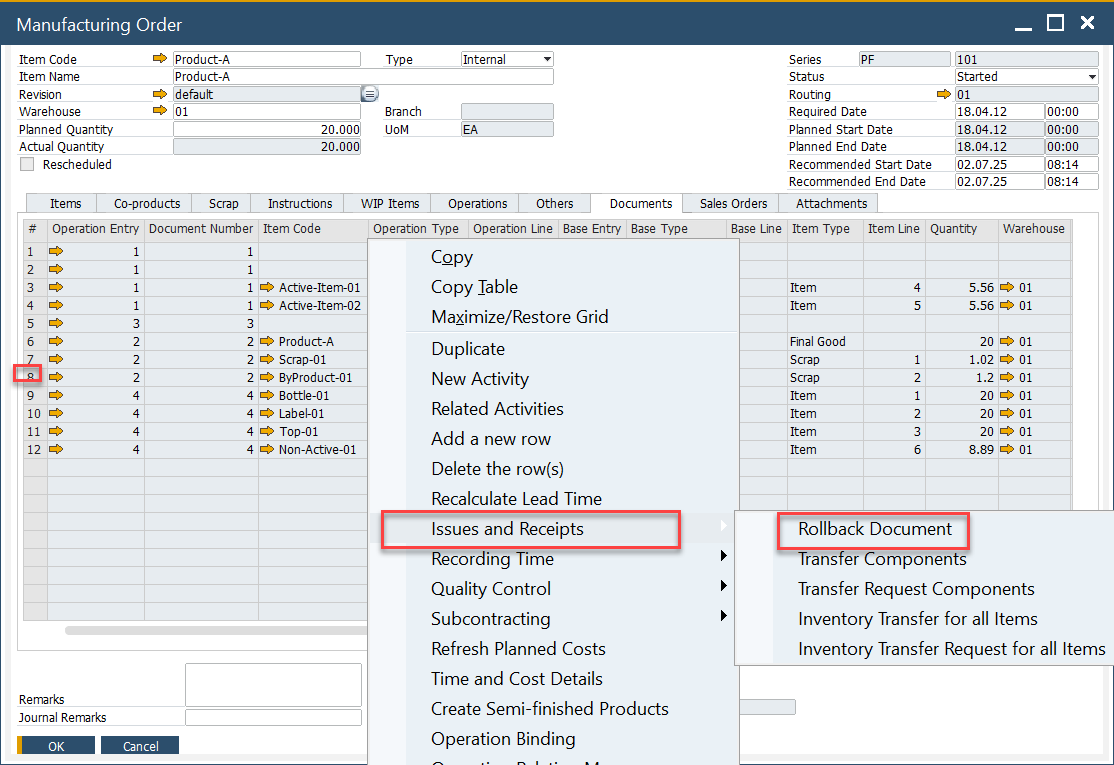
Rollback Details form will appear, where you can adjust the document series, dates, and add remarks before finalizing the rollback.

What Happens During a Rollback?
-
Goods Issue → Goods Receipt: Rolling back a Goods Issue will automatically generate a corresponding Goods Receipt.
-
Goods Receipt → Goods Issue: Rolling back a Goods Receipt will create a related Goods Issue.
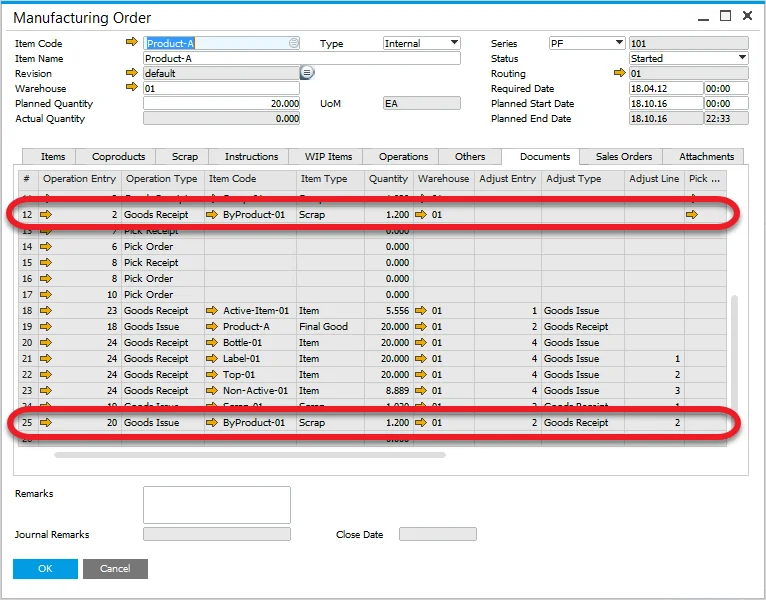
If the original Goods Receipt was created using backflush, all associated documents will also be corrected accordingly.