You are currently viewing documentation for CompuTec ProcessForce 3.0, which is a plugin installed and managed through CompuTec AppEngine 3.0, built on .NET 8. If you are working with older environments, you may need the documentation for CompuTec ProcessForce 2.0: https://learn.computec.one/docs/processforce/2.0/.
Please note that CompuTec ProcessForce 2.0 will be supported only until December 31, 2026. After this date, the product will no longer receive regular support or maintenance updates. Read more
CompuTec AppEngine 3.0 introduces a new architecture, and all CompuTec components, including the CompuTec ProcessForce 3.0 plugin, must be updated together to ensure full compatibility.
Before starting your installation or upgrade process, we strongly recommend reviewing the CompuTec AppEngine 3.0 and CompuTec ProcessForce 3.0 documentation.
Manufacturing Order Menus
The Manufacturing Order (MO) menus provide quick access to essential functions for managing production. Right-clicking on a Manufacturing Order opens a context menu with options for inventory handling, scheduling, time recording, reporting, and visualizing operation dependencies.
This section outlines the available menus and their functionality.
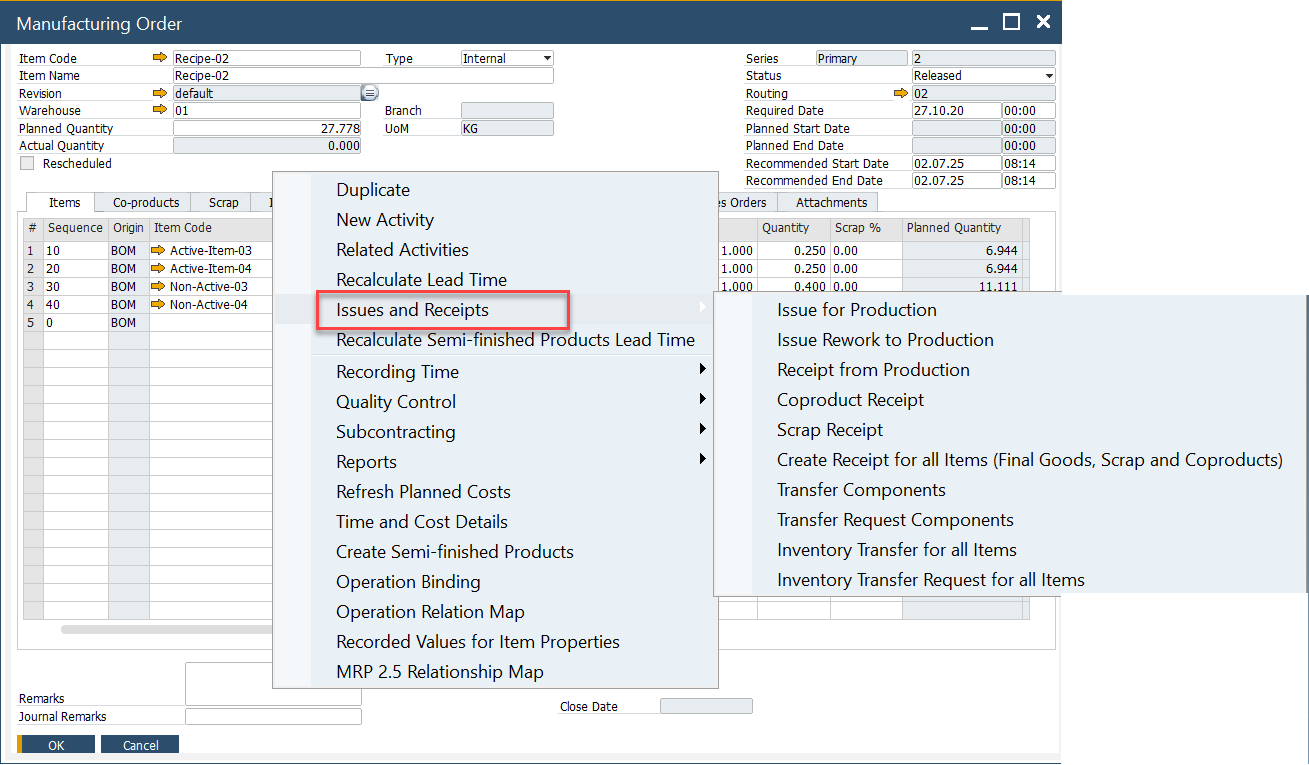
Issues and Receipts
The Issues and Receipts submenu handles all inventory-related processes, including material issues, receipts, and transfers.
Note: The Manufacturing Order must be in Released or Started status to use these functions.
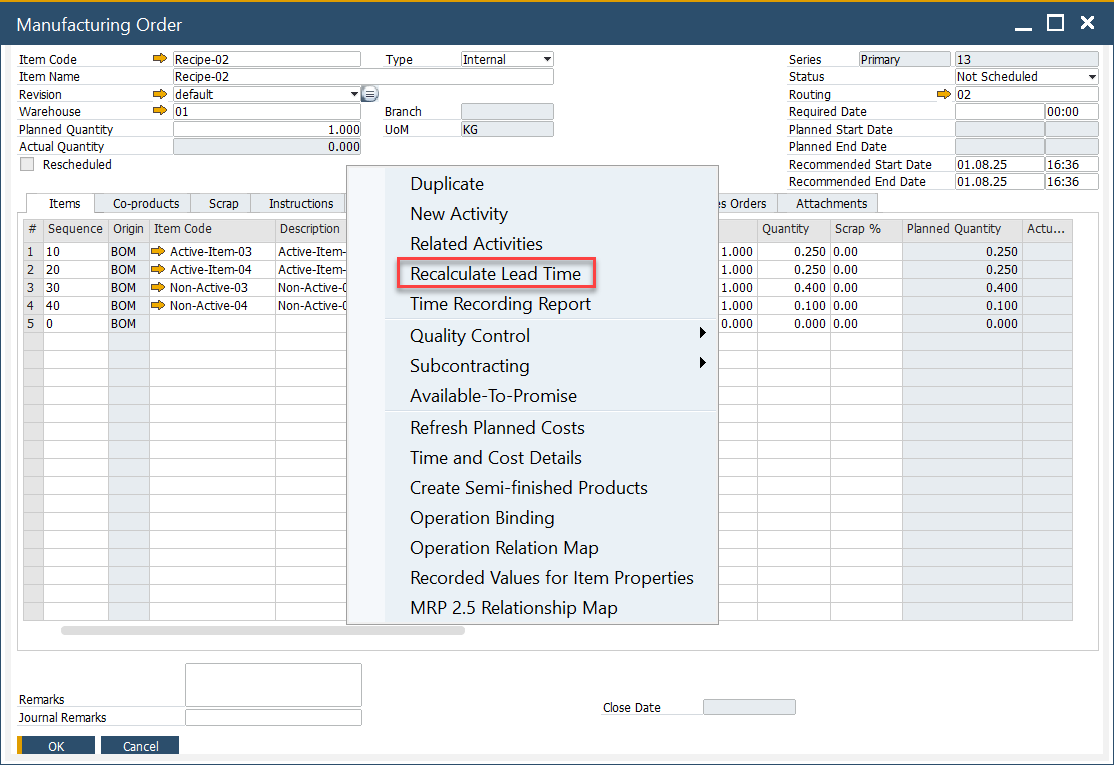
Scheduling
The Scheduling menu provides tools to plan and manage production timelines, ensuring tasks are aligned with required dates.
Recording Time
The Recording Time menu allows users to log time spent on manufacturing tasks directly against the MO.
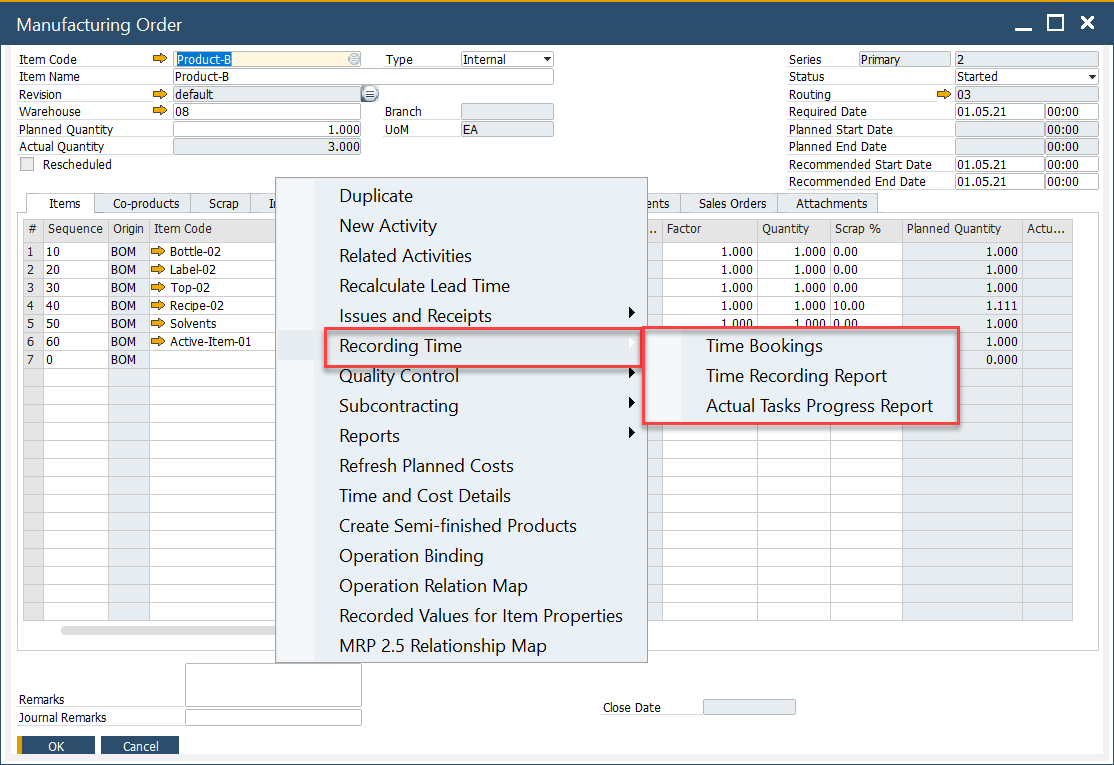
Actual Tasks Progress Report
From this option, users can view a list of active CompuTec PDC tasks. It gives real-time insights into ongoing work and is available when the MO is in Released, Started, or Finished status.
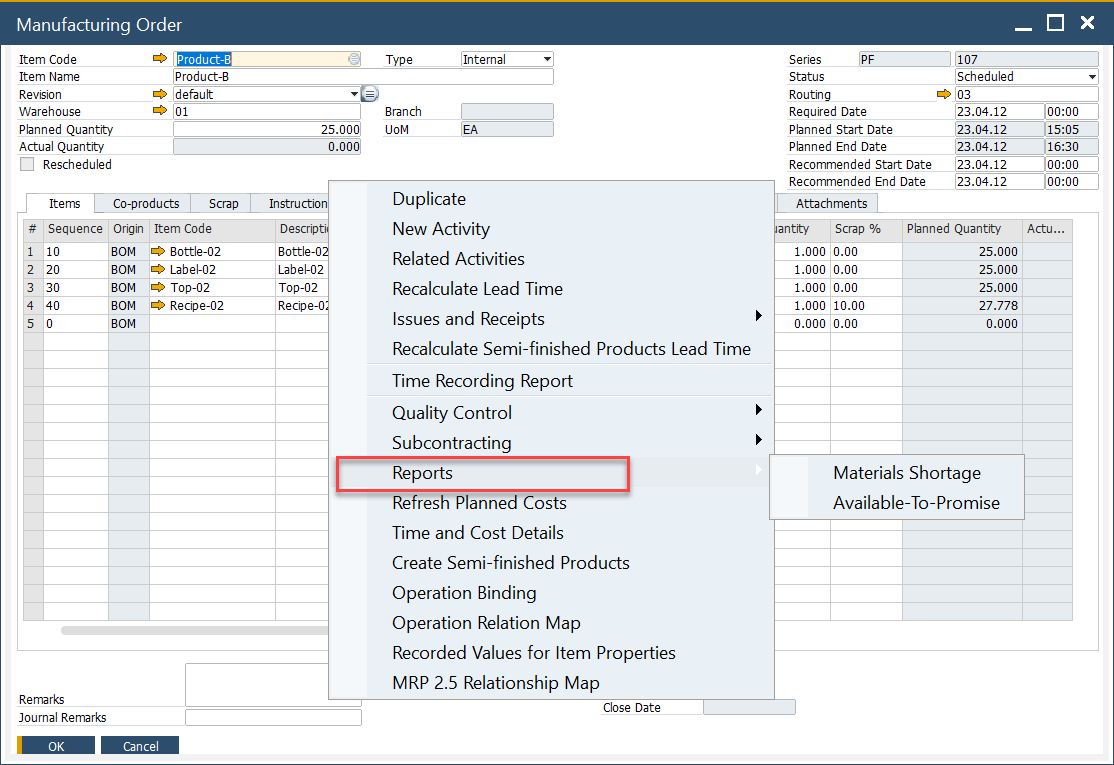
Reports
The Reports menu provides access to detailed production-related reports, enabling better visibility and analysis of manufacturing performance.
Operation Relation Chart
Selecting Operation Relation Map from the context menu opens a graphical chart that displays how operations in a Manufacturing Order are connected.
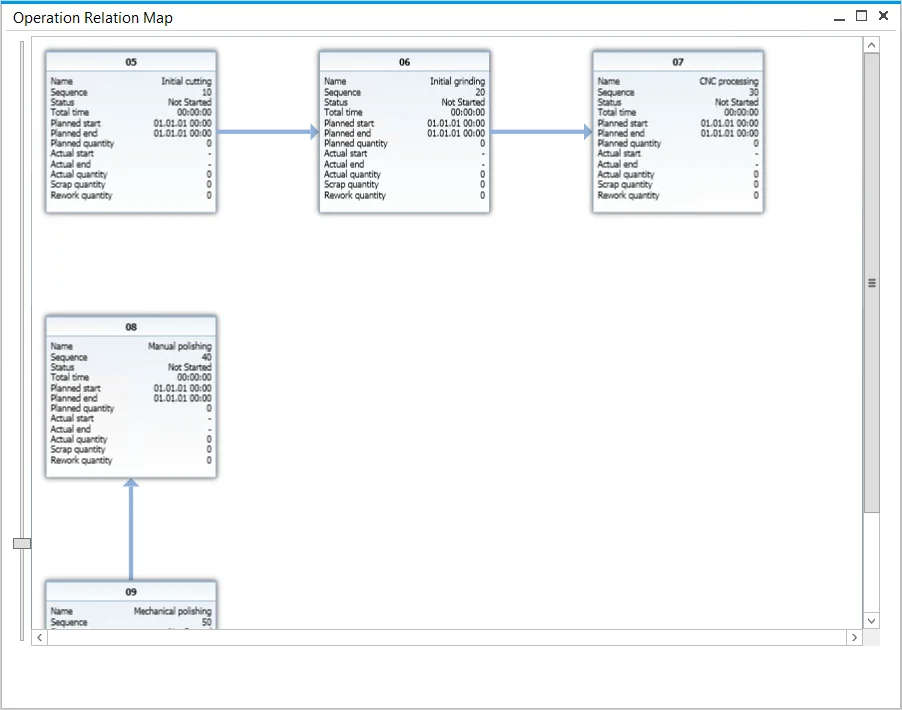
- Operations usually follow a linear sequence, where one step must be completed before the next begins.
- The chart also supports more advanced structures, where operations may run in parallel or follow custom dependencies.
Operation Tile
Each operation is displayed as a tile containing essential details:

- Operation name and sequence number
- Current status
- Planned and actual start/end times
- Total work period
Operation Quantity
The latest application version introduces additional fields for operation-related quantities, improving the accuracy of production tracking.