You are currently viewing documentation for CompuTec ProcessForce 3.0, which is a plugin installed and managed through CompuTec AppEngine 3.0, built on .NET 8. If you are working with older environments, you may need the documentation for CompuTec ProcessForce 2.0: https://learn.computec.one/docs/processforce/2.0/.
Please note that CompuTec ProcessForce 2.0 will be supported only until December 31, 2026. After this date, the product will no longer receive regular support or maintenance updates. Read more
CompuTec AppEngine 3.0 introduces a new architecture, and all CompuTec components, including the CompuTec ProcessForce 3.0 plugin, must be updated together to ensure full compatibility.
Before starting your installation or upgrade process, we strongly recommend reviewing the CompuTec AppEngine 3.0 and CompuTec ProcessForce 3.0 documentation.
Master Data
Accurate Master Data setup is essential for efficient material management in manufacturing. This section outlines how to configure master data for Pick Issue and Receipt by Operation, ensuring smooth integration between Bill of Materials (BOM), Production Process, and Operation Binding.
How-to: Configure Master Data for Pick Issue and Receipt
-
Define the Bill of Materials
-
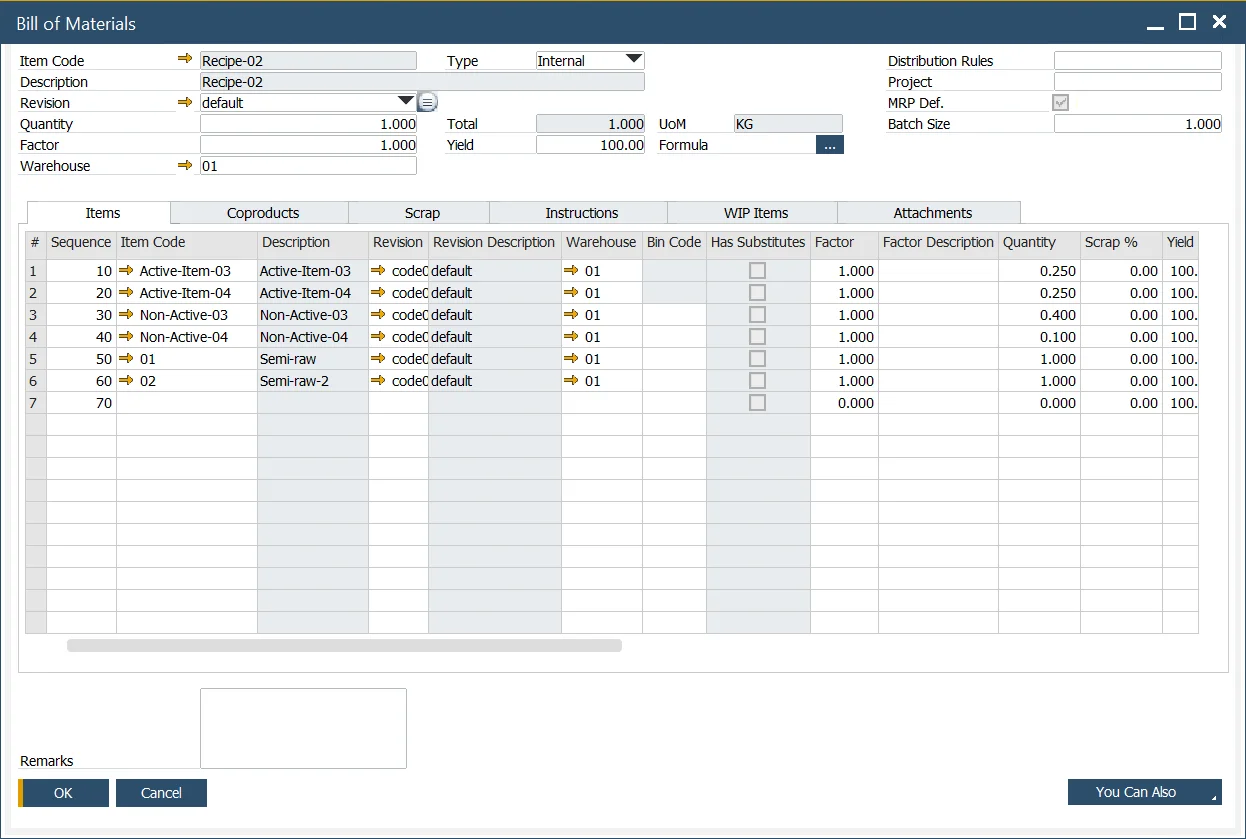
Set up Items, Coproducts, and Scrap within the BOM form as usual.
-
Once linked to operations, the Item Number and Description fields turn "Grey", indicating binding.
-
-
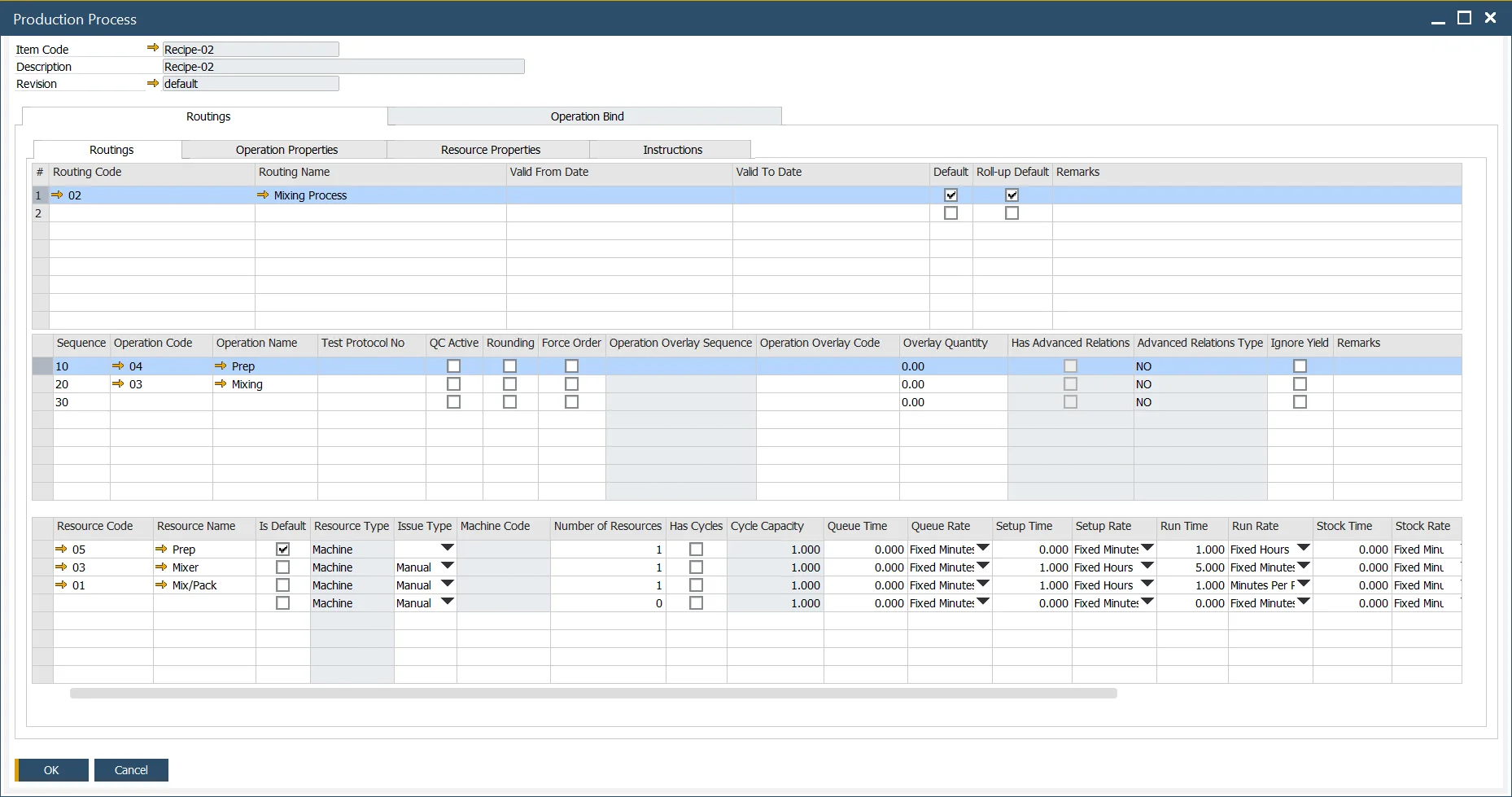
Define the Production Process
- Navigate to:
Production → Bill of Materials → Production Process
or use the context menu from the BOM screen. - Define the process flow as per your production requirements.
- Navigate to:
-
Bind Operations to Materials
-
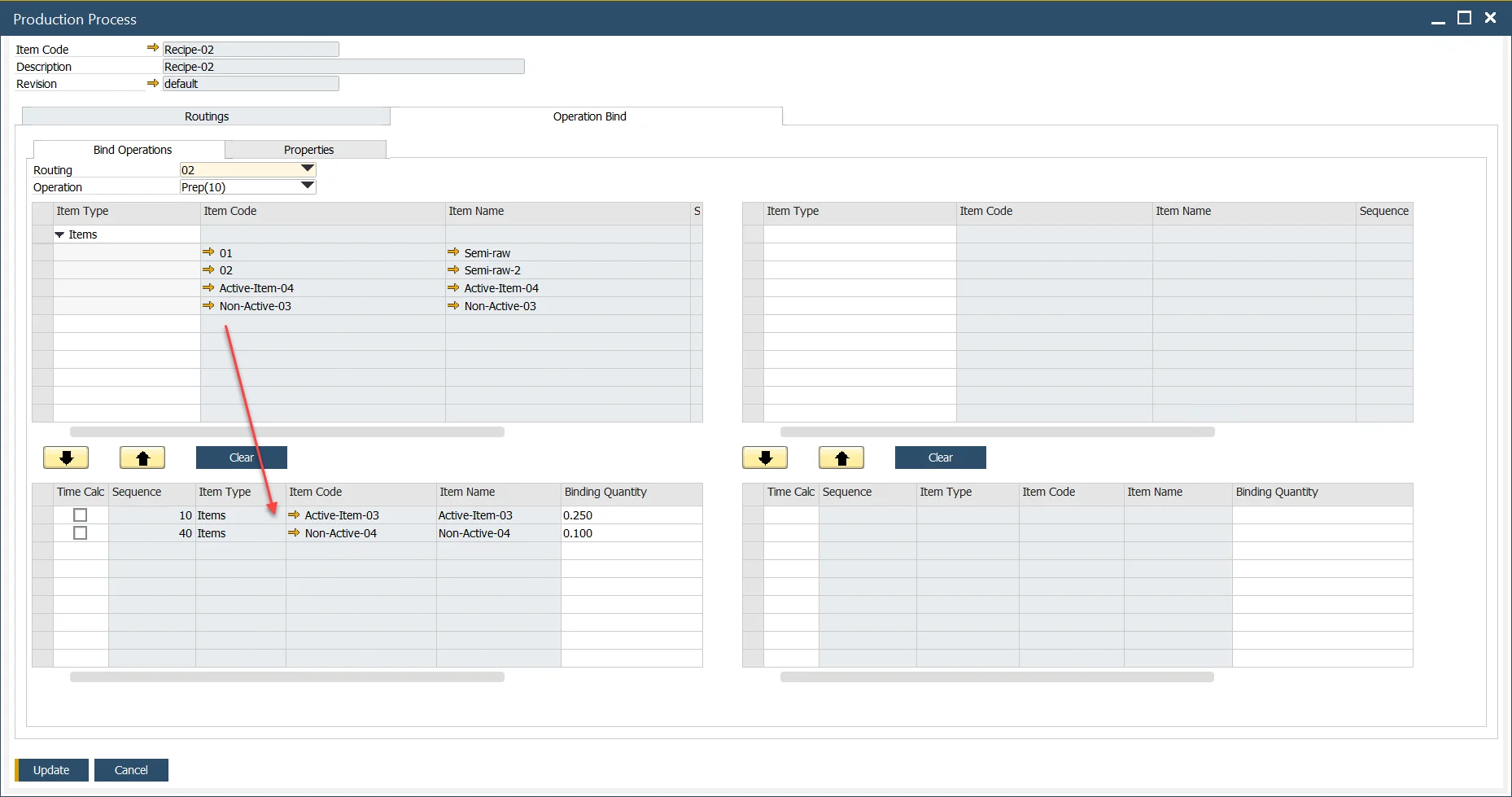
Open the Operation Binding form.
-
Select the Routing and relevant Operation.
-
On the left, assign Input Items; on the right, assign Output Items.
-
Example 1:
InputsActive-Item-03andNon-Active-04are linked to the Prep operation.

-
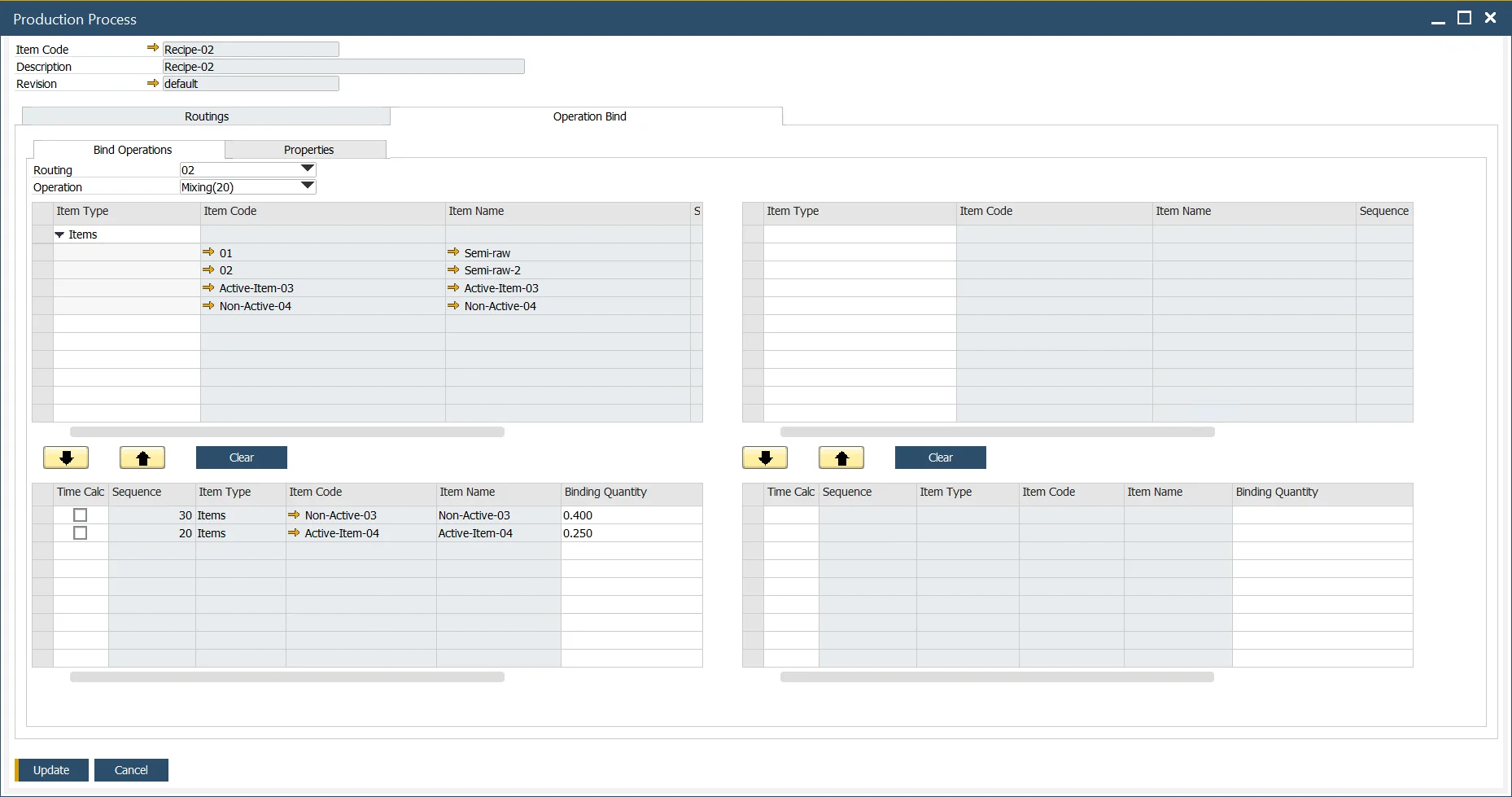
Example 2:
InputsNon-Active-03andActive-Item-04are linked to the Mixing operation.
-
Example 3: Output
Co-Product-01andScrap-01are also defined for the Mixing operation.
-