Customize Output Path and File Name
Crystal Printer offers a flexible way to generate and save print outputs as PDF files. By leveraging dynamic parameters and customizable paths, users can streamline their label printing process, ensuring efficient organization and easy retrieval of files.
To save each print as a PDF file using Crystal Printer, you need to enable the relevant parameter to activate this feature.
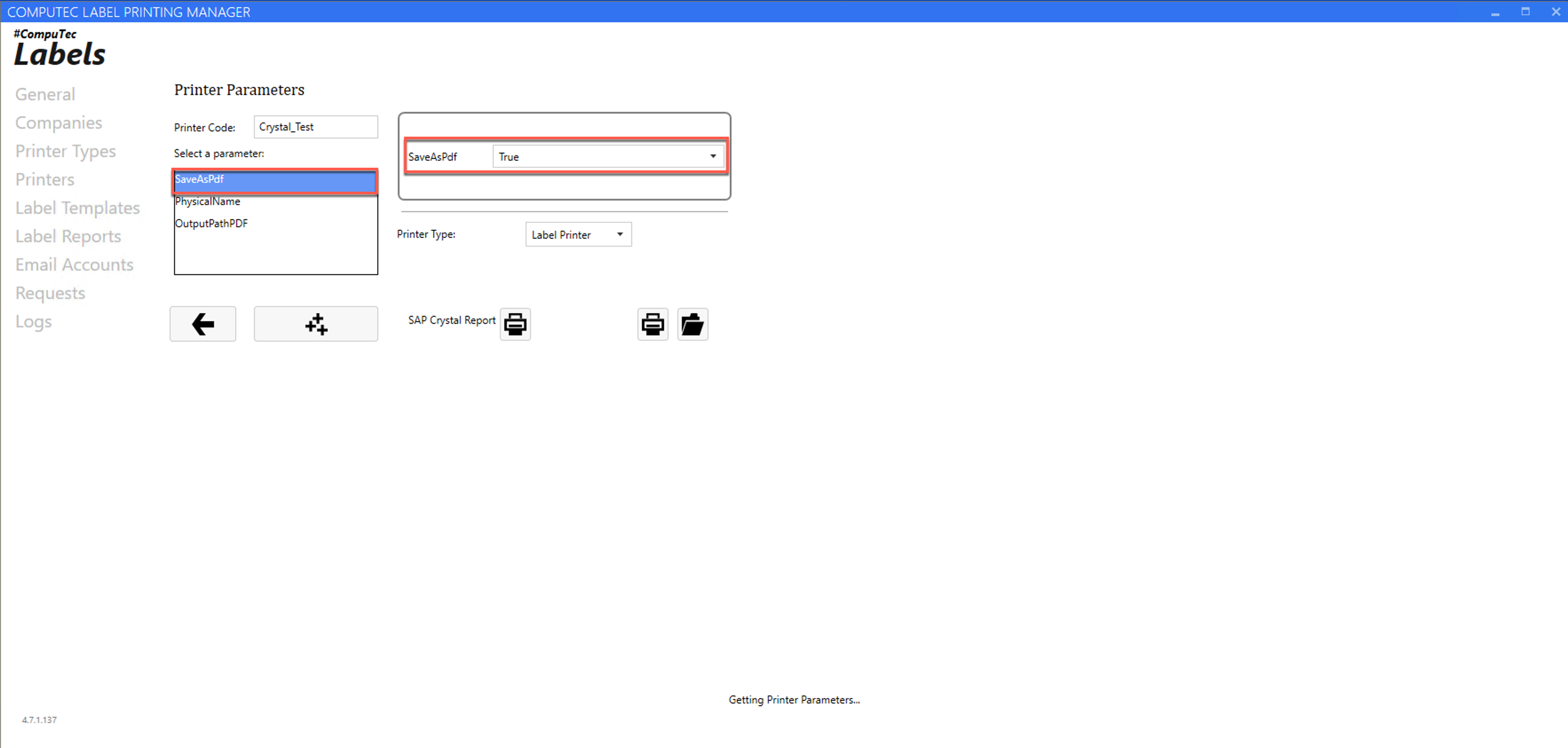
By default, PDF files are saved to: C:\ProgramData\CompuTec\CT Label Printing\Reports\Crystal
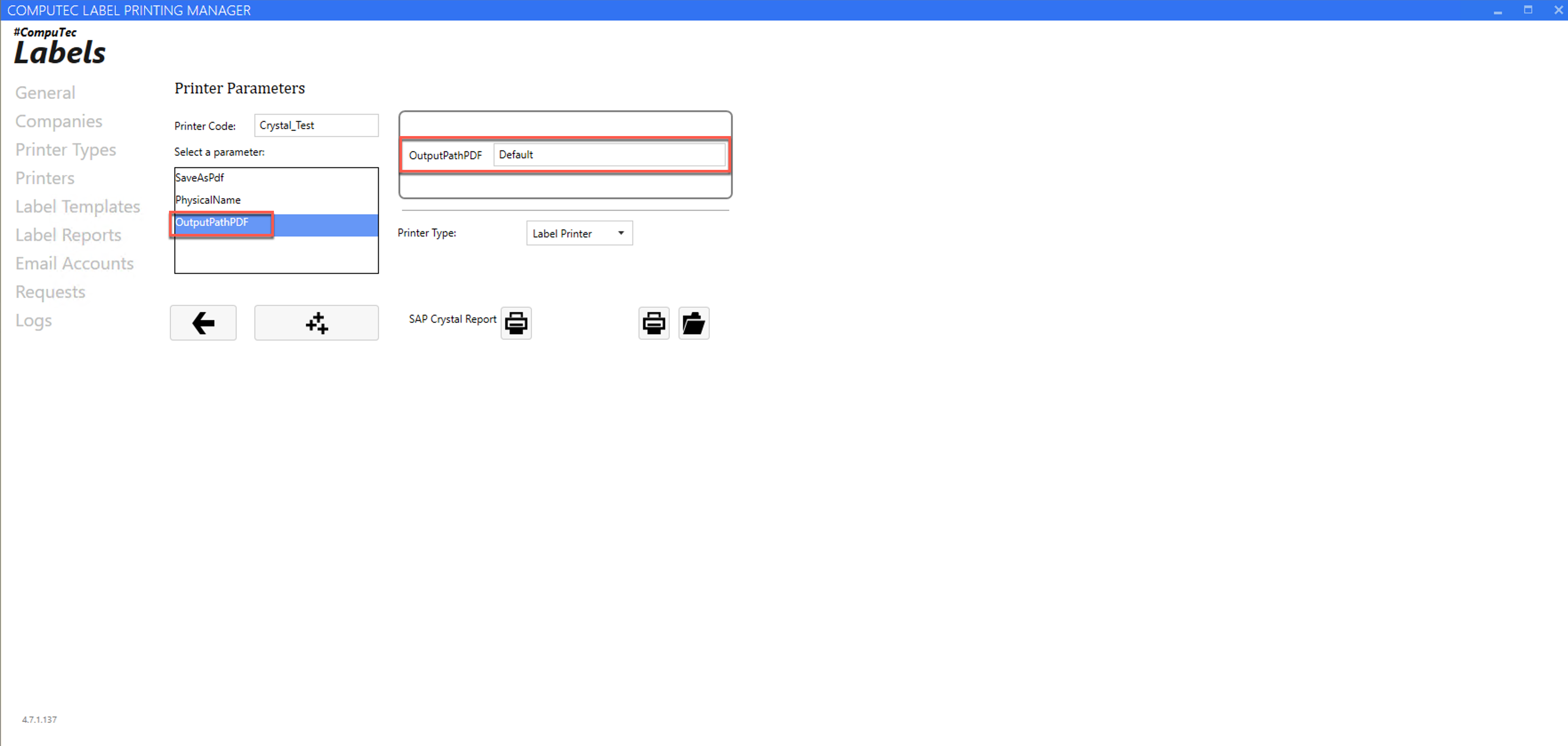
However, you can customize both the file path and the file name by entering a custom value in the designated field. The application supports parameters (defined in the mapping table) and special placeholders for dynamic customization.
Supported Special Parameters
You can use the following parameters to define dynamic file paths and names:
| Parameter | Description |
|---|---|
| @NumberOfCopies | How many labels to be printed |
| @RequestId | Request ID created in CTLABEL database |
| @TemplateCode | Template Code |
| @PrinterCode | Printer Code |
| @CCNo | Current number of label |
Configuration Examples
You can see the below examples for configuration:
| Input Path | Description | Variables | Output Path | Type |
|---|---|---|---|---|
e:\tests\p1\@RequestId_@CCNo.pdf | Static path + file name dynamic | @RequestId = 450 @CCNo = 1 | e:\tests\p1\450_1.pdf | Whole Path |
e:\tests\p1\@StringPar20\@StringPar21\@RequestId_@CCNo.pdf | Dynamic path + dynamic file name | @StringPar20 = 'Final Goods' @StringPar21 = 'Foods' @RequestId = 450 @CCNo = 1 | e:\tests\p1\Final Goods\Foods\450_1.pdf | Whole Path |
@RequestId_@CCNo.pdf | Default path + dynamic file name | @RequestId = 450 @CCNo = 1 | C:\ProgramData\CompuTec\CT Label Printing\Reports\Crystal\450_1.pdf | File Name |
@StringPar20\@StringPar21\@RequestId_@CCNo.pdf | Default path + dynamic path + dynamic file name | @StringPar20 = 'Final Goods' @StringPar21 = 'Foods' @RequestId = 450 @CCNo = 1 | C:\ProgramData\CompuTec\CT Label Printing\Reports\Crystal\Final Goods\Foods\@RequestId_@CCNo.pdf | Path + File Name |
Important Notes
- When using dynamic file names, you must explicitly include the .pdf extension. Example:
@RequestId_@CCNo.pdfis valid, but@RequestId_@CCNois not. - If a file name conflict occurs (duplicate names), the system will automatically append a suffix in the format: "_@CCNo" (e.g., 450_1.pdf).
- The default save path is: C:\ProgramData\CompuTec\CT Label Printing\Reports\Crystal
- This feature is available in CompuTec Labels version 4.7.1.37 or newer.