You are viewing documentation for CompuTec WMS 3.0, which runs on CompuTec AppEngine 3.0 (.NET 8).
If you use CompuTec WMS 2.0, see the CompuTec WMS 2.0 documentation.
When upgrading to CompuTec WMS 3.0, update all required CompuTec components together to ensure compatibility.
Before installing or upgrading, review the CompuTec WMS Installation Guide and the system requirements.
Extra SQL Fields on Line Details
Extra SQL Fields on Line Details allows you to display custom SQL-based information in selected CompuTec WMS screens.
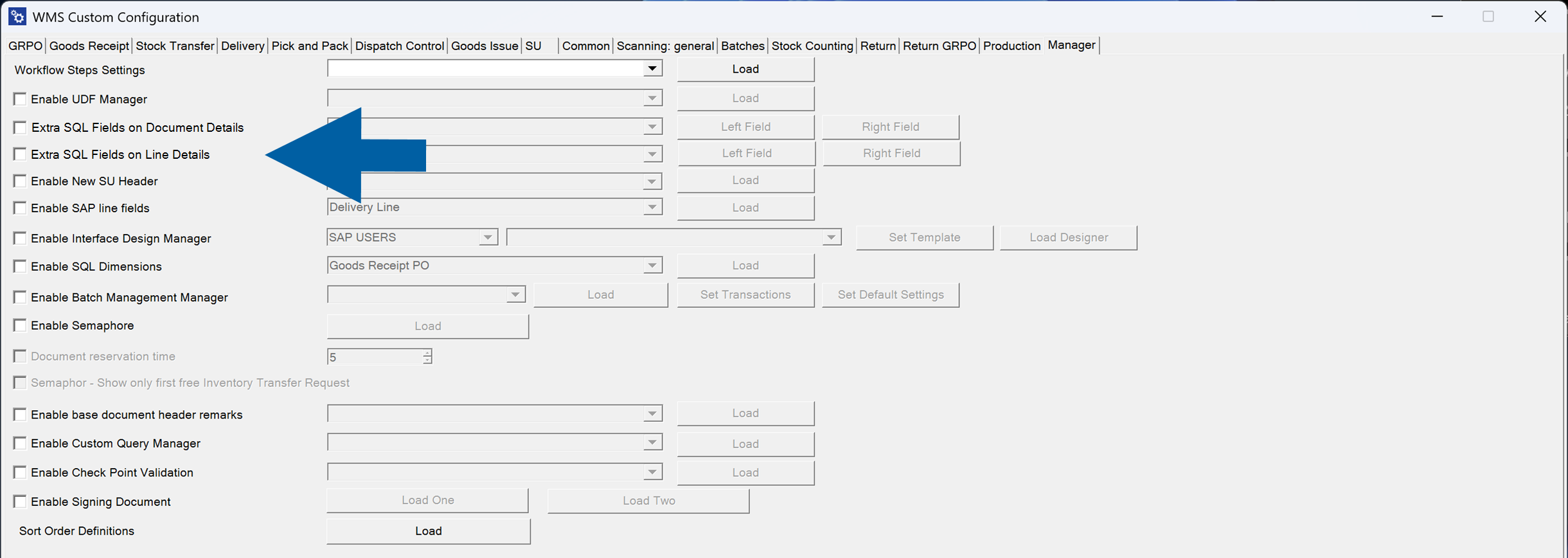
Each field is populated using an SQL query, making it possible to display additional business information directly in the WMS client.
Enable the feature
-
Go to Manager.
-
Select Extra SQL Fields on Line Details.

-
Select the transaction.

-
Configure the required fields:
Each supported screen can display two custom fields:
- Left Field
- Right Field
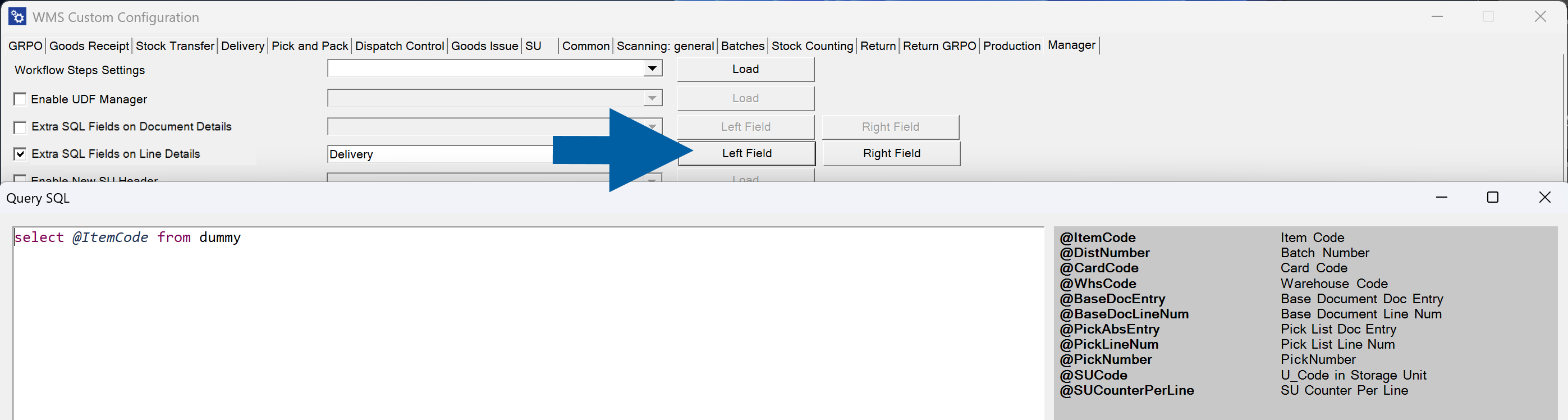
For each field:
-
Select Left Field or Right Field.
-
Enter an SQL query.
noteThe SQL editor includes a list of available variables that you can use when building queries.
Available variables depend on the selected transaction.
-
Click Save.
Example
The following example displays custom information below each delivery line.
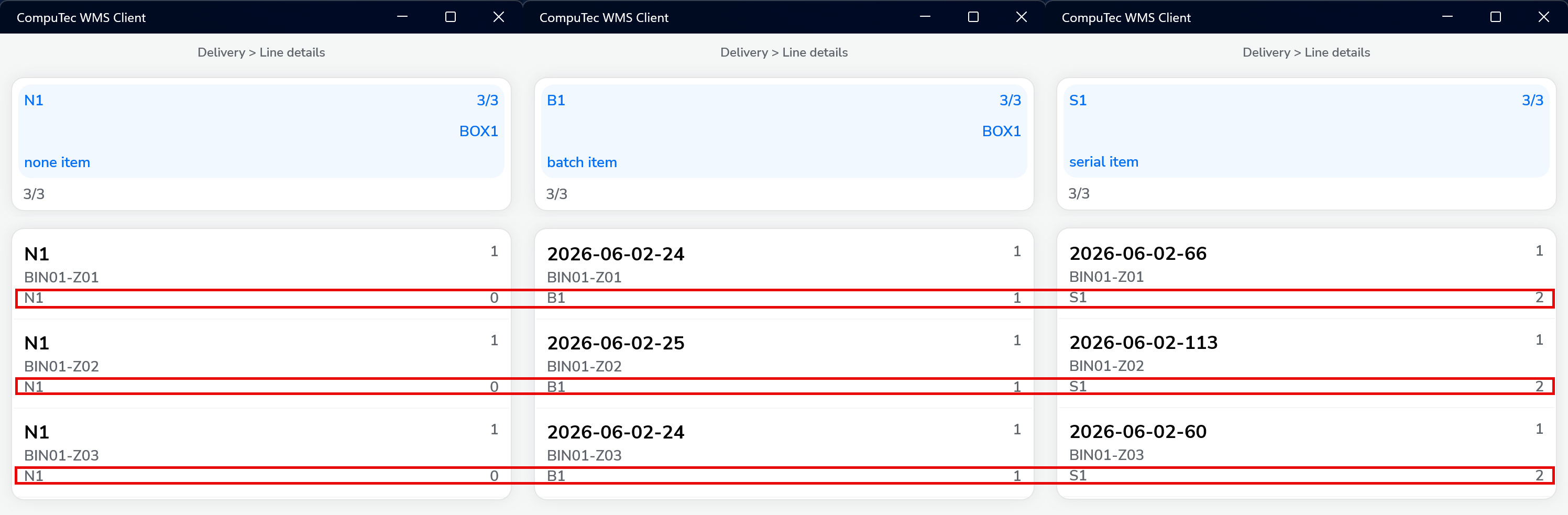
The values are generated dynamically using SQL queries configured for the Left Field and Right Field, and are displayed below each line in the Line Details view.
This allows operators to see additional information, such as batch-related data, warehouse information, customer-specific values, or other business data, without opening additional screens.