You are viewing documentation for CompuTec WMS 3.0, which runs on CompuTec AppEngine 3.0 (.NET 8).
If you use CompuTec WMS 2.0, see the CompuTec WMS 2.0 documentation.
When upgrading to CompuTec WMS 3.0, update all required CompuTec components together to ensure compatibility.
Before installing or upgrading, review the CompuTec WMS Installation Guide and the system requirements.
Batch Management Manager
Batch Management Manager's purpose is to define FIFO behavior.
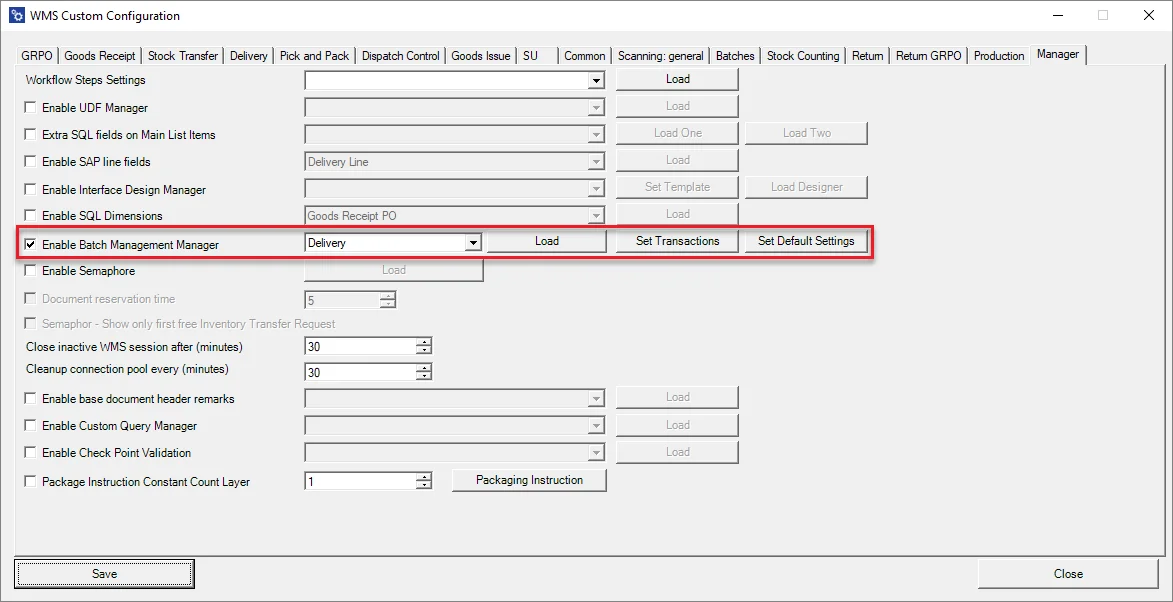
Check the Enable Batch Management Manager checkbox to use the option:
-
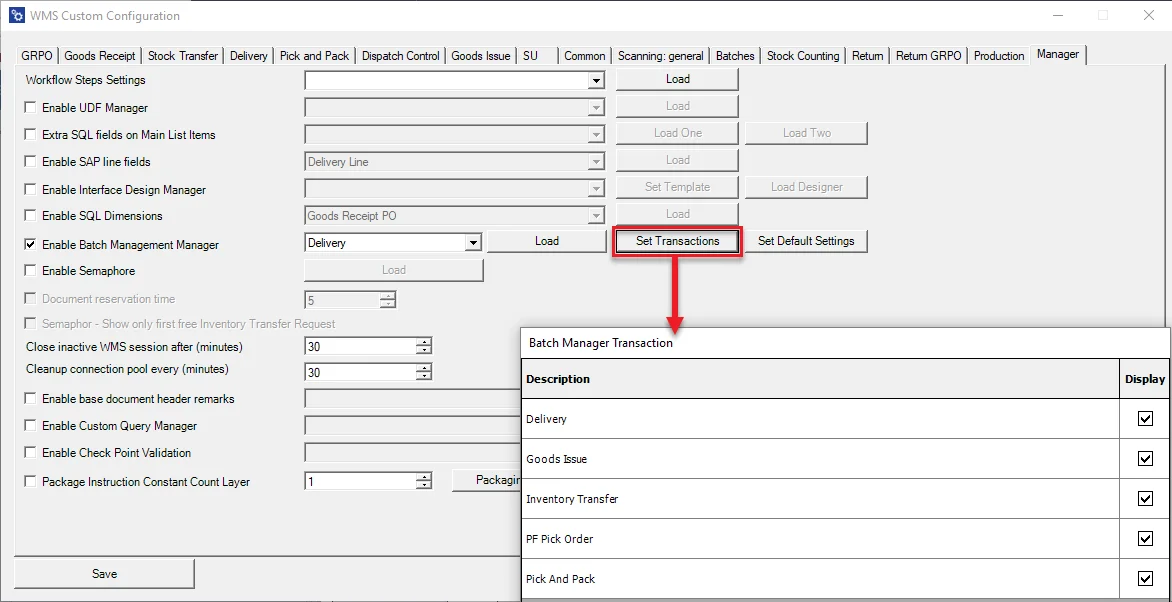
Set transaction(s) to be configured:
-
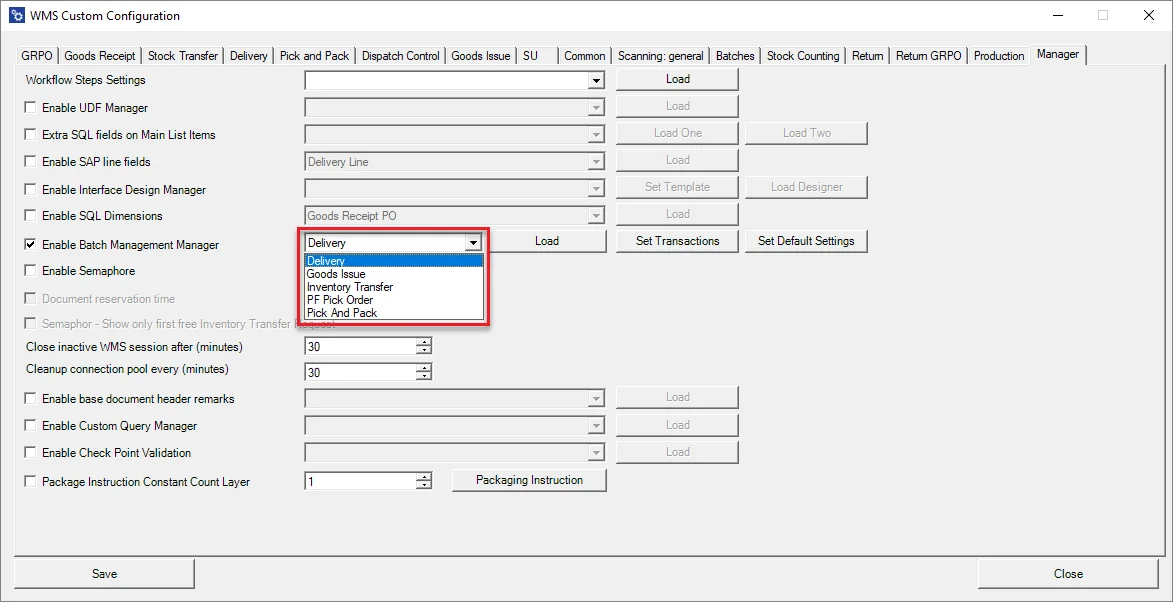
Choose a transaction to be configured and click Load:
-
A specific transaction configuration form (Delivery in this case) will be displayed with a list of Warehouses:

Columns:
- Warehouse Code.
- Warehouse Name.
- Checking queue option checkbox.
- All Bins from a specified warehouse checkbox – used when all the Bin Locations have to have the same settings set up.
- Loading Bin choice form.
- Copy default settings.
- Assigning settings to a specific Warehouse.
Bin localization configuration form:
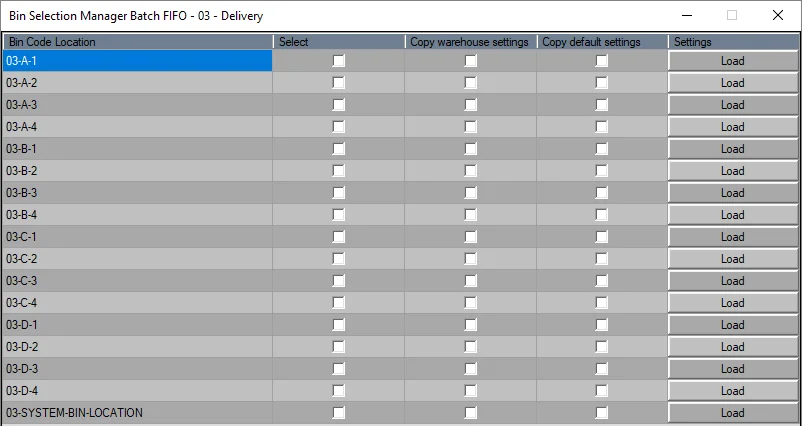
Columns description:
- Bin Code.
- Checking queue option checkbox.
- Copying settings from a Warehouse.
- Copying default settings
- Assigning settings to a specific Bin.
-
Set default Settings.


Action:
- Show only info – a default setting: showing information that a specified Batch is not the first in a queue; it can be skipped.
- Authorization confirmation login – a specified user authorization is required to skip a Batch in a queue.
- Block permanently – blocking or skipping a Batch is a queue.
All Transaction checkbox – if the checkbox is checked, the Manager works on every available transaction (and the Set Transaction button is blocked). If the checkbox is unchecked, it is required to choose a specific transaction manually.
Copy all Warehouse and Bin Locations – check this checkbox to assign default settings for every Warehouse and Location. In this case, setting up the configuration for a specific Warehouse/Location is impossible.
Additional information
-
It is not required to restart the CompuTec WMS Server after changes were made in the Batch Management Manager
-
Double click left mouse button on a column name to check all the checkboxes in the column
-
Double-click the right mouse button on a column name to uncheck all the checkboxes in the column
-
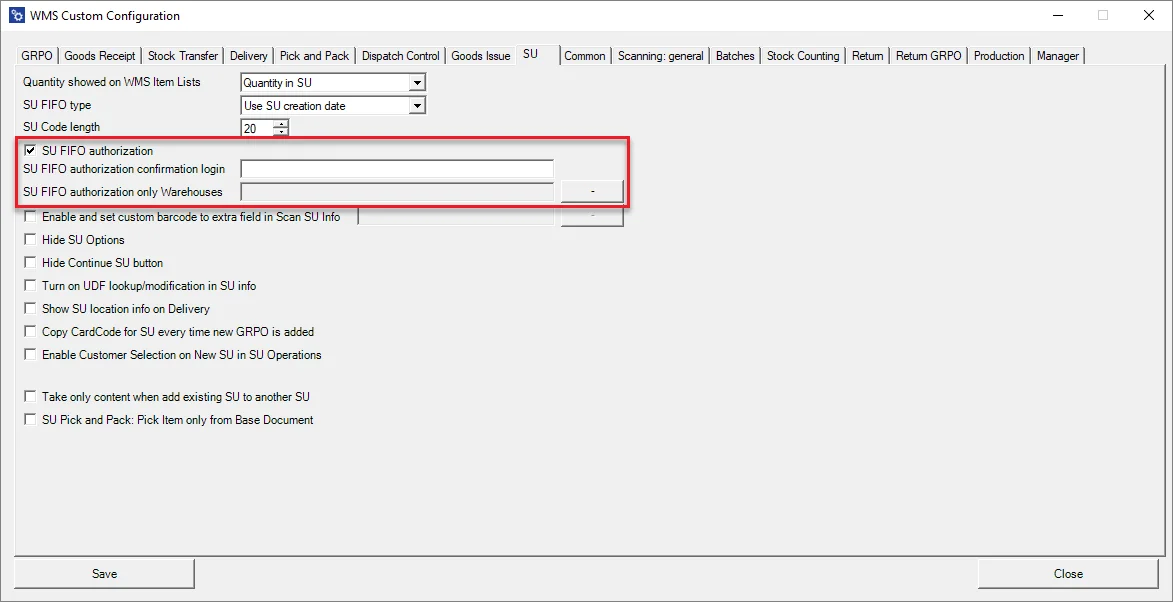
SU FIFO settings are now in the SU tab: