You are viewing documentation for CompuTec WMS 3.0, which runs on CompuTec AppEngine 3.0 (.NET 8).
If you use CompuTec WMS 2.0, see the CompuTec WMS 2.0 documentation.
When upgrading to CompuTec WMS 3.0, update all required CompuTec components together to ensure compatibility.
Before installing or upgrading, review the CompuTec WMS Installation Guide and the system requirements.
SSO Configuration
Single Sign-On (SSO) simplifies the login process by allowing users to access multiple systems with a single set of credentials, enhancing security and user convenience. To ensure seamless integration with CompuTec WMS, specific conditions must be met for CompuTec WMS databases to be displayed when SSO is enabled.
Configuration Details
When SSO is enabled, the CompuTec WMS databases in the CompuTec WMS Settings and CompuTec WMS Client will only appear if the following prerequisites are met:
-
The SAP user is mapped to a corresponding domain user.
-
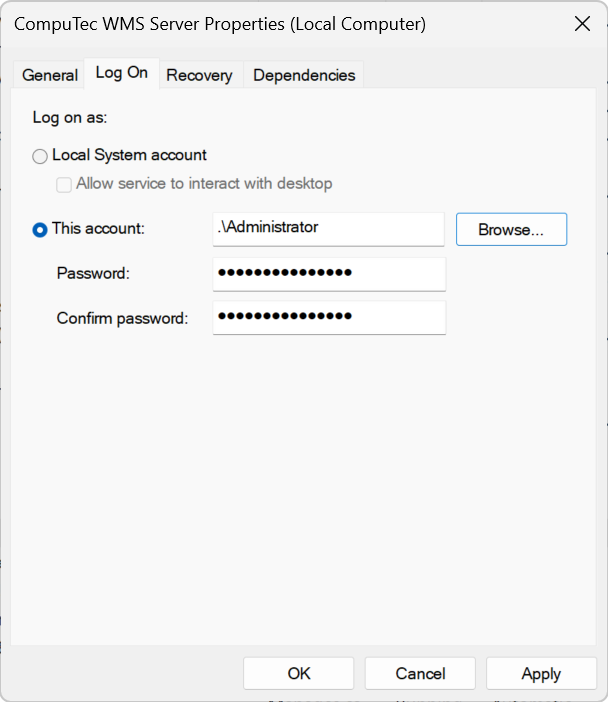
The domain user is registered as a logon user under Services → CompuTec WMS Server.