You are viewing documentation for CompuTec WMS 3.0, which runs on CompuTec AppEngine 3.0 (.NET 8).
If you use CompuTec WMS 2.0, see the CompuTec WMS 2.0 documentation.
When upgrading to CompuTec WMS 3.0, update all required CompuTec components together to ensure compatibility.
Before installing or upgrading, review the CompuTec WMS Installation Guide and the system requirements.
Storage Unit
This document outlines the key forms available after the installation of CompuTec WMS (Warehouse Management System). Below, we provide an overview of the two critical forms included in the system.
The following forms are available after the installation of CompuTec WMS.
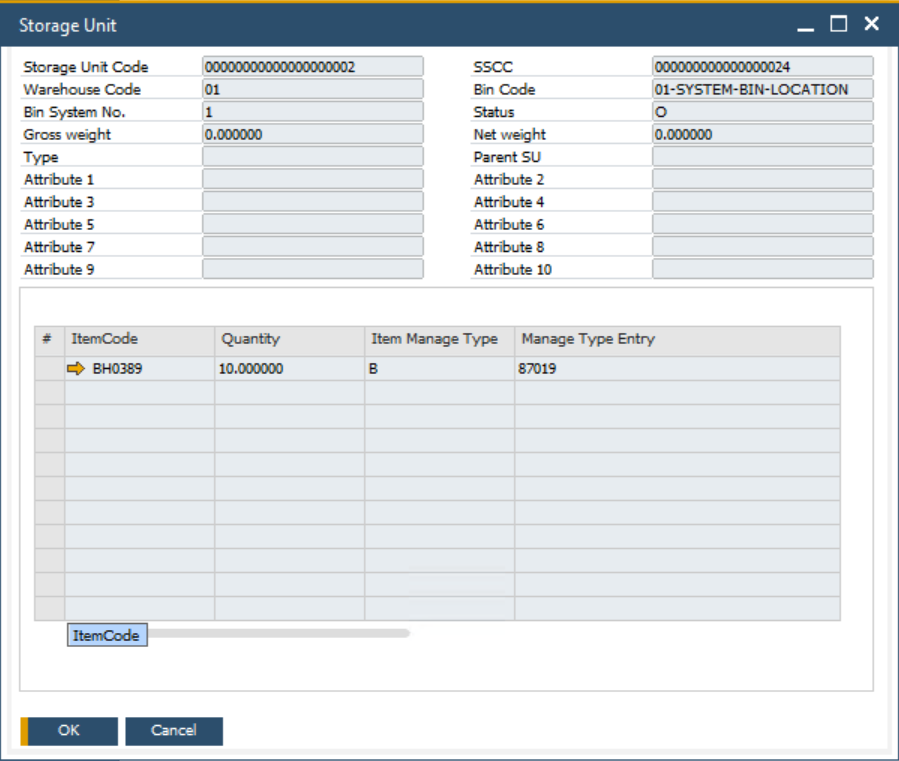
Storage Unit Form
Main Menu → Stock Management → Storage Unit
All storage units created using CompuTec WMS can be viewed in this form, along with their details. It is a central place for managing and tracking all storage units within the system.
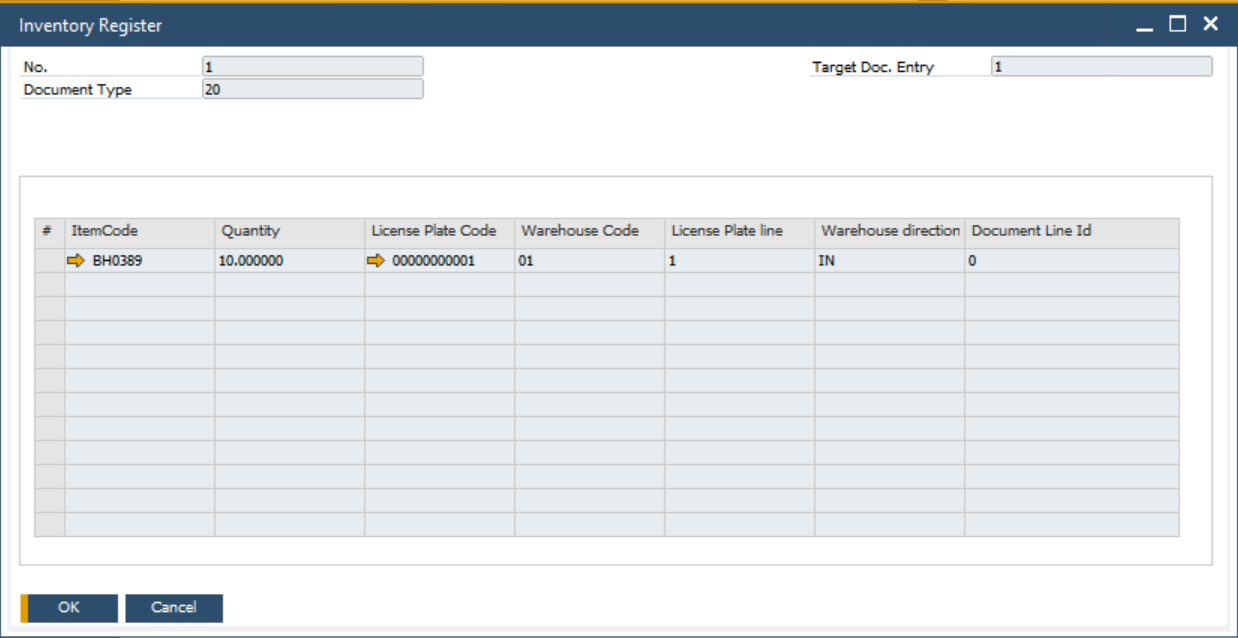
Inventory Register Form
Main Menu → Stock Management → Stock Transactions → Inventory Register
The Inventory Register form offers an extensive view of all CompuTec WMS transactions that involve the usage of storage units.